Best Home Theater System Under $10,000: 5 Setups Worth Your Money
Ten thousand dollars is the point where a home theater stops being a compromise. This guide breaks down five real setups — from all-in-one soundbar systems to full component builds — so you spend that budget on sound you’ll actually notice, not on a spec sheet.
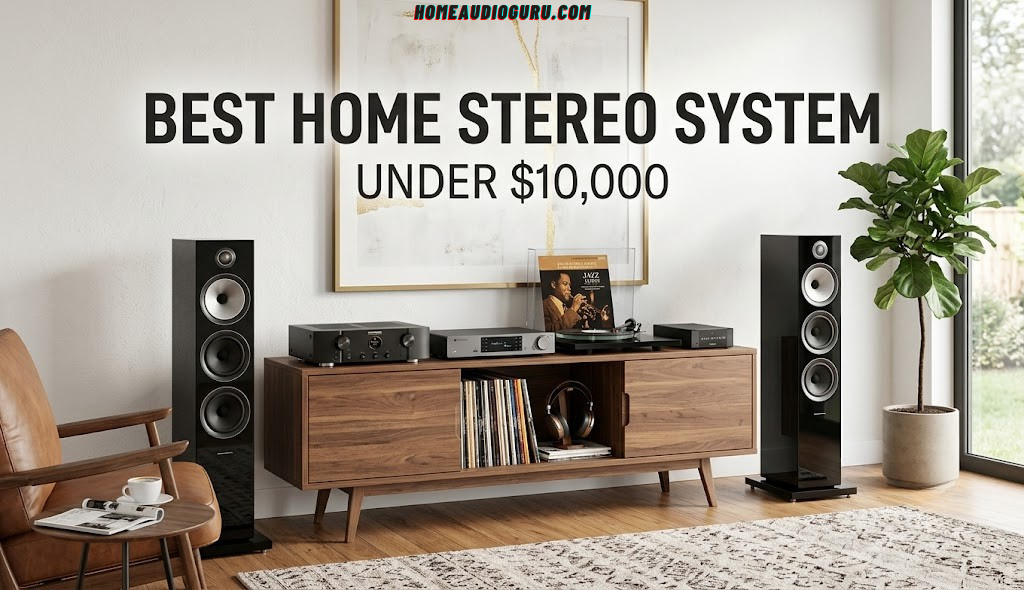
Quick Picks: Five Ways to Spend $10,000 on a Home Theater
Most “best home theater” roundups pretend there’s a single correct answer. There isn’t. A couple in a 300-square-foot apartment living room and a family building out a dedicated media room in a finished basement are solving completely different problems, even if they’ve set aside the same $10,000. What follows are five systems that each make sense for a different kind of room, a different kind of viewer, and a different tolerance for wires running through the walls.
None of these five are “the best” in some abstract, universal sense — home theater gear doesn’t work that way once you’re past entry-level pricing. A system that’s a perfect fit for a music-first household in a small apartment would be the wrong recommendation for a family building a dedicated theater room in a finished basement, even at the exact same price point. What makes a $10,000 budget genuinely fun to work with is that it’s large enough to actually specialize toward what you care about most, rather than settling for whatever compromise fits the money.
Before diving into each one individually, here’s the short version, because sometimes you just want the answer:
| Pick | Best For | Format | Standout Trait |
|---|---|---|---|
| Flagship Atmos Soundbar System | No visible wires, apartments, renters | All-in-one | Fastest setup, genuinely spacious Atmos from one box |
| KEF Q Series Bookshelf System | Music-first households | Component (5.1) | Best two-channel imaging of the group |
| SVS 5.1 Speaker & Subwoofer System | Action movies, home theater rooms | Component (5.1) | Deepest, most controlled bass per dollar |
| Bowers & Wilkins 600 S3 System | Buyers who want the ceiling raised, not just met | Component (5.1.2) | Most refined sound in the roundup |
| 5.1 Home Theater in a Box | First full component system, tight budgets within the range | Component (5.1) | Leaves the most money for a 4K projector or big-screen TV |
Already have a general sense of what you want? Our complete guide to the best home audio systems covers every price tier, not just this one, if $10,000 turns out to be more or less than you need.
How We Chose These Five Systems
A $10,000 home theater budget gets thrown around a lot, but very few guides explain what that number actually buys once tax, cables, and a mounting bracket are factored in. We built this list around a simple constraint: every system here should leave enough room in the budget for the accessories that make a home theater actually work — an HDMI 2.1 cable run, in-wall wiring or wireless surround kits, and basic acoustic treatment — rather than spending every last dollar on the speakers themselves.
We weighted four things roughly equally when narrowing the field down to five:
What We Prioritized
- Real-world dialogue clarity, not just bass slam in a showroom demo
- Build quality that holds up over a decade of daily use
- Setup complexity appropriate to the buyer it’s aimed at
- Upgrade path — can you add speakers later without starting over?
What We Deliberately Ignored
- Marketing wattage numbers that don’t reflect real listening levels
- Smart-home gimmicks that have nothing to do with sound
- Systems that only look good in a specifically staged demo room
- Anything requiring a $2,000+ receiver just to reach the budget ceiling
If you’re setting up a system for the first time and want the step-by-step process — where to place speakers, how to run the calibration mic, what settings to change on the receiver — our home audio system setup guide walks through it after you’ve picked your gear.
We also leaned on how each system behaves over weeks of ordinary use rather than a single showroom demo. A speaker package that sounds impressive during a five-minute action-movie trailer doesn’t always hold up during two hours of dialogue-heavy dramas or a Sunday afternoon of background music, and that gap between “demo-impressive” and “livable” is exactly where a lot of home theater purchases end up disappointing buyers who only auditioned gear briefly before committing.
Soundbar Systems vs. Component Systems: Which Fits $10,000 Better?
At $300, this question barely matters — your options are limited either way. At $10,000, it’s the single biggest decision in this guide, because it determines almost everything else: how much wiring is involved, how the system sounds five years from now, and how much of the budget goes toward the front three channels versus everything else.
All-in-One Soundbar Systems
A flagship soundbar paired with a wireless subwoofer and satellite speakers is, at this price point, a genuinely capable home theater — not the compromise it would have been a few years ago. The best ones use enough individual drivers and enough processing power to convincingly fake a wide front soundstage and real height channels, even though everything is packed into a single bar under your screen. The tradeoff is that you’re locked into whatever that one bar decides is “center,” “left,” and “height” — there’s no swapping in a better center channel later without replacing the whole system.
Component Systems
A component system separates every role — front left, center, right, surrounds, height, subwoofer — into its own dedicated speaker, all driven by an AV receiver. This is more work to install and calibrate, but it scales. You can start with a 5.1 layout and add height speakers, a second subwoofer, or a better center channel two years later, and none of the earlier purchases go to waste. For a $10,000 budget specifically, this is where the money tends to go furthest, because you’re paying for drivers and cabinets rather than for the convenience of everything living in one enclosure.
Three of the five picks below are component systems, and two are soundbar-based, which should tell you which way the value tends to lean at this budget — but the right answer still depends on your room and how much wiring you’re willing to deal with.
1. Best Overall: Flagship Dolby Atmos Soundbar System

Flagship Dolby Atmos Soundbar & Wireless Subwoofer System
This is the system we point people toward when they say they want a home theater but do not want a project. Everything ships in two or three boxes: the bar itself, a wireless subwoofer, and in most configurations a pair of wireless surround speakers. There is no receiver to configure, no speaker wire to fish through walls, and the whole thing can realistically be set up and calibrated in under an hour.
What separates a flagship bar like this from the $400 versions is driver count and cabinet engineering. Where a budget soundbar fakes width with digital signal processing alone, this class of system uses a genuinely wide array of forward and side-firing drivers plus dedicated up-firing units for height information, so Dolby Atmos overhead effects have real physical drivers behind them rather than pure software trickery. The result is a front soundstage that extends noticeably past the edges of the TV, which is the single biggest giveaway that you’re listening to something above entry-level.
Where It Shines
Dialogue is the strongest single trait here — the dedicated center channel array keeps voices anchored and intelligible even during busy action scenes, which is the complaint we hear most often about older or cheaper soundbars. Movie night doesn’t require riding the volume up and down between quiet dialogue and loud effects, which is the entire point of a good center channel.
Where It Falls Short
Music listening is the honest weak point. Stereo imaging is respectable for a bar-format speaker but doesn’t approach what a pair of proper bookshelf speakers do with the same signal, since every driver is still crammed into a single horizontal enclosure. If music matters as much as movies in your household, look at Pick 2 instead.
Who Should Skip This Pick
If you already own a receiver and a pair of speakers you like, buying an all-in-one bar means walking away from that existing gear rather than building on it. It’s also not the right choice for anyone planning to run a dedicated two-channel music setup through the same system, since a bar-format speaker will always be a compromise on pure stereo separation compared to physically separate left and right speakers standing several feet apart.
Pros
- Fastest setup of any system in this guide
- No visible speaker wire — ideal for rentals
- Genuinely wide, immersive Atmos presentation for a bar
- Room calibration via included microphone app
Cons
- Stereo music imaging is good, not great
- No upgrade path — it’s one sealed system
- Wireless surrounds still need a power outlet nearby
Check current pricing and configuration options on Amazon.
Check Price on Amazon →Looking for a smaller-scale version of this same idea? Our Samsung B-Series soundbar review, Bose Smart Soundbar review, and Sony HT-S2000 review cover the step-down options if the full flagship system is more than you need.
2. Best for Music Lovers: KEF Q Series Bookshelf System

KEF Q Series 5.1 Bookshelf Speaker System
KEF built its reputation on the Uni-Q driver array — a tweeter mounted at the acoustic center of the midrange cone rather than off to the side — and it’s the reason this brand shows up so often on music-first shopping lists rather than pure home-theater ones. The company’s coaxial driver design gives a single point source for sound, which is what makes their speakers image so precisely: instruments and voices sound like they’re coming from a specific point in space rather than smeared across a driver array.
Built as a 5.1 system around a matched pair of Q Series bookshelf speakers up front, a matching center channel, a pair of smaller bookshelf or on-wall surrounds, and a powered subwoofer, this setup trades a bit of home-theater spectacle for noticeably better fidelity on music, podcasts, and dialogue-heavy prestige TV — the stuff people in this household are more likely to actually be listening to on a Tuesday night.
Where It Shines
Vocal and instrumental accuracy. If your household splits time between movies and actually sitting down to listen to an album, this is the system in the group that treats both use cases as first-class citizens rather than treating music as an afterthought bolted onto a movie speaker.
Where It Falls Short
You’ll need to budget separately for an AV receiver, since this is a pure speaker package with no amplification built in — factor that into the $10,000 total. Bass extension from the included subwoofer is good but not room-shaking; action-movie enthusiasts who want to feel explosions in their chest should look at Pick 3 instead.
Who Should Skip This Pick
If bone-rattling bass during action scenes is the primary goal, this isn’t the system built around that priority — the included subwoofer is tuned for tightness and accuracy rather than maximum output. Buyers who don’t already have, or don’t want to shop separately for, an AV receiver should also weigh the added cost and complexity against the all-in-one alternative in Pick 1.
Pros
- Best-in-class stereo imaging and vocal precision
- Matched center channel keeps timbre consistent front to back
- Upgradeable — add height speakers or a second sub later
- Compact bookshelf footprint fits smaller rooms
Cons
- Requires a separate AV receiver purchase
- Bass is refined rather than aggressive
- Longer setup than an all-in-one bar system
Browse the full KEF Q Series lineup and current pricing on Amazon.
Shop KEF on Amazon →If you’re building this system around a smaller two-channel core first, our best home stereo system under $500 guide shows how the entry point to this same sound signature looks at a fraction of the price.
3. Best Bass: SVS 5.1 Speaker & Subwoofer System

SVS Prime Series 5.1 Speaker & Subwoofer System
SVS built its name almost entirely on subwoofers sold direct-to-consumer, cutting out the retail markup that usually goes toward showroom overhead — and that lineage shows in this package. Rather than treating the subwoofer as an afterthought bundled in to check a box, the sub is arguably the reason to buy this system, with the Prime Series satellites and tower speakers built to keep pace with it rather than the other way around.
For anyone whose home theater use case leans toward action movies, sports, or gaming — situations where low-end impact matters as much as dialogue clarity — this is the pick in the roundup built around that priority. The 5.1 layout pairs a pair of towers or bookshelf speakers up front, a dedicated center channel voiced to match, a pair of surrounds, and a ported subwoofer capable of digging well below what most bundled subs can manage.
Where It Shines
Bass that stays controlled at high volume. A lot of budget subwoofers get loose and boomy once you push them, masking detail in the process — this one keeps its composure noticeably longer, which matters most during the loudest scenes, which is exactly when a weaker sub tends to fall apart.
Where It Falls Short
The satellite and tower speakers, while solid, aren’t the star of this package the way the subwoofer is — buyers chasing the absolute best midrange and treble detail in the group should lean toward Pick 2 or Pick 4. The subwoofer is also large enough that it needs real floor space, which matters in a smaller apartment.
Who Should Skip This Pick
Apartment dwellers with downstairs neighbors, or anyone in a smaller room under roughly 200 square feet, may find this much subwoofer more than the space needs — the SVS system’s biggest strength only fully shows up when it has room to work with. If music and dialogue precision matter more than bass slam in your household, the KEF system is the better fit for that priority.
Pros
- Best low-end extension and control in this guide
- Dual-subwoofer pre-outs for a future second sub
- Direct-to-consumer value — less retail markup baked in
- Handles action and sports content exceptionally well
Cons
- Subwoofer cabinet is large and needs floor space
- Requires a separate AV receiver
- Midrange detail is good, not the category leader
See current SVS Prime Series packages and pricing on Amazon.
Shop SVS on Amazon →Not sure a full component system is necessary yet? Our Polk MagniFi Mini review and Vizio 5.1 Soundbar SE review cover smaller bass-forward bar systems that borrow the same philosophy at a lower entry price.
4. Best Splurge: Bowers & Wilkins 600 S3 System

Bowers & Wilkins 600 S3 5.1.2 Speaker System
Bowers & Wilkins occupies a different tier in most audio enthusiasts’ minds than the rest of the brands in this guide, largely because of a decades-long reputation built on flagship studio monitors that ended up in mastering rooms, not just living rooms. The 600 series is the entry point into that same design language and driver philosophy — Continuum cone woofers and a decoupled tweeter housing borrowed from the company’s far pricier ranges — at a price that a full 5.1.2 package can actually fit inside a $10,000 budget alongside a receiver and installation costs.
Built out as a 5.1.2 system with floorstanding or bookshelf mains, a dedicated center, surrounds, and a pair of height speakers or up-firing Atmos modules, this is the pick for someone who has already lived with a decent system and knows specifically what they’re chasing: more texture in the upper midrange, a more three-dimensional soundstage, and less listening fatigue during long sessions.
Where It Shines
Texture and refinement. Skin tones of instruments — the difference between a violin and a viola playing the same note, the rasp in a singer’s upper register — come through with a level of detail that’s genuinely audible even to listeners who don’t consider themselves audiophiles, not just something you’d notice on a spec sheet.
Where It Falls Short
This is the most expensive per-channel option here, which means the budget gets tight once a comparable receiver and height speakers are added — this is the one system in the group where staying under $10,000 all-in takes some careful shopping around sale pricing. It’s also the least beginner-friendly setup of the five in terms of tuning and placement sensitivity.
Who Should Skip This Pick
If this is your first component system, or the room is shared, multi-purpose space where precise speaker placement isn’t realistic, this system’s strengths will be harder to fully realize and the budget may be better spent elsewhere. It rewards a dedicated room and a buyer who already has a clear sense of what they’re listening for.
Pros
- Most refined, detailed sound of any pick in this guide
- Decoupled tweeter reduces cabinet resonance and coloration
- Genuine Dolby Atmos height channels, not virtual approximation
- Strong resale value if you ever upgrade further
Cons
- Tightest budget fit of the five systems
- Rewards careful placement more than the other picks
- Requires a receiver with clean power for 7+ channels
View current Bowers & Wilkins 600 S3 pricing and bundles on Amazon.
Shop Bowers & Wilkins on Amazon →5. Best Value: 5.1 Home Theater System in a Box

Complete 5.1 Channel Home Theater System in a Box
Not every $10,000 shopper wants to spend all $10,000 on speakers. Some are building a home theater from scratch and need that budget to also cover a projector or a larger TV, a screen, seating, or blackout curtains — and for that buyer, a well-reviewed matched 5.1 home theater package that includes a receiver, five speakers, and a powered subwoofer in one purchase is the pragmatic choice, not a lesser one.
The appeal here isn’t that any single component beats the specialist picks above — it doesn’t, and it shouldn’t be expected to at this price gap. The appeal is that everything is pre-matched by the manufacturer to work together tonally, the receiver is already sized correctly for the included speakers, and the whole thing can be set up in an afternoon by someone who has never dealt with impedance matching or speaker-level calibration before.
Where It Shines
Value density. Because everything is bundled, you’re not paying separately for a receiver, five speaker purchases, and shipping on each — the combined package pricing consistently comes in well under buying each piece individually, freeing up real money elsewhere in a $10,000 home theater build.
Where It Falls Short
It won’t out-resolve the KEF or Bowers & Wilkins systems on music, and it won’t out-punch the SVS system on bass. Think of this as the sensible foundation pick rather than the ceiling of what’s achievable in this price range — a legitimate five-star value proposition, even with a four-star ceiling on absolute performance.
Who Should Skip This Pick
If sound quality is the primary goal and budget for a screen is already sorted elsewhere, one of the specialist systems above will deliver more noticeable performance per dollar spent on the audio itself. This pick is optimized for value and simplicity first, not for squeezing out the last measure of fidelity.
Pros
- Everything pre-matched — no guesswork on compatibility
- Includes the receiver, unlike three of the other picks
- Fastest full-component setup in the guide
- Leaves the most budget for a TV, projector, or screen
Cons
- Not the ceiling on sound quality in this guide
- Included receiver has fewer high-end features
- Speaker cabinets are less upgrade-friendly individually
Check current pricing and included components on Amazon.
Check Price on Amazon →For the step-by-step on getting a bundled system like this calibrated correctly, see our home audio system setup guide.
Side-by-Side Comparison
Laid out next to each other, the tradeoffs between these five systems become a lot clearer than they are one at a time. None of them lose across the board — each one is winning a specific category on purpose.
| System | Format | Setup Difficulty | Music Performance | Bass Performance | Includes Receiver |
|---|---|---|---|---|---|
| Flagship Atmos Soundbar | 7.1.4 (bar) | Easy | Good | Very Good | N/A (self-amplified) |
| KEF Q Series | 5.1 | Moderate | Excellent | Good | No |
| SVS Prime Series | 5.1 | Moderate | Very Good | Excellent | No |
| Bowers & Wilkins 600 S3 | 5.1.2 | Advanced | Excellent | Very Good | No |
| 5.1 System in a Box | 5.1 | Easy | Good | Good | Yes |
Matching a System to Your Room
The single most common mistake we see at this budget isn’t picking the wrong brand — it’s picking the right system for the wrong room. A setup that sounds phenomenal in a 500-square-foot dedicated theater room can sound thin and lost in a wide-open great room, and a system voiced for a small apartment can sound congested and boomy once it’s asked to fill a basement twice that size. Before you commit to any of the five picks above, it’s worth spending five minutes actually measuring your space.
Start With Square Footage, Not Speaker Count
Channel count gets all the attention in marketing copy, but square footage is the variable that actually determines whether a system will sound balanced. A 5.1 system in a small den can out-perform a 7.1.4 system crammed into the same space, simply because the extra channels have nowhere useful to go and end up creating more reflections than information.
| Room Size | Recommended Layout | Notes |
|---|---|---|
| Under 150 sq ft | 3.1 or 5.1 | Prioritize a smaller, sealed subwoofer to avoid overloading the room |
| 150–300 sq ft | 5.1 or 5.1.2 | The sweet spot for four of the five systems in this guide |
| 300–450 sq ft | 5.1.2 or 7.1.2 | Side surrounds start to earn their keep here |
| 450+ sq ft | 7.1.4 | Consider a second subwoofer regardless of which system you choose |
Ceiling Height and Overhead Channels
Dolby Atmos height channels — whether real in-ceiling speakers or up-firing modules bouncing sound off the ceiling — depend heavily on having a flat, hard, reasonably low ceiling. Anything from about 7.5 to 9 feet works well. Vaulted, angled, or acoustically treated ceilings scatter the reflected sound in ways that up-firing modules can’t compensate for, which is worth checking before you commit to Pick 1 or Pick 4 above, both of which lean on height channels for part of their appeal.
Seating Distance and Speaker Placement
As a starting point, front left and right speakers should sit roughly the same distance from the primary seating position, angled slightly inward toward the listener — a rough guideline is toeing them in enough that the tweeters point just past your ears rather than straight down the room. The center channel should sit at or near ear height when seated; if it has to go above or below the screen, angle it toward the seating area rather than leaving it firing straight out. Surround speakers work best mounted slightly above ear height and just behind or to the side of the main seating position, not directly behind the listener’s head.
If you’re furnishing the room from scratch alongside the system, it’s worth reading through our best home audio systems hub for placement diagrams and layout comparisons across different room shapes, since the right system and the right room shape genuinely interact with each other.
Hard Surfaces vs. Soft Furnishings
A living room with hardwood floors, bare walls, and a large uncovered window will sound noticeably brighter and more reflective than the same room with an area rug, curtains, and a couple of upholstered chairs. This isn’t a minor detail — it can be the difference between a system sounding refined and sounding harsh, regardless of which of the five picks you go with. If your room leans toward hard and reflective, budget a small amount for a rug and curtains before spending more on speakers; the acoustic return on that money is often higher than the next speaker upgrade would be.
Where the $10,000 Should Actually Go
Once you’ve settled on a system type, the next question is how to divide the money across everything that isn’t the headline speaker package. It’s easy to spend the entire budget on the five boxes with speaker cones in them and end up with nothing left for the cabling, mounting, and treatment that determine whether that gear actually performs the way it’s capable of.
A Reasonable Allocation Model
This isn’t a rigid formula — a soundbar-based system redistributes some of this differently than a component system does — but it’s a useful starting frame for a full $10,000 component build:
| Category | Share of Budget | Approx. Amount |
|---|---|---|
| Front three channels (L/C/R) | 35–40% | $3,500–$4,000 |
| Surround & height channels | 15–20% | $1,500–$2,000 |
| Subwoofer(s) | 10–15% | $1,000–$1,500 |
| AV receiver | 15–20% | $1,500–$2,000 |
| Cabling, mounts, calibration mic | 5% | $500 |
| Acoustic treatment / furnishing | 5–10% | $500–$1,000 |
Why the Front Three Channels Get the Biggest Share
Left, center, and right are doing the majority of the work in almost everything you watch — dialogue, on-screen effects, and most of the stereo music mix all live there. It’s the section of the system most worth spending on, and it’s also the section where timbre-matching matters most, since sound is constantly panning between these three speakers and any tonal mismatch between them is the easiest inconsistency for your ear to catch.
Don’t Skip the Receiver Line Item
Three of the five picks in this guide — KEF, SVS, and Bowers & Wilkins — are speaker-only packages that assume you’re supplying your own AV receiver. It’s tempting to treat that as a rounding error, but a receiver capable of cleanly driving five to nine channels with enough headroom for dynamic peaks, plus HDMI 2.1 pass-through for modern gaming consoles, realistically costs somewhere in the $1,200 to $2,000 range if you want it to last. Buying speakers that outperform the receiver driving them is a common and avoidable way to leave performance on the table.
The Line Item Everyone Forgets: Calibration and Treatment
A $500 allocation toward a rug, curtains, a couple of acoustic panels, and making sure the receiver’s automatic room correction is actually run correctly will often move the needle on perceived sound quality more than the next $500 spent on a speaker upgrade. It’s the least exciting line in the budget and the most consistently underfunded one.
Common Mistakes to Avoid at This Budget
1. Buying the Receiver Last
Speakers get chosen first because they’re the fun part, and the receiver becomes an afterthought squeezed into whatever’s left of the budget. This backfires because the receiver’s power output and channel count constrain what the speakers can actually do — an underpowered receiver driving capable speakers will consistently sound worse than a well-matched, more modest pairing.
2. Ignoring the Center Channel
It’s common to spend heavily on the left and right speakers and grab whatever center channel comes bundled or matches on paper, when in practice the center channel is carrying the majority of movie dialogue. A mismatched or underpowered center channel is one of the most audible weak links a system can have, and it’s disproportionately cheap to fix relative to the improvement it delivers.
3. Skipping Automatic Room Calibration
Every receiver in this price range ships with some form of automated room correction — a small microphone that measures speaker levels, distances, and frequency response from your actual seating position. Skipping this step, or running it once and never redoing it after moving a speaker, leaves real performance on the table for the cost of about fifteen minutes.
4. Oversizing the Subwoofer for the Room
Bigger isn’t automatically better. An oversized subwoofer in a small, sealed room can overload low-frequency response, creating boomy, one-note bass rather than tight, articulate bass — this is a common issue with the SVS system above if it’s dropped into an under-200-square-foot room without adjusting crossover and gain settings carefully.
5. Mixing Front Channel Brands
Pulling a left and right speaker from one brand and a center channel from another, purely because of pricing, tends to create an audible seam as sound pans across the front stage. This matters far less for surrounds and subwoofers, but for the front three, staying within one product line — as every pick in this guide does — avoids the problem entirely.
6. Underestimating Cable and Mounting Costs
In-wall speaker wire, in-ceiling speaker brackets, an HDMI 2.1-rated cable run, and a proper TV or projector mount can add up to several hundred dollars that rarely show up in a “system price” quoted online. Build this into the budget from the start rather than discovering it after the speakers have already arrived.
7. Placing Speakers for Furniture, Not for Sound
It’s tempting to tuck speakers wherever they fit visually — inside a media console, flush against a side wall, behind a plant. Every one of those placements changes the sound, usually for the worse, by adding unwanted reflections or muffling direct sound. Give speaker placement priority over furniture arrangement wherever the two conflict.
8. Assuming More Channels Always Means Better Sound
A well-executed 5.1 system in the right room will consistently outperform a poorly-placed 7.1.4 system crammed into a space that can’t support it. Channel count is a tool for matching a room, not a scoreboard to maximize regardless of context.
Pairing Your System With the Right Screen
A home theater system doesn’t exist in isolation from what it’s paired with, and at this budget it’s worth thinking about the screen and the sound system as two halves of a single decision rather than two separate purchases made months apart. A handful of practical considerations tend to come up repeatedly once people start actually shopping.
Soundbar Placement Below Large Screens
The flagship soundbar system in Pick 1 is designed to sit directly beneath a TV, either on a console or wall-mounted just under the panel. On very large screens — 75 inches and up — make sure the bar doesn’t sit so close to the bottom bezel that it blocks the picture or an infrared receiver; most flagship bars ship with mounting brackets specifically to solve this, but it’s worth double-checking clearance before wall-mounting anything.
Front Speaker Height for Component Systems
For the KEF, SVS, and Bowers & Wilkins systems, front left and right speaker height should be set relative to the screen and seating position, not just placed wherever a media console happens to have room. Tweeters at or close to seated ear height consistently sound more natural than speakers set noticeably higher or lower and left un-angled.
Projector Rooms Change the Math Slightly
If part of the $10,000 budget is going toward a projector and screen rather than a large-format TV, front speakers usually need to sit further apart to flank a bigger image, and an acoustically transparent screen — one that lets sound pass through it — opens up the option of placing the center channel directly behind the screen rather than above or below it, which is worth considering during the planning stage rather than after the screen is already mounted.
Gaming, Streaming, and Format Considerations
Movies get most of the attention in home theater discussions, but for a lot of households the system spends just as much time on a game console or a streaming app, and each of those use cases has its own quirks worth planning around.
HDMI 2.1 and Pass-Through
If a modern game console is part of the setup, the AV receiver needs full HDMI 2.1 pass-through to preserve 4K resolution at high frame rates and variable refresh rate support — running the console’s HDMI cable straight to the TV and only the audio through the receiver is a workable fallback, but it adds a step to the setup and is worth knowing about ahead of time rather than discovering after the fact.
Dolby Atmos for Gaming
Most modern titles support object-based audio, and it’s genuinely noticeable in open-world and competitive titles alike — footsteps and directional cues in a well-mixed game benefit from the same height and surround channels that make movies sound spacious. Systems with real overhead channels, like Pick 1 and Pick 4, tend to have an edge here over purely 5.1 layouts.
Streaming Audio Format Support
Not every streaming service passes through lossless or object-based audio the same way — support varies by app and by device generation. It’s worth checking, before finalizing a purchase, that your specific streaming box or smart TV app actually outputs Dolby Atmos or DTS:X rather than downmixing to stereo, since even the best system in this guide can only reproduce what it’s actually being sent.
Music Streaming and Two-Channel Mode
Every system in this roundup can play stereo music, but they handle the “should this two-channel signal be spread across all the speakers or kept tight to just the front two” decision differently. Most receivers offer a dedicated stereo or “direct” mode that bypasses the surround processing entirely for music, which is worth switching to manually rather than leaving the system on a movie-oriented surround mode for every use case.
Frequently Asked Questions
Is $10,000 actually enough for a great home theater system?
Yes, and for most rooms it’s comfortably enough. At this budget you can put together either a flagship all-in-one soundbar system with a wireless subwoofer and surrounds, or a full component system with matched bookshelf or tower speakers, a dedicated subwoofer, and a properly sized AV receiver — with room left over for cabling, mounting, and basic acoustic treatment. The main decision isn’t whether $10,000 is enough; it’s whether you value simplicity or the flexibility of separate components more.
Should I buy a soundbar system or a full component setup?
It depends on how much you value setup speed versus long-term flexibility. Soundbar systems are easier to install, take up far less visible space, and can still deliver a genuinely wide Dolby Atmos presentation in this price tier. Component systems built around a separate AV receiver and individual speakers generally sound more spacious and can be upgraded piece by piece over the years, which matters more the longer you plan on keeping the system in place.
Do I need a 7.1.4 setup, or is 5.1.2 enough for most rooms?
For most living rooms under roughly 400 square feet, a 5.1.2 or even a straightforward 5.1 layout is plenty — three of the five systems in this guide are built around exactly that footprint. Stepping up to 7.1.4 mainly helps in wider or irregularly shaped rooms, where side surround channels are needed to keep the sound field even across a bigger seating area rather than concentrated toward the front.
How much of a $10,000 budget should go toward the subwoofer?
A reasonable starting point is 10 to 15 percent of the total budget on bass, which lands between roughly $1,000 and $1,500 for a single high-output subwoofer. In larger or irregularly shaped rooms, two smaller subwoofers placed at different points along the front wall will typically outperform one large subwoofer at the same combined price, since multiple subs even out bass response across more of the room.
Can I mix speaker brands in one home theater system?
You can, but it matters most for the front three channels — left, center, and right — since dialogue and on-screen effects are constantly panning between them, and any tonal mismatch between brands is the easiest inconsistency for your ear to pick up on. Surround speakers and the subwoofer are far more forgiving of brand mixing, since they’re contributing ambience and low-frequency effects rather than carrying the primary sound.
What AV receiver features actually matter at this budget?
Prioritize enough clean amplifier channels to match your speaker layout, full HDMI 2.1 pass-through for 4K/120Hz gaming, automated room correction, and pre-outs that let you add a second subwoofer down the line. Extra streaming apps, voice assistant integration, and app-based remote controls are convenient but rarely change how the system actually sounds, so they shouldn’t be the deciding factor between two receivers at similar prices.
How important is room treatment compared to the gear itself?
More important than most buyers expect. A mid-range system in a treated room — with a rug, curtains, and a couple of soft furnishings absorbing reflections — will often sound better than a top-tier system in an untreated room full of hard, reflective surfaces. Setting aside even a small portion of the budget for basic treatment tends to deliver a bigger audible improvement than the next incremental speaker upgrade.
Do I need in-ceiling speakers for Dolby Atmos, or can up-firing modules work?
In-ceiling speakers deliver the most accurate overhead imaging since they’re firing sound directly down at the listener, but up-firing modules that bounce sound off the ceiling are a legitimate alternative when running speaker wire through a finished ceiling isn’t realistic. Up-firing modules work best with a flat, hard ceiling between roughly 7.5 and 9 feet high; heavily angled, vaulted, or acoustically treated ceilings scatter the reflection in ways that reduce their effectiveness.
How long should a home theater system in this price range last?
Well-built speakers and subwoofers can easily last 15 to 20 years, since they’re largely mechanical components without much to become obsolete. The AV receiver or soundbar’s processing and connectivity tend to feel dated first, typically somewhere in the 6-to-8-year range, as HDMI standards and audio formats continue to evolve — which is one more reason to buy speakers you’re happy to keep even after eventually replacing the electronics driving them.
Is it worth paying extra for a system with automatic room calibration?
For nearly every buyer, yes. Automatic calibration measures your actual room using a small microphone from your listening position and adjusts individual speaker levels, distances, and equalization accordingly, which closes most of the gap between a careful manual setup and a professional installation — for a process that typically takes about fifteen minutes.
Can I add wireless surround speakers instead of running speaker wire?
Yes — several systems in this guide, including the flagship soundbar system, support wireless surrounds or wireless-capable receiver modules for the rear channels. There’s a very small amount of added latency and a marginally higher noise floor compared to a wired connection, but for the vast majority of rooms and viewing distances, it isn’t audible during normal movie or TV viewing.
What’s the biggest difference between a $2,000 system and a $10,000 one?
It’s rarely raw loudness — most systems at either price point can fill a typical living room. The difference shows up in detail retrieval, dynamic control at high volume, how convincingly the front soundstage extends past the physical edges of the speakers, and how composed the bass stays during the loudest moments rather than turning boomy or distorted. Those differences are subtle in a quiet showroom demo and much more obvious after a few weeks of daily use.
Should I wait for a sale before buying, or is now a reasonable time?
Home theater gear at this tier goes on meaningful sale periodically throughout the year rather than at one predictable moment, so waiting indefinitely for a “best” time to buy usually just delays the upgrade. If a specific system from this guide fits your room and budget today, it’s reasonable to buy it rather than holding out — the performance gap between generations at this level tends to be gradual rather than something that makes a well-chosen current system feel outdated within a year or two.
Real-World Scenarios: Which Pick Fits Your Household
Specs and comparison tables only go so far. Sometimes it’s easier to recognize your own situation in someone else’s than to work backward from a feature list, so here are four households and which of the five systems tends to make the most sense for each.
The Renter Who Can’t Drill Into Walls
If speaker wire through walls, in-ceiling brackets, or permanent mounting hardware are off the table because of a lease, the flagship Dolby Atmos soundbar system is the clear starting point. Everything connects wirelessly or through a single power outlet, nothing requires modifying the apartment, and the system can move with you to the next place without leaving behind embedded wiring or wall anchors. It’s the only pick in this guide genuinely designed around that constraint from the ground up.
The Household That Listens to as Much Music as It Watches Movies
For a household where a turntable or a music streaming service gets as much use as the TV, the KEF Q Series system earns its keep in ways a movie-first system won’t. The coaxial driver design that makes dialogue precise also makes a vocal-heavy album or a jazz trio sound like it’s actually in the room, and that dual-purpose performance matters more here than an extra half-step of bass extension would.
The Action-Movie and Sports Household
If Saturday nights mean big-budget action films and Sundays mean football, the SVS 5.1 system is built for exactly that rhythm. Crowd noise, on-field hits, and explosion-heavy sound design all lean on low-frequency impact, and this is the pick in the guide that handles that workload without losing composure at higher volumes — which matters more here than a slightly more refined midrange would in a system that’s rarely playing quiet content anyway.
The Experienced Listener Building a Dedicated Theater Room
For someone who has already lived with a decent system, knows what they’re chasing, and is building out a room specifically for this purpose rather than retrofitting a shared living space, the Bowers & Wilkins 600 S3 system is the pick that rewards that level of intentionality. It benefits the most from careful placement, dedicated power, and a receiver chosen specifically to match it — investments that make less sense in a shared, multi-purpose room but pay off clearly in a room built around the system.
The First-Time Full System Buyer
If this is a first step up from a TV’s built-in speakers or a basic soundbar, and the goal is learning what a real component system feels like without a steep first-purchase risk, the 5.1 system in a box removes the most common early mistakes by pre-matching every piece. It’s also the pick that leaves the most room in a $10,000 budget for a better screen, which tends to matter more to a first-time buyer than another half-step of speaker refinement would.
Setup Timeline: What to Actually Expect
One thing that rarely gets mentioned in home theater guides is how long this actually takes once the boxes show up. Setting expectations here saves a lot of frustration on installation day.
All-In-One Soundbar Systems
Realistically 45 minutes to an hour from unboxing to a calibrated system: mounting or placing the bar, pairing the wireless subwoofer and surrounds, running through the guided setup app, and completing automatic room calibration. This is by far the fastest path to a finished system in this guide.
Pre-Matched Component Systems
The 5.1 system in a box typically takes an hour and a half to two hours, mostly due to running speaker wire to the surround positions and connecting everything to the included receiver, plus calibration.
Fully Custom Component Systems
The KEF, SVS, and Bowers & Wilkins systems generally take an afternoon when done properly — unboxing and placing five to seven speakers and a subwoofer, running and dressing speaker wire (or configuring a wireless surround kit), connecting and configuring a separately purchased receiver, and running calibration more than once as speaker positions get fine-tuned. Budget a full weekend if in-wall or in-ceiling wiring is being run for the first time, since fishing wire through finished walls is the slowest part of the entire process by a wide margin.
Give the System a Break-In Period
Speaker drivers, particularly subwoofers, can sound subtly different after the first few weeks of regular use compared to fresh out of the box, as suspension components loosen up slightly. It’s a minor effect, but it’s worth resisting the urge to fine-tune every setting on day one — give the system a week or two of normal use before doing a final calibration pass.
Maintenance and Long-Term Care
A system at this price point is built to last well over a decade, but a little routine care meaningfully extends that lifespan and keeps performance consistent along the way.
Dust Is the Quiet Enemy of Driver Performance
Dust accumulating on woofer and tweeter surfaces over months and years can subtly affect how a driver moves, particularly on exposed tweeters like the decoupled design used in the Bowers & Wilkins system. A soft brush or a can of compressed air every few months, kept away from directly pressing on driver cones, keeps things performing the way they did on day one.
Re-Run Calibration After Any Room Change
New furniture, a rearranged room, or even swapping out curtains changes the acoustic profile of the space enough that it’s worth re-running automatic room calibration. It takes about fifteen minutes and it’s the single easiest way to keep a system sounding its best as a room evolves over the years.
Firmware Updates on Receivers and Soundbars
Unlike passive speakers, receivers and soundbar processors receive periodic firmware updates that can improve everything from streaming stability to audio format support. Checking for updates every few months, rather than only when something breaks, avoids missing quiet improvements to the system’s performance.
Subwoofer Placement Checks
Subwoofers are heavy and rarely get moved once placed, but it’s worth periodically confirming nothing has shifted against a wall or been blocked by furniture, since even a few inches of change in subwoofer placement can noticeably affect bass response in a room.
Warranty, Returns, and Buying With Confidence
At a $10,000 budget, it’s worth paying attention to the terms a purchase comes with, not just the price tag.
Check Manufacturer Warranty Length
Speaker and subwoofer warranties in this tier commonly run anywhere from two to five years depending on the brand, with some subwoofer manufacturers offering longer coverage specifically on the powered amplifier module inside the enclosure, since that’s the part most likely to eventually need service. AV receivers typically carry a separate, often shorter warranty, so it’s worth checking that term independently rather than assuming it matches the speakers.
Understand the Return Window Before Final Placement
Home theater purchases are one of the few categories where how a product sounds in your specific room genuinely can’t be judged until it’s fully set up and calibrated. Before drilling any mounting holes or committing to a permanent speaker wire run, confirm the return window on each component, since a system that seemed right on paper occasionally turns out to be a poor match for a specific room’s acoustics.
Keep Documentation for Multi-Piece Systems
Component systems built from several separate purchases — as four of the five picks in this guide are — mean keeping track of multiple receipts and warranty registrations rather than one. It’s a small amount of extra organization that pays off if any single piece needs service years down the line.
Is a $10,000 Home Theater Overkill? Setting Realistic Expectations
It’s a fair question, and the honest answer is that it depends entirely on what you’re comparing it against. Coming from a TV’s built-in speakers or an entry-level $300 soundbar, any of the five systems in this guide will feel like a dramatic, immediately obvious upgrade the first time you watch something with a well-mixed soundtrack. Coming from an already-decent $2,000 to $4,000 system, the jump to $10,000 delivers real, audible improvement, but it’s a narrower gap — more about refinement, dynamic headroom, and consistency than about night-and-day transformation.
Where this budget clearly earns its keep is in rooms that are working against the system: larger open-plan living spaces, rooms with hard reflective surfaces, or setups that need to handle both serious movie nights and everyday background music without compromise on either. A cheaper system asked to do all of that tends to reveal its limits quickly; a well-chosen system from this guide has enough headroom and enough channel flexibility to handle the full range of what a household actually throws at it.
It’s also worth being honest about diminishing returns. Going from $10,000 to $20,000 buys real but progressively smaller improvements — better cabinet construction, more sophisticated driver materials, marginally lower distortion at high volumes. For the vast majority of households and rooms, $10,000 well spent, using the room-and-lifestyle matching approach outlined throughout this guide, lands close to the point where additional money stops translating into proportionally noticeable improvement.
Multi-Room and Whole-Home Considerations
None of the five systems above are designed as whole-home audio solutions on their own, but it’s worth thinking about how a home theater purchase fits into a broader household setup, especially if music streaming in other rooms is also part of the picture.
Receiver-Based Multi-Room Audio
Many AV receivers in the price range recommended for the component systems above include a second or third speaker zone, letting you route music to a patio, kitchen, or bedroom from the same receiver driving the main theater system. This is worth checking for specifically if whole-home audio is on the roadmap, since it can save the cost of a separate multi-room system entirely.
Keeping the Theater Room Separate
Alternatively, some households prefer to keep the home theater system fully dedicated to the main room and handle multi-room music separately through standalone wireless speakers elsewhere in the house. There’s no wrong answer here — it comes down to whether simplifying to one receiver managing everything is worth the added complexity in the primary room’s settings menu.
Future-Proofing the Purchase
If whole-home audio is likely within the next couple of years even if it’s not part of the initial plan, it’s worth choosing a receiver with multi-zone support now rather than needing to replace it later — the incremental cost difference between a receiver with and without that feature is usually smaller than the cost of swapping receivers down the line.
Remotes, Apps, and Everyday Control
Sound quality gets most of the attention when comparing systems at this level, but how a household actually interacts with the system day to day matters just as much for whether it gets used the way it was intended to.
One Remote vs. Several
The flagship soundbar system and the 5.1 system in a box are both designed around simplified control — typically one remote or one app handling the entire system, sometimes with the ability to learn a TV’s power and input commands so a single remote runs everything. The three fully custom component systems, by contrast, involve a receiver remote plus whatever’s controlling the source devices, unless a universal remote is added specifically to consolidate them.
App-Based Control and Firmware
Most systems in this guide pair with a companion app for initial setup, calibration, and day-to-day volume and input switching. It’s worth checking, before buying, whether that app receives regular updates — an actively maintained app tends to mean better long-term streaming compatibility and fewer surprises when a source device or streaming service changes its audio format down the line.
Voice Control
Several systems in this range support voice assistant integration for basic commands like power and volume. It’s a genuine convenience feature but not one that should weigh heavily in the purchase decision — it has no bearing on how the system actually sounds, and it’s the kind of feature that’s easy to add later through a separate smart speaker or smart plug if it turns out to matter more than expected.
Getting the Whole Household on Board
The most sophisticated system in the world doesn’t help much if only one person in the household understands how to turn it on correctly. Whichever pick you land on, it’s worth spending ten minutes walking everyone in the house through basic operation — powering everything on, switching inputs, and adjusting volume — rather than assuming it will be intuitive on the first try. This matters more for the three-piece-remote component systems than for the single-remote all-in-one options.
DIY Installation vs. Hiring a Professional
A $10,000 gear budget naturally raises the question of whether professional installation is worth adding on top. The honest answer splits by system type.
When DIY Makes Sense
The flagship soundbar system and the 5.1 system in a box are both designed to be installed by someone with no prior home theater experience. Wireless connections, guided setup apps, and pre-matched components remove most of the decisions that typically require expertise, and automatic room calibration handles the fine-tuning that used to require a trained ear and a sound level meter. For these two picks, professional installation is rarely necessary unless in-wall wiring or ceiling-mounted speakers are also part of the plan.
When Professional Help Pays Off
The KEF, SVS, and Bowers & Wilkins systems benefit more from professional installation, particularly if the plan includes in-wall or in-ceiling speaker wiring, custom speaker placement inside built-in cabinetry, or fine-tuning a receiver’s crossover and bass management settings beyond what automatic calibration handles on its own. A professional installer typically also handles running wire through finished walls cleanly, which is genuinely difficult to do well without experience and the right fish tape and wall-repair tools.
What Professional Installation Usually Costs
Basic installation — mounting speakers, running visible or easily accessible wiring, and connecting everything to a receiver — often runs a few hundred dollars for a straightforward room. Installations involving fishing wire through finished walls and ceilings, custom acoustic treatment, or a fully programmed universal remote system cost meaningfully more, sometimes running into four figures depending on the complexity of the room and how much of the work is hidden inside walls and ceilings. It’s worth getting a quote before finalizing which of the five systems to buy, since the installation cost for a heavily wired component system can meaningfully change the effective total budget.
A Reasonable Middle Ground
Many buyers land on a hybrid approach: handling straightforward placement and connections themselves, and hiring a professional only for the parts that are genuinely difficult without experience, like running wire through a finished ceiling for height channels. This keeps costs down while still getting expert help exactly where it matters most.
A Note on Open-Box and Certified Refurbished Gear
Speakers and subwoofers are mechanical, not electronic in the way a phone or laptop is, which makes them unusually good candidates for open-box or certified refurbished purchasing if the goal is stretching a $10,000 budget further. A demo-unit speaker that’s had a few hours of showroom playtime performs identically to a brand-new one; there’s no battery to degrade and no software to fall behind.
AV receivers are a slightly different story, since they’re closer to a piece of consumer electronics with a circuit board that can fail over time, so it’s worth being more selective there — a certified refurbished unit from the manufacturer or an authorized retailer, with a real warranty attached, is a reasonable way to save money; a receiver from an unverified private seller with no warranty is a riskier place to cut costs given how central it is to the whole system.
If open-box or refurbished savings free up an extra several hundred dollars, that money is generally best redirected toward the subwoofer or the acoustic treatment line item from the budget breakdown earlier in this guide, both of which tend to deliver more audible improvement per dollar than incrementally upgrading an already-solid set of front speakers.
One more practical note: keep original packaging for at least the return window on any open-box purchase, and photograph the unit on arrival if it’s being shipped rather than picked up in person. It’s a small habit that makes any warranty claim or return dramatically less of a hassle if something turns out to be wrong with a unit that looked fine in photos but wasn’t fully tested before shipping.
Final Recommendation
If there’s one takeaway from all five of these systems, it’s that $10,000 stops being about “can I afford good sound” and starts being about “which good sound fits my room and my habits.” Every pick here is capable of anchoring a genuinely excellent home theater — the differences between them are about tradeoffs, not quality gaps.
If you want the fastest path to a finished, wire-free system, start with the flagship Dolby Atmos soundbar. If music matters as much as movies, the KEF Q Series system is worth the extra setup effort. If bass and action-movie impact are the priority, the SVS system is built for exactly that. If you want the most refined sound in the group and you’re building a dedicated room around it, the Bowers & Wilkins 600 S3 system is the splurge that earns its price. And if this is your first full component system and you’d rather put extra money toward the screen, the 5.1 system in a box is the sensible, well-matched foundation.
Whichever direction you go, don’t skip the parts of this guide that aren’t about the speakers themselves — room matching, calibration, and basic acoustic treatment consistently make a bigger audible difference than the last increment of speaker budget, and they’re the difference between a system that performs like its price tag and one that doesn’t.
A home theater at this level is also a long-term relationship, not a one-time transaction. The speakers you choose today will likely still be in the room in a decade, quietly outlasting two or three generations of TVs, streaming boxes, and game consoles connected to them. That’s the strongest argument for spending the extra time up front matching a system to your actual room and actual habits, rather than defaulting to whichever option has the most impressive spec sheet — the system that fits will still feel right long after the novelty of a new purchase has worn off.
Compare Every Budget Tier in Our Full Home Audio Guide →
Pingback: Best Karaoke Machines That Connect to a TV: 8 Picks