Samsung B-Series Soundbar Review: Is the HW-B650 the Budget Home Theater Upgrade You Actually Need?
A hands-on-research breakdown of the Samsung HW-B650, HW-B550, and HW-B450 — sound quality, setup, gaming, and how the B-Series stacks up against the rest of your home audio options.
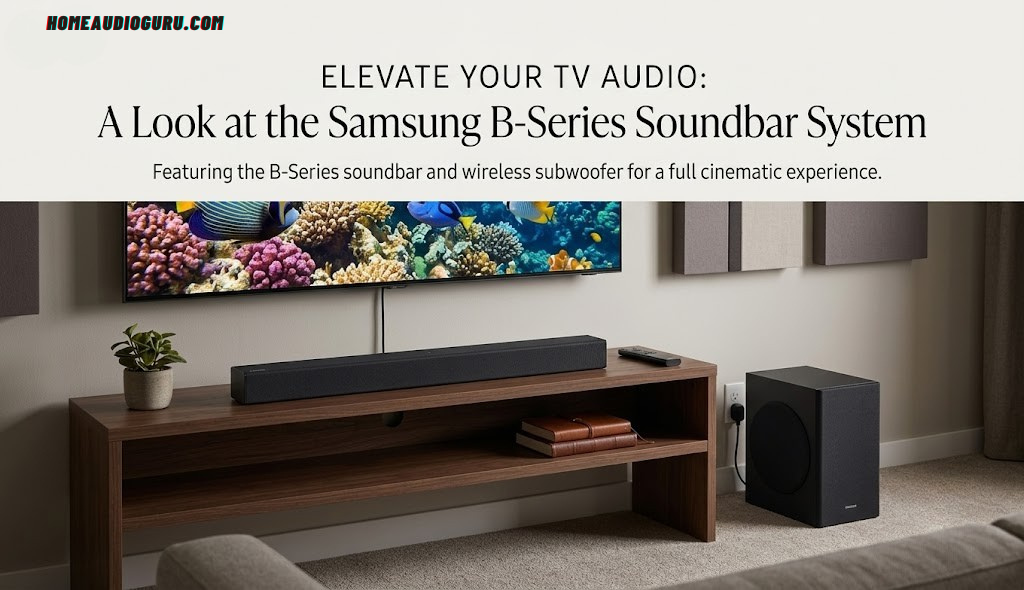
Samsung B-Series soundbar and wireless subwoofer, shown in a typical living-room setup.
A budget soundbar built around one idea: clearer dialogue, less fuss
If you’ve ever cranked the TV volume just to catch what a character mumbled, then jumped out of your skin when the next explosion hit, you already know why soundbars exist. Samsung’s B-Series was built to fix exactly that problem without asking you to become an audio technician. In this review, we’re digging into what the HW-B650, HW-B550, and HW-B450 actually get right, where they fall short, and who should — and shouldn’t — buy one.
This guide is part of our broader best home audio systems coverage, where we test and compare gear across every price tier.

What Is the Samsung B-Series, Exactly?
Samsung’s B-Series sits at the entry point of the company’s soundbar lineup, positioned below the feature-rich Q-Series and premium S-Series bars. It’s the range Samsung builds for people who want a genuine step up from their TV’s built-in speakers without spending Q-Series money or wading through a spec sheet full of jargon. Three models make up the current generation: the HW-B450, HW-B550 (also sold as the HW-B550D in newer trims), and the HW-B650.
Every model in the family ships with a wireless subwoofer in the box, so you’re never looking at a bare soundbar and wondering where the bass is going to come from. Where the models diverge is channel count, output wattage, connectivity, and — most importantly for how the bar actually sounds — whether or not there’s a dedicated center channel speaker.
This review focuses primarily on the HW-B650, the flagship of the B-Series and the model most readers land on when searching for this soundbar, while comparing it against its two siblings throughout so you can pick the right one for your room and your budget.
If you’re building out a whole-home listening setup rather than just a TV bar, it’s worth reading our guide to setting up a home audio system alongside this review — it’ll help you decide where a budget soundbar fits into the bigger picture.
Where the B-Series Fits Into Samsung’s Wider Lineup
To understand why the B-Series looks and behaves the way it does, it helps to zoom out and look at how Samsung organizes its entire soundbar catalog. At the very bottom sits the value-focused C-Series, aimed at the absolute lowest price point. Just above that is the B-Series covered in this review. Climbing further up the ladder, the Q-Series introduces true Dolby Atmos decoding, Wi-Fi, and Samsung’s SmartThings app, followed by the S-Series flagships with up-firing drivers, wireless rear speakers included in the box, and tight integration with Samsung’s premium Neo QLED televisions through a feature called Q-Symphony, which blends the TV’s own speakers with the soundbar for a wider, more layered soundstage.
The B-Series is the direct successor to Samsung’s earlier A-Series, and if you’ve shopped for a Samsung soundbar in the last few years, you may have seen both generations sitting side by side on store shelves during the transition period. The changes between the A-Series and B-Series are evolutionary rather than revolutionary: a refreshed enclosure with squarer, more angular edges, some tuning refinements, and in the case of the HW-B650, the same center-channel advantage that made the HW-A650 a popular recommendation in its own right. If you already own an A-Series bar and are happy with it, there’s no urgent reason to upgrade to the B-Series equivalent — the gains are incremental. If you’re buying fresh, though, the B-Series is simply the current, actively-supported generation, which matters for parts availability and long-term compatibility with accessories like the SWA-9200S rear speakers.
It’s also worth understanding who Samsung is building this tier for. Market research firms have repeatedly ranked Samsung as the top-selling soundbar brand worldwide for a decade running, and a huge share of that volume comes from budget and mid-tier products rather than the flagship S-Series bars that get most of the glowing press coverage. The B-Series exists because the vast majority of soundbar buyers aren’t home theater enthusiasts chasing reference-grade Atmos playback — they’re people who bought a nice new TV, discovered its built-in speakers sound thin and tinny, and want a straightforward fix that costs less than a few hundred dollars. Judged against that brief rather than against a $1,000 flagship, the B-Series makes a lot more sense as a product, and its trade-offs — no app, no Wi-Fi, no true Atmos — read less like missing features and more like deliberate cuts made to hit a price point without gutting the one thing that actually matters most: how clear the dialogue sounds on a Tuesday night rerun.
Design & Build Quality
Samsung didn’t try to reinvent the soundbar silhouette here, and that’s a good thing. The HW-B650 measures roughly 40.6 x 2.3 x 4.1 inches, which is long enough to sit comfortably under most 55-inch and larger TVs without blocking the screen, though it can be a tight squeeze under TVs with very short legs. The HW-B550 is a touch smaller at around 33.9 x 2.3 x 3 inches, making it a slightly better match for 40- to 50-inch sets.

Across the lineup, the build quality steps up as you climb the range. The HW-B450 leans on plastic construction with a simpler grille, while the HW-B550 and HW-B650 both add a metal mesh grille across the front and sides that feels noticeably sturdier and resists flexing when you tap it.
A small four-character display sits on the front of the higher models, showing volume level and input source at a glance — a small but genuinely useful touch when you’re adjusting settings without pulling up an on-screen menu.
The subwoofer follows the same restrained design language: a wood cabinet wrapped in a fabric grille, finished in matte black so it disappears next to a media console or in a corner. It measures about 7.2 x 13.6 x 11.6 inches across the range, which is compact enough to tuck beside a TV stand without stealing much floor space. One nitpick worth flagging: the fabric front panel is a dust magnet, and it can look a little loose out of the box rather than taut and drum-tight.
Overall, this is a soundbar designed to disappear visually rather than make a design statement — angular edges instead of the rounded corners of the older A-Series, a neutral black finish that matches almost any TV stand, and a low profile that won’t creep into your line of sight.
Colorways, Placement, and Wall-Mounting
Samsung keeps the B-Series deliberately simple on the color front. Across the range you’ll find the bar in a matte black finish as the default and most widely stocked option, with a white finish occasionally available on certain models and in certain regions to better match lighter media consoles or wall-mounted setups in bright rooms. If a specific color matters to your decor, it’s worth double-checking availability at your preferred retailer before ordering, since black is by far the more common stock configuration and white variants can sell out or rotate in and out of a retailer’s catalog.
Placement is refreshingly flexible for a budget bar. Because the cabinet is shallow — just a couple of inches tall — it slides under almost any TV stand without needing a raised shelf, and Samsung includes mounting keyholes on the rear of the higher-tier models so you can hang the bar directly on the wall beneath a mounted TV, keeping cables and the unit itself out of sight. If you go the wall-mount route, a small level and a stud finder make the job considerably easier, since the bar’s long, thin shape means even a slight tilt is noticeable once it’s up. Samsung’s manual includes the exact keyhole spacing for each model, so it’s worth measuring twice against your own wall studs before drilling.
One placement quirk worth knowing about: because the HW-B650 and HW-B450 route some sound outward at an angle from the sides rather than purely forward, pushing the bar flush into a deep, enclosed TV cabinet can slightly muffle the surround-simulation effect from DTS Virtual:X. If you have the option, leaving a small gap of an inch or two on either side, or mounting the bar on the wall rather than boxing it into a cabinet, lets that side-firing content breathe and noticeably improves the sense of width the virtualization is trying to create.
Check current pricing and available colorways for the Samsung B-Series soundbar on Amazon.
Check Price on AmazonSound Performance & Audio Technologies
This is where the B-Series earns its reputation. Out of the box, the HW-B650 has a notably neutral, well-balanced sound signature rather than the bass-heavy, muddy profile that plagues a lot of budget bars. Dialogue sits forward and intelligible, which is exactly the problem most people are trying to solve when they buy a soundbar in the first place.
The reason dialogue comes through so clearly on the HW-B650 specifically is its dedicated center channel speaker — a feature the HW-B550 and HW-B450 don’t have. In a 2.1 configuration, center-channel information (mostly speech) gets summed across the left and right drivers, which works fine but isn’t as precise as a speaker built for that single job. The B650’s true 3.1 layout keeps dialogue anchored and clear even during busy, effects-heavy scenes.
DTS Virtual:X and Dolby Digital 5.1
The HW-B650 and HW-B550 both support DTS Virtual:X, a virtualization technology that uses the bar’s existing drivers and some clever signal processing to simulate height and surround channels without any physical up-firing or rear speakers. It’s not a substitute for real overhead drivers, but it does meaningfully widen the soundstage and add a sense of space that a flat stereo bar can’t match.
On the decoding side, you’re getting Dolby Digital 5.1 support rather than object-based Dolby Atmos. That distinction matters if you’re a stickler for format accuracy: Atmos soundtracks will still play, but they’ll be down-mixed rather than decoded as full height-aware objects. For most casual viewers this distinction is inaudible in day-to-day use; for home theater purists, it’s the single biggest reason to consider stepping up to Samsung’s Q-Series instead.
Sound Modes
All three B-Series models share a common set of sound modes: Standard, Surround Sound Expansion, Game, Adaptive Sound Lite, and Bass Boost, with the B550 and B650 adding DTS Virtual:X mode on top. The HW-B650 also introduces a Voice Enhance mode that further isolates speech frequencies — useful for late-night viewing when you don’t want to wake anyone with sudden loud effects, which pairs nicely with the separate Night Mode that compresses the dynamic range across the board.
Adaptive Sound Lite is worth calling out specifically: it continuously analyzes the incoming audio and nudges the EQ in real time, so a whispered conversation and a following action sequence both come through at sensible, comfortable levels without you reaching for the remote.
| Feature | What it Does | Available On |
|---|---|---|
| DTS Virtual:X | Simulates height/surround without extra speakers | B550, B650 |
| Center Channel | Dedicated driver for clearer dialogue | B650 only |
| Adaptive Sound Lite | Real-time dynamic EQ adjustment | All models |
| Voice Enhance | Boosts speech frequency range | B650 |
| Graphic EQ | Manual bass/treble/band tuning | B550, B650 |
Real-World Listening: Movies, Sitcoms, and Sports
Specs only tell part of the story, so it’s worth walking through how the HW-B650 actually behaves across the kinds of content most households throw at it. With a dense, effects-heavy action movie, the center channel keeps dialogue readable even as explosions and score swell around it — you’re not reaching for the remote to bump volume every time a character speaks after a loud sequence, which is the single most common complaint people have about flat-panel TV speakers. Switching to DTS Virtual:X mode adds a noticeably wider sense of space during chase scenes and crowd sequences, even though there’s no physical rear or height speaker doing the work.
Sitcoms and prestige streaming dramas — the kind of content where quiet, naturalistic dialogue delivery is common — are arguably where the B650 shines brightest. Voice Enhance mode combined with the dedicated center channel makes mumbled or accented dialogue considerably easier to follow than on a standard 2.1 bar, and it’s a genuine relief for anyone who’s ever had to turn on subtitles just to follow a whispered conversation.
Live sports broadcasts benefit from the wide, punchy character of the Surround Sound Expansion mode, which spreads crowd noise and commentary across a broader stage without over-processing the announcer’s voice into mush. Bass Boost mode adds welcome low-end weight to stadium ambience and walk-up music without turning commentary boomy or hollow, provided you remember to dial it back down for quieter broadcasts.
Where the system shows its budget roots is in dense, orchestral film scores and layered electronic music, where a lack of true height channels and the practical limits of a 3.1 or 2.1 array mean some of the finer spatial detail simply isn’t there compared to a proper 5.1.2 or 7.1.4 Atmos setup. That’s an expected, reasonable limitation at this price point rather than a flaw specific to Samsung’s execution — no soundbar under $300 fully replicates a discrete multi-speaker system, and the B-Series doesn’t pretend otherwise.
Connectivity & Setup
Setup is genuinely one of the strongest parts of the B-Series experience, and it’s a big reason this line keeps showing up on best-budget-soundbar lists. There’s no companion app to download, no account to create, and no firmware update to sit through before you can start watching. Plug in the soundbar and subwoofer, power them both on, and they pair automatically over their own wireless connection.

For connecting to your TV, the HW-B650 and HW-B550 both include an HDMI ARC/eARC port alongside a separate HDMI input and an optical digital input. Running a single HDMI cable from the soundbar to your TV’s ARC-labeled port is the recommended path: it carries audio back from the TV to the bar and lets you control the soundbar’s volume with your existing TV remote through HDMI-CEC, so you’re not juggling two remotes.
The HW-B450 is the outlier here — it skips HDMI entirely in favor of optical and Bluetooth only, which keeps costs down but means no direct HDMI-CEC volume control and no HDMI passthrough for a game console or streaming stick.
Bluetooth
Bluetooth is standard across the range for streaming from a phone or tablet, and the B550 and B650 support Bluetooth multi-connect, so you can keep your TV and your phone both paired and switch sources without re-pairing every time. None of the B-Series models include Wi-Fi, so there’s no Chromecast, AirPlay, or Spotify Connect built directly into the bar — you’re routing audio in over a physical connection or Bluetooth only.
If your household is still deciding between a soundbar and a full component system, our breakdown of the best home stereo systems under $500 is a useful side-by-side to read before you commit either way.
ARC vs. eARC — Does It Matter Here?
It’s worth clarifying a point of confusion that comes up a lot with budget soundbars: the difference between plain HDMI ARC and the newer eARC standard. ARC carries compressed audio formats like Dolby Digital 5.1, which is exactly what the B-Series decodes. eARC adds bandwidth for uncompressed and object-based formats like Dolby Atmos or DTS:X. Because the HW-B650 doesn’t decode true Atmos or DTS:X anyway, the practical difference between connecting it via a plain ARC port versus an eARC port on your TV is minimal — you won’t unlock any hidden capability by using a newer eARC-labeled HDMI input over an older ARC one. Where eARC does help slightly is bandwidth headroom for lossless PCM audio from certain streaming apps, but for the vast majority of viewing, a standard ARC connection performs identically.
Common Setup Hiccups and How to Fix Them
Most B-Series setups go smoothly, but a handful of recurring issues show up often enough in user reports and forums to be worth flagging in advance. If the soundbar and subwoofer won’t sync on first power-up, unplugging both units for about 30 seconds and powering the soundbar on first, followed by the subwoofer a few seconds later, resolves the vast majority of pairing failures. If you get audio but no HDMI-CEC volume control from your TV remote, check that CEC is actually enabled in your TV’s settings menu — it’s sometimes labeled differently depending on the brand, such as Anynet+ on Samsung TVs, SimpLink on LG, or BRAVIA Sync on Sony, and it’s occasionally switched off by default. If sound drops out intermittently over Bluetooth, moving your phone or streaming device closer and removing obstructions like a TV stand’s back panel usually clears it up, since Bluetooth range and reliability degrade meaningfully through dense furniture.
Subwoofer & Bass Response
Every B-Series bundle includes a wireless subwoofer, and it pairs automatically the moment you power both units on — there’s no manual Bluetooth pairing step required. That alone removes a common pain point with budget soundbar systems where the sub refuses to sync reliably.

In terms of actual output, the subwoofer does what a budget sub is supposed to do: it adds noticeable weight to explosions, engine rumble, and bass-driven soundtracks that the main bar’s smaller drivers simply can’t reproduce on their own. Where it falls short of pricier systems is extension into the deepest, chest-thumping low frequencies — reviewers consistently note it doesn’t dig into true rumbling sub-bass the way a larger sealed or ported enclosure would.
The one-touch Bass Boost mode is a genuinely useful shortcut here. Rather than manually adjusting a subwoofer level in a menu, a single remote button press adds extra low-end punch — ideal for movie night, easy to turn back off for late-night dialogue-heavy shows where you don’t want the sub rattling the walls.
For most living rooms and apartment setups, this is more than adequate bass. If your room is larger than roughly 250–300 square feet or you’re a committed bass-head who wants room-shaking low end, it’s worth budgeting for a system with a larger subwoofer enclosure instead.
Getting the Best Bass Out of Placement
Subwoofer placement has an outsized effect on perceived bass quality, and it costs nothing to get right. Corner placement generally produces the loudest, boomiest low-end because room corners naturally reinforce bass frequencies, but that reinforcement can also make the sub sound one-note and boomy rather than tight and articulate. Pulling the subwoofer a foot or two away from the nearest wall and corner, and giving it a little breathing room rather than pushing it flush against a solid surface, usually produces cleaner, more defined bass with less of the droning boominess that budget subs are sometimes criticized for.
It’s also worth experimenting with orientation. The B-Series subwoofer is a down-firing or forward-firing design depending on the specific model, and on hard flooring like tile or hardwood, a thin isolation pad or a few felt furniture pads under the cabinet’s feet can reduce buzzing vibrations transmitted into the floor, especially at higher Bass Boost settings. On carpet, this is rarely an issue. If you live in an apartment with shared walls, keeping the subwoofer away from a wall that backs onto a neighbor’s living space, and leaning on Night Mode during evening hours, goes a long way toward keeping the peace without sacrificing daytime movie-night impact.
Remote, Controls & the (Lack of an) App
The included remote is a small but pleasant surprise. It’s a proper physical remote powered by two AAA batteries, with real buttons rather than a flimsy membrane pad, and it feels noticeably more substantial than some competing budget soundbar remotes.

Dedicated buttons give you quick access to input switching, sound mode cycling, and Bass Boost, so you rarely need to dig through an on-screen menu. On top of the bar itself, physical touch controls handle power, volume, and play/pause — useful if the remote ever goes missing under a couch cushion.
What you won’t get is a companion smartphone app. Samsung reserves app-based EQ control, multi-room grouping, and voice assistant integration for its higher Q-Series and S-Series lines. For B-Series buyers, that’s a fair trade-off: fewer settings to fuss over, and one less app cluttering your phone. If granular, app-based tuning is a priority for you, that’s the clearest signal this isn’t the right tier of soundbar.
The absence of an app also means firmware updates work differently than on Samsung’s flagship bars. Rather than pushing updates automatically over Wi-Fi, any firmware refresh for the B-Series typically arrives via a USB stick download from Samsung’s support site, which you plug into the soundbar’s rear USB port to install. It’s a more manual process, but it also means the bar isn’t dependent on a home network connection to function, which some buyers actually prefer from a simplicity and privacy standpoint. In practice, firmware updates for this tier are infrequent, since there’s no streaming platform or smart features to patch — most updates address minor audio processing tweaks rather than major functionality changes.
For anyone who relies on larger buttons or high-contrast controls, the remote’s simple, well-spaced physical layout is easier to navigate by feel than many touch-panel remotes bundled with pricier smart soundbars, since you don’t need to look at a screen to find volume or input controls in a dark room.

See the full accessory bundle and current deals on the Samsung B-Series soundbar.
View on AmazonHW-B650 vs HW-B550 vs HW-B450: Which One Should You Buy?
Choosing between the three B-Series models comes down to three questions: do you want a center channel, do you need HDMI, and how much are you willing to spend for each?
| Spec | HW-B450 | HW-B550 | HW-B650 |
|---|---|---|---|
| Channels | 2.1 | 2.1 | 3.1 |
| Total Power | Lower output | 410W | 430W |
| Center Channel | No | No | Yes |
| HDMI ARC | No | Yes | Yes |
| DTS Virtual:X | No | Yes | Yes |
| Grille Material | Plastic | Metal | Metal |
| Wireless Subwoofer | Included | Included | Included |
| Rear Speaker Ready | SWA-9200S compatible | SWA-9200S compatible | SWA-9200S compatible |
In practice, the HW-B450 makes sense only if HDMI truly doesn’t matter to you and price is the single deciding factor. The HW-B550 is the better all-around 2.1 pick, adding HDMI ARC and DTS Virtual:X over the B450 for a modest price bump. The HW-B650 is our pick for most buyers: the added center channel is the single upgrade that most changes how the system actually sounds day to day, particularly for dialogue-heavy content like news, sitcoms, and streaming dramas.
Matching the Model to Your Household
If you’re outfitting a secondary bedroom or guest room TV where audio is a nice-to-have rather than a priority, the HW-B450’s lower price and simpler feature set are perfectly adequate — you’re mainly just trying to beat the TV’s built-in speakers, and any of these three models will do that comfortably. For a primary living room television that gets heavy daily use for a mix of news, streaming shows, and the occasional movie night, the HW-B550 hits a sensible middle ground, especially if a dedicated center channel isn’t a priority for your household and you’d rather save the difference in price. For anyone who watches a lot of dialogue-forward content, hosts movie nights regularly, or has previously complained about not being able to understand what characters are saying, the HW-B650’s center channel is worth the modest premium over the B550 — it’s the one spec difference in this entire lineup that translates most directly into a noticeably better day-to-day experience rather than a marketing checkbox.
Gaming Performance
The B-Series isn’t marketed as a gaming soundbar, but the HW-B650 and HW-B550 hold up reasonably well for casual and even competitive play. The dedicated Game sound mode widens the stereo image slightly and emphasizes directional cues like footsteps and gunfire, which helps in shooters and open-world titles where positional audio matters.
HDMI ARC keeps input lag low enough that most players won’t notice a delay between on-screen action and audio, which is the main thing to check for on any soundbar you’re pairing with a console. What you won’t find here is Samsung’s Game Pro Mode — a feature reserved for the Q-Series that adds more aggressive directional processing and works alongside Samsung Gaming TVs for synced visual and audio cues.
If you’re a competitive multiplayer player chasing every last millisecond of positional accuracy, a dedicated gaming headset will still outperform any soundbar in this price range. For split-screen couch gaming, family game nights, or single-player story games, the B650 is a comfortable, no-fuss upgrade over TV speakers.
Console-Specific Notes
On PlayStation 5, running the console straight into the TV and letting the TV pass audio back over HDMI ARC to the soundbar works reliably, and Game mode does a solid job separating footstep audio from ambient effects in titles that rely heavily on positional cues. On Xbox Series X/S, the same ARC pass-through approach works well, though it’s worth noting the B-Series won’t decode Dolby Atmos for Headphones-style spatial audio formats some Xbox titles support — you’ll get standard stereo-to-surround virtualization via DTS Virtual:X instead, which is still a meaningful step up from flat TV speakers even if it’s not object-based. Nintendo Switch and Switch 2 owners connecting through a dock will find the setup just as plug-and-play as any other HDMI source, and the wider soundstage in Surround mode noticeably helps open-world and platforming titles feel less flat than through built-in TV speakers.
One practical tip for any console setup: leave the soundbar’s Game mode active only while actually gaming, then switch back to Standard or Adaptive Sound Lite for movies and TV — Game mode’s emphasis on transient effects and directional cues can make dialogue-heavy content sound slightly thinner than the modes tuned specifically for movies and shows.
Music Listening Experience
Because the B-Series has a fairly neutral tuning out of the box rather than an artificially boosted bass curve, it actually does a credible job with music — something budget soundbars don’t always get right. Bluetooth streaming from a phone is straightforward, and the Standard sound mode is the one to reach for here rather than Surround or DTS Virtual:X, both of which can smear stereo imaging on music tracks that were mixed for a simple two-channel listening setup.
Vocal-forward genres — singer-songwriter, jazz, acoustic — benefit from the same clarity that makes TV dialogue easy to follow. Bass-heavy electronic and hip-hop tracks get a helpful lift from the included subwoofer, though again, don’t expect the deep sub-30Hz extension of a purpose-built music system.
If music is actually your primary use case rather than a secondary bonus, it’s worth cross-shopping against dedicated stereo gear — our guide to the best home stereo systems under $500 covers several options built specifically around music playback rather than movie dialogue.
Bluetooth Codec Support and Manual EQ
On the technical side, the B-Series supports the standard SBC Bluetooth codec across all three models, with AAC support added on the higher tiers for slightly better compatibility with Apple devices streaming lossy audio. There’s no support for higher-bitrate codecs like aptX or LDAC, which serious audiophiles streaming from Android devices might notice as a small step down in outright fidelity compared to premium wireless speakers — though for casual listening at typical living-room volumes, the difference is subtle rather than dramatic.
The graphic EQ available on the HW-B550 and HW-B650 is worth spending five minutes with rather than leaving on its factory default. Nudging the low-bass band down slightly and the upper-mid band up a touch tends to open up vocal clarity on streamed music without needing to buy any new hardware, and it’s a genuinely useful tool for tailoring the sound to your specific room rather than relying purely on the preset sound modes. Because settings are saved per input and per mode, it’s worth taking the time to dial in Standard mode specifically for music separately from how you’ve tuned Surround or DTS Virtual:X for movies.
Expansion Options & TV Compatibility
One of the most practical advantages of buying into the B-Series is the upgrade path. All three models are compatible with Samsung’s optional SWA-9200S wireless rear speaker kit, which pairs wirelessly to the main bar and adds genuine left and right surround channels — turning a 3.1 or 2.1 system into true 5.1 without running any speaker wire across your living room floor.
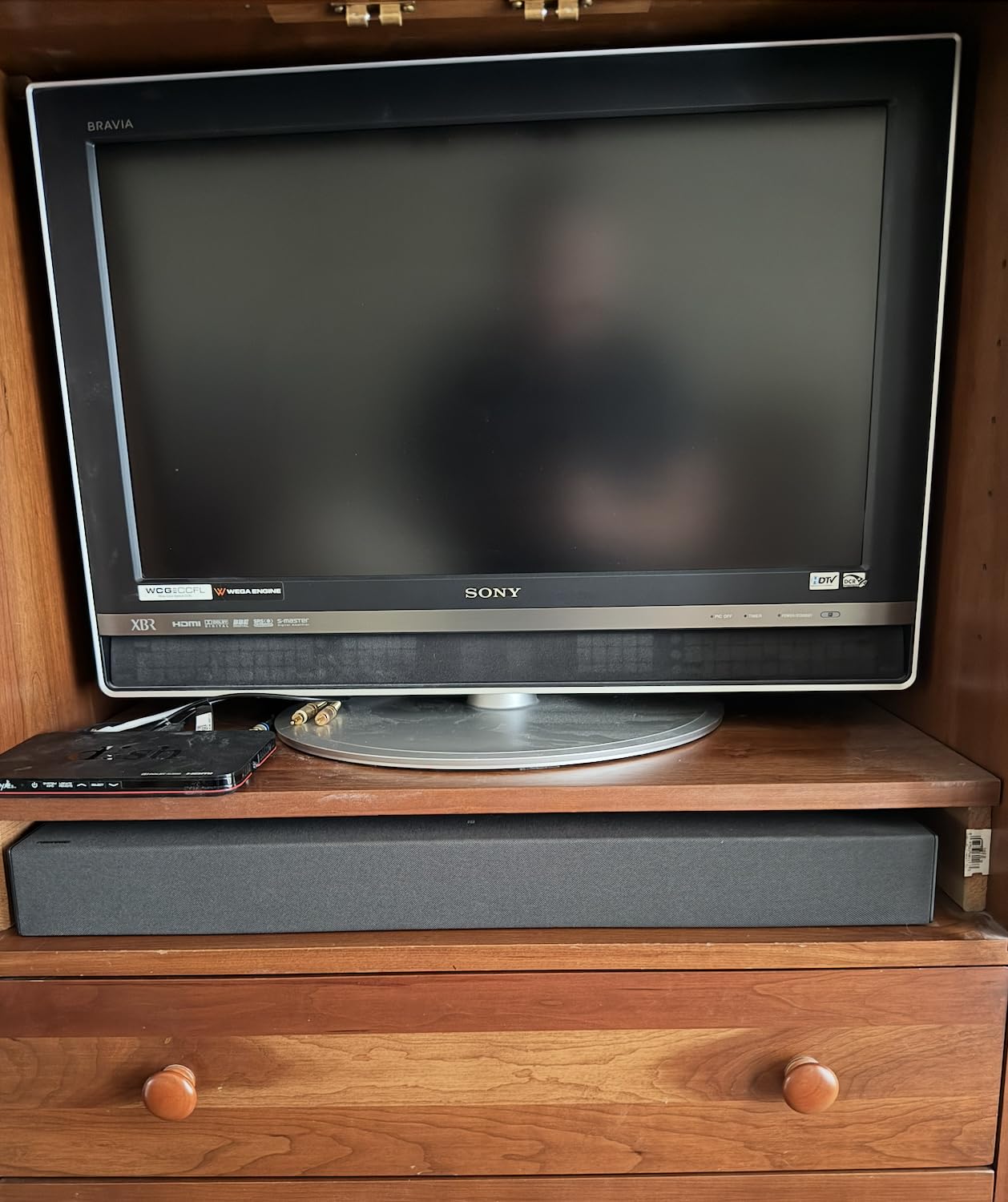
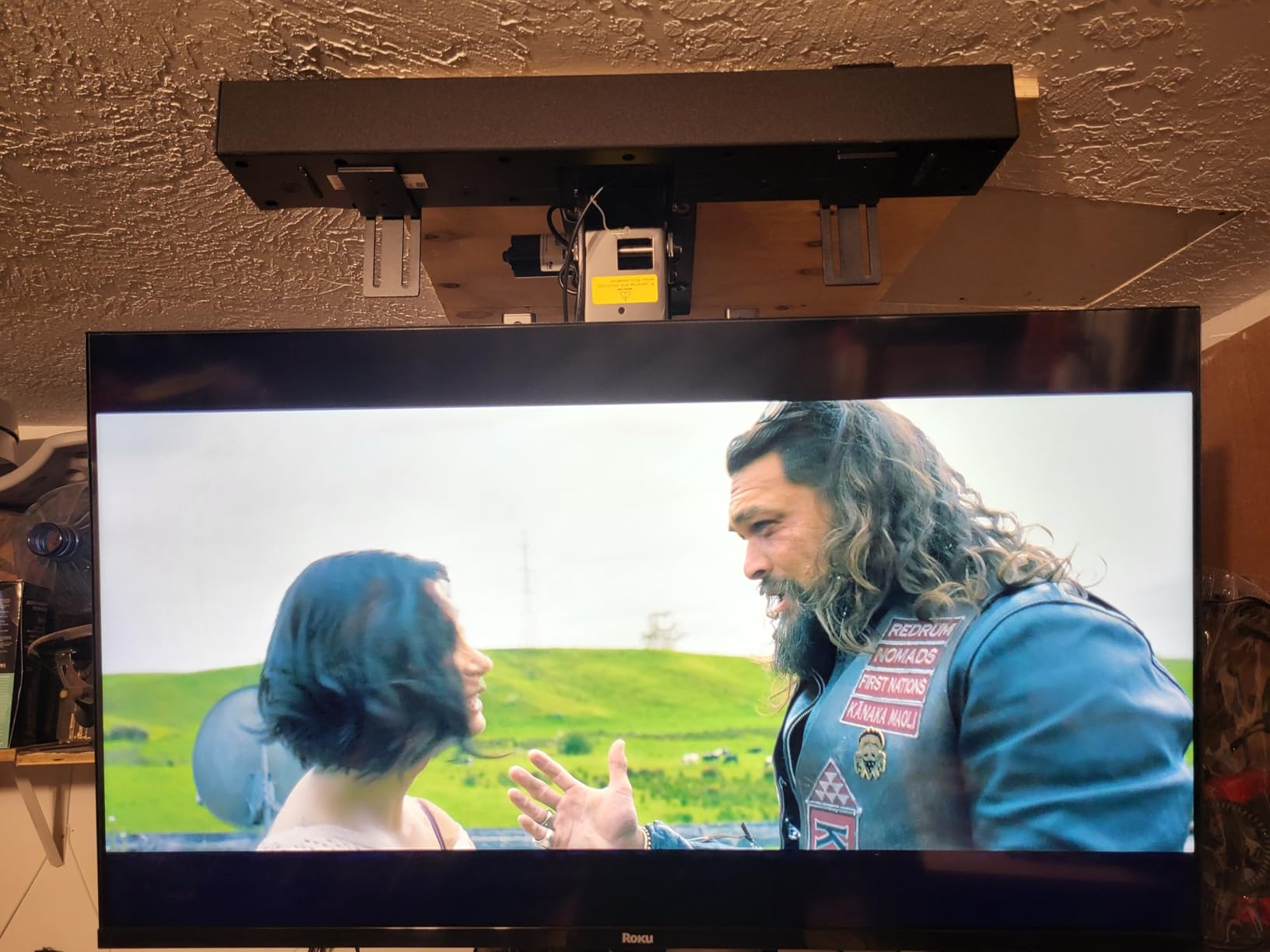

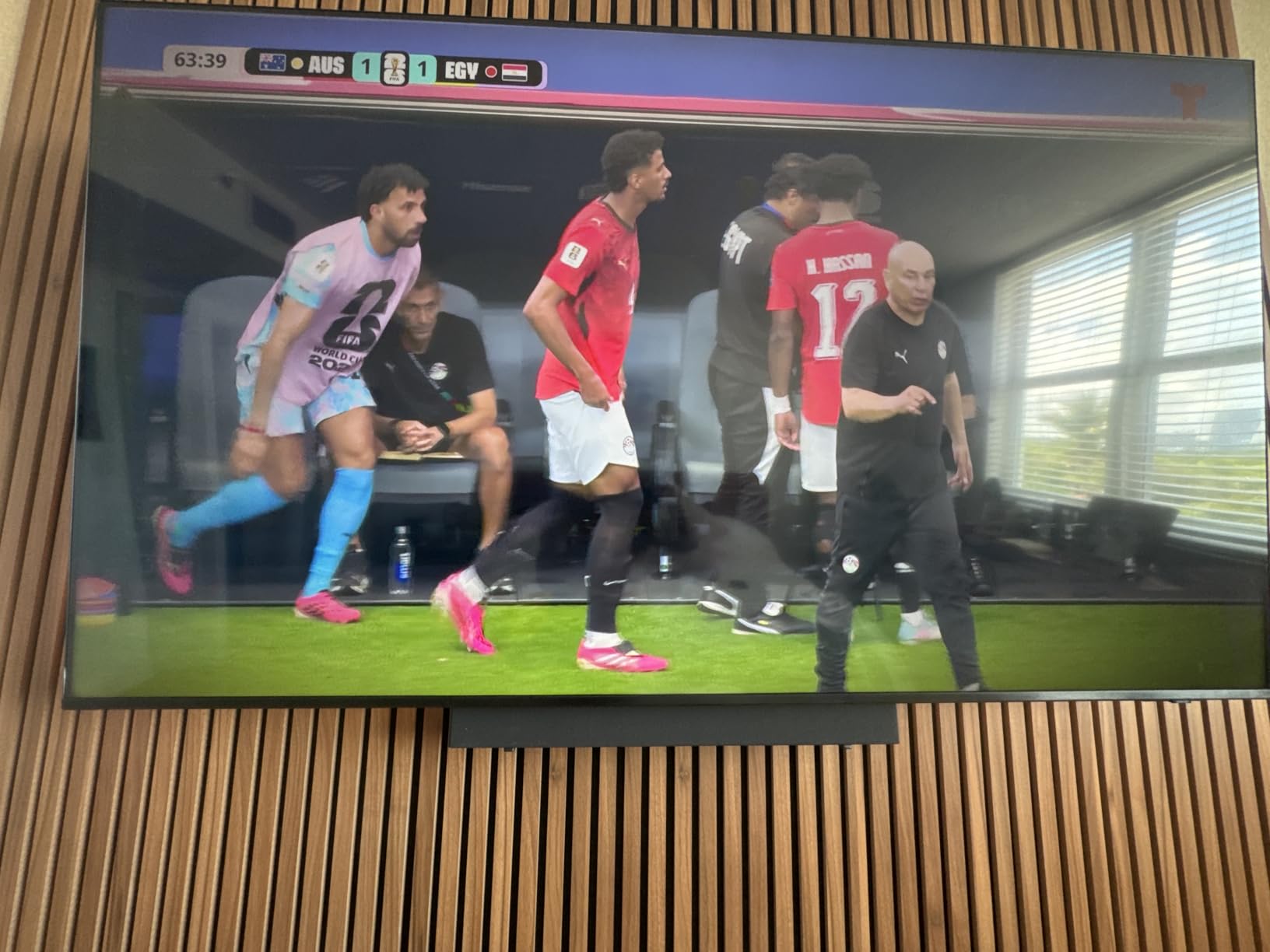
Because the soundbar communicates over standard HDMI ARC, optical, and Bluetooth, it’s not locked to Samsung televisions — it works equally well with LG, Sony, TCL, Hisense, and Vizio sets, provided your TV has an ARC-enabled HDMI port or an optical audio output. That flexibility is worth knowing about if you’re upgrading your TV and soundbar on different timelines rather than as one bundled purchase.
Curious what a step up in budget buys you? Our best home theater system under $10,000 guide walks through what changes once you’re willing to spend meaningfully more than B-Series pricing.
Does the B-Series Work With Q-Symphony?
A question we hear often from Samsung TV owners is whether the B-Series can take advantage of Q-Symphony, the feature that blends a compatible soundbar’s output with a Samsung TV’s own built-in speakers for a fuller, more layered sound. The short answer is no — Q-Symphony is reserved for Samsung’s Q-Series and S-Series soundbars paired with recent Samsung QLED and Neo QLED televisions. The B-Series will still work perfectly well with any Samsung TV over standard HDMI ARC, but it operates independently rather than blending with the TV’s internal speakers. If Q-Symphony compatibility is a must-have for your specific TV, that’s a clear signal to look at the Q-Series tier instead.
For anyone planning to wall-mount the soundbar alongside a wall-mounted TV, running the HDMI and power cables through an in-wall cable management kit or a simple raceway channel keeps the finished look clean. It’s worth planning cable routing before you mount anything permanently, since the subwoofer’s wireless design means it’s the one component you can place flexibly in a room, while the bar itself is constrained by its need for a line-level or HDMI connection back to the TV.
Room Size & Placement Guide
Because the B-Series doesn’t publish a specific “recommended room size” the way some premium systems do, it’s worth thinking through placement in practical terms based on how the system is built. The included subwoofer and the bar’s own drivers are sized for what audio engineers generally consider small to medium rooms — roughly up to 250–300 square feet, or a typical living room in an apartment or starter home. Within that range, the HW-B650 in particular gets loud enough to comfortably fill the space without sounding strained, thanks to its 430W total output.
In open-concept layouts where the living room flows directly into a kitchen or dining area, the effective listening space is larger than the room’s square footage alone suggests, since sound has to travel further and compete with more ambient noise. In these layouts, leaning on Bass Boost and Surround Sound Expansion modes helps the system feel like it’s filling the space rather than sounding boxed into just the seating area directly in front of the TV.
Seating Distance and Listening Position
For dialogue clarity specifically — the B-Series’ strongest suit — a seating distance of roughly 6 to 12 feet from the bar tends to be the sweet spot. Much closer than that and the center channel’s benefit becomes less noticeable because you’re close enough to localize dialogue from the TV’s own speakers or the bar directly; much further and you start losing some of the detail the smaller drivers are working hard to project. If your main seating area is unusually far from the TV — a large den or a finished basement with a long throw distance — pairing the bar with the optional SWA-9200S rear speakers helps considerably, since it adds acoustic energy closer to the listening position rather than relying entirely on the front-firing bar to cover the whole room.
Ceiling Height and Hard Surfaces
Rooms with high, vaulted ceilings or a lot of hard, reflective surfaces — tile floors, large windows, minimal soft furnishings — tend to make DTS Virtual:X’s height simulation less convincing, since the virtualization relies partly on reflections off a standard flat ceiling to trick your ear into perceiving height. If your space leans toward the echo-y, reflective end of the spectrum, don’t be surprised if the sense of “coming from above” feels more subtle than in a cozier, more furnished room with a standard 8- to 9-foot ceiling. Adding a rug, curtains, or soft furniture between the bar and your main seating area is a low-cost way to tame excess reflections and improve overall clarity, regardless of which sound mode you’re using.
Pros and Cons
What We Liked
- Genuinely simple, app-free setup
- Clear, dialogue-forward sound signature
- Dedicated center channel on the B650 for crisp speech
- Wireless subwoofer included and auto-pairs
- Expandable with SWA-9200S rear speakers
- Solid remote with dedicated mode buttons
- Works with any TV brand via HDMI ARC or optical
Where It Falls Short
- No true Dolby Atmos decoding
- No Wi-Fi, app, or voice assistant
- Subwoofer doesn’t dig into the deepest bass
- HW-B450 skips HDMI entirely
- Fabric on the subwoofer collects dust and feels a bit loose
Who Should Buy the B-Series — and Who Should Look Elsewhere
The Samsung B-Series, and the HW-B650 in particular, is the right call if you want a meaningful, easy-to-install upgrade over your TV’s built-in speakers without spending Q-Series or S-Series money, and dialogue clarity is your top priority. It’s also a strong fit for anyone who wants to expand gradually — buy the bar now, add the SWA-9200S rear speakers later.
It’s the wrong call if you specifically want Dolby Atmos object-based audio, Wi-Fi multi-room streaming, or app-based EQ control — all of which point toward Samsung’s Q-Series instead. It’s worth comparing a few adjacent options before you decide:
| Alternative | Best For |
|---|---|
| Polk MagniFi Mini | Small rooms and tight spaces |
| Sony HT-S2000 | Buyers who want real Dolby Atmos on a budget |
| Bose Smart Soundbar | App-based control and voice assistants |
| Vizio 5.1 Soundbar SE | True 5.1 with wired rear speakers included |
For a broader shortlist across every price point, our best home audio systems hub rounds up the models we recommend most often, including everything on this comparison list.
A Closer Look at Each Alternative
The Polk MagniFi Mini is worth a look if your living space is genuinely tight — a small apartment, a dorm room, or a bedroom TV setup where even the HW-B550’s smaller footprint feels like too much bar. It trades some outright power and channel flexibility for a considerably smaller physical footprint, without sacrificing much dialogue clarity for its size.
The Sony HT-S2000 is the pick if actual Dolby Atmos decoding is a non-negotiable requirement for you but you still want to stay in a budget-conscious price bracket rather than jumping straight to Samsung’s Q-Series. It handles object-based height effects natively rather than through virtualization, which matters if you regularly watch Atmos-mastered content and want the format decoded as intended.
The Bose Smart Soundbar is the better fit if app-based control, built-in voice assistant support, and Wi-Fi multi-room streaming matter more to you than raw specs — Bose leans heavily into the smart-home side of things that the B-Series intentionally skips.
The Vizio 5.1 Soundbar SE is worth comparing if you want genuine discrete 5.1 channels with physical wired rear speakers included in the box from day one, rather than relying on virtualization or a separately purchased wireless rear speaker kit down the line. It asks a little more of your installation — running speaker wire to the back of the room — in exchange for true rear-channel separation out of the box.
None of these alternatives is a strict upgrade or downgrade from the B-Series across the board — each one makes a different trade-off, and the right choice comes down to which of those trade-offs matches how you actually watch and listen day to day.
Pricing & Value
Street pricing on the HW-B650 typically lands in the $200–$250 range, with the HW-B550 usually priced a step below it and the HW-B450 as the most affordable entry point. Samsung’s newer B550D trim has occasionally listed higher on the official Samsung store, so it’s worth cross-checking retailer pricing rather than relying on MSRP alone — sales and bundle discounts are common across this lineup.
Relative to what you’re getting — a wireless subwoofer, a center channel on the B650, DTS Virtual:X, and an expansion path to 5.1 — this is genuinely competitive value in the budget soundbar category. You’re trading away Wi-Fi, an app, and Atmos decoding to get there, which is a fair trade for most casual to mid-level home theater setups.
Total Cost of Ownership
It’s worth thinking beyond the sticker price when weighing value here. Because the subwoofer ships in the box rather than as a separate purchase, and because the bar includes all the cables needed for a basic HDMI or optical hookup, there’s no meaningful hidden cost to budget for beyond the unit itself — unlike some component systems where a subwoofer, cabling, and a receiver are all separate line items. The only realistic add-on cost is the optional SWA-9200S rear speaker kit if you decide to expand to 5.1 later, which is sold separately and priced as its own accessory rather than bundled in.
Samsung backs the B-Series with a standard limited manufacturer’s warranty, typically covering defects in materials and workmanship for one year from the date of purchase in most regions — it’s worth confirming the exact terms with your retailer or Samsung’s support site at the time of purchase, since coverage specifics and duration can vary slightly by country and by retailer-specific extended warranty add-ons. Registering the product after purchase is a good habit, since it simplifies any future warranty claim and ensures you’re notified promptly of any official firmware updates or recalls.
Long-Term Reliability & Maintenance
A soundbar’s day-one performance is only part of the picture — how it holds up over a few years of regular use matters just as much for a budget purchase you’re hoping to keep for a while. The B-Series’ relatively simple internals, with no Wi-Fi radio or complex smart-home software stack to become outdated, work in its favor here: there’s simply less that can break or become obsolete compared to a heavily connected smart soundbar that depends on ongoing app support and server-side updates.
Keeping the Subwoofer Connection Reliable
The most common long-term complaint with wireless soundbar-subwoofer pairs, across brands generally, is the wireless link becoming intermittent after a year or two of use, often due to interference from other 2.4GHz devices in the home like older Wi-Fi routers, baby monitors, or cordless phones. If you notice dropouts developing over time, moving the subwoofer a few feet away from other wireless electronics, or power-cycling both the bar and the subwoofer, resolves the issue in the large majority of cases without needing a repair or replacement.
Cleaning and Physical Care
Because the subwoofer’s fabric grille is a dust magnet, as noted earlier in this review, a periodic once-over with a soft brush attachment on a vacuum, or a dry microfiber cloth, keeps it looking presentable and prevents dust buildup from being drawn into the driver over time. The metal grille on the HW-B550 and HW-B650’s main bar is easier to keep clean and can handle a damp (not wet) cloth wipe-down without concern. Avoid spraying cleaning products directly onto either component — apply any cleaner to the cloth first, well away from the ports and vents.
When to Consider a Repair vs. Replacement
Given the B-Series’ budget positioning, if a unit develops a hardware fault outside the warranty period — a driver failure, a dead amplifier channel — it’s almost always more cost-effective to replace it with a current-generation model than to pursue a paid repair, since diagnostic and parts costs on a soundbar this affordable frequently approach or exceed the price of simply buying new. Within the warranty window, though, it’s always worth pursuing an official repair or replacement through Samsung or your retailer first, since that costs nothing out of pocket.
Our Rating: A Smart, No-Nonsense Budget Upgrade
The Samsung B-Series doesn’t try to be everything. It skips Wi-Fi, an app, and true Dolby Atmos in exchange for a soundbar that’s dead simple to set up and noticeably better at the one job most people actually buy a soundbar to do: making dialogue easy to hear without blasting the rest of the room. The HW-B650, with its dedicated center channel and DTS Virtual:X support, is the clear standout of the three and our recommended pick for most households.
If your priorities are simplicity, dialogue clarity, and room for a future upgrade to 5.1, the B-Series earns its spot on a shortlist of the best budget soundbars available right now.

Ready to upgrade your TV audio? Check the latest price and availability now.
Buy on AmazonFrequently Asked Questions
Does the Samsung B-Series soundbar support Dolby Atmos?
No. The lineup, including the HW-B650, decodes Dolby Digital 5.1 and uses DTS Virtual:X to simulate height and surround cues, but it doesn’t decode true object-based Dolby Atmos bitstreams. For genuine Atmos decoding, Samsung’s Q-Series and S-Series bars are the step up.
What is the difference between the HW-B450, HW-B550, and HW-B650?
The HW-B450 is the entry model with 2.1 channels and no HDMI input. The HW-B550 is also 2.1 channels but adds HDMI ARC, a metal grille, and 410W of power. The HW-B650 tops the range with true 3.1 channels, a dedicated center speaker, and 430W of output.
Does the Samsung B-Series soundbar have Wi-Fi or an app?
No. The B-Series relies on HDMI ARC, optical, and Bluetooth. There’s no Wi-Fi, no companion app, and no built-in voice assistant, which keeps setup simple but limits multi-room streaming options.
Can I add rear surround speakers to the Samsung B-Series soundbar?
Yes. All three models are compatible with Samsung’s optional SWA-9200S wireless rear speaker kit, which pairs wirelessly to add true left and right surround channels.
Is the Samsung HW-B650 good for gaming?
It’s a solid budget gaming companion thanks to its Game sound mode and low-lag HDMI ARC connection, though it lacks the dedicated Game Pro mode and 4K/120Hz passthrough found on Samsung’s higher-tier Q-Series bars.
Does the B-Series soundbar include a subwoofer?
Yes, every HW-B650, HW-B550, and HW-B450 package ships with a wireless subwoofer, so there’s no cable to run and no separate purchase required.
How do I connect the Samsung B-Series soundbar to my TV?
The simplest method is a single HDMI cable from the soundbar’s HDMI ARC/eARC port to the matching ARC port on your TV, which also lets you control volume with your TV remote. An optical cable is a solid backup on older TVs without ARC.
Does the Samsung B-Series work with non-Samsung TVs?
Yes. It communicates over standard HDMI ARC, optical, and Bluetooth, so it works with LG, Sony, TCL, Hisense, Vizio, and any other TV brand with an ARC-enabled HDMI port or optical output.
What sound modes does the Samsung B-Series soundbar offer?
Depending on the model, you’ll find Standard, Surround Sound Expansion, Game, Adaptive Sound Lite, DTS Virtual:X, Bass Boost, Voice Enhance, and Night Mode, letting you tailor the sound to movies, music, or late-night viewing.
Is the Samsung B-Series soundbar worth buying?
For a budget-focused, dialogue-forward setup that’s simple to install, the B-Series delivers real value, particularly the HW-B650. Buyers wanting Dolby Atmos, an app, or Wi-Fi streaming should look at Samsung’s Q-Series instead.
How loud can the Samsung B-Series soundbar get?
Reviewers have consistently noted the HW-B650 gets impressively loud for its price without heavy distortion, making it suitable for larger living rooms and casual gatherings, not just quiet apartment viewing.
Does the subwoofer need to be plugged into the soundbar?
No. The subwoofer connects wirelessly and only needs its own power cable, so pairing happens automatically the first time you power both units on.
Does the Samsung B-Series soundbar work with Q-Symphony?
No. Q-Symphony, which blends a soundbar’s audio with a Samsung TV’s built-in speakers, is reserved for the Q-Series and S-Series paired with compatible QLED or Neo QLED TVs. The B-Series still works fine with any Samsung TV over HDMI ARC, but operates independently.
What’s the difference between HDMI ARC and eARC for this soundbar?
eARC adds bandwidth for uncompressed and object-based audio formats, but since the B-Series doesn’t decode true Dolby Atmos or DTS:X, connecting it to a plain ARC port versus an eARC port makes little practical difference in everyday use.
How long is the warranty on the Samsung B-Series soundbar?
Samsung typically covers the B-Series with a standard one-year limited manufacturer’s warranty against defects in materials and workmanship, though exact terms can vary by region and retailer.
The Bottom Line
The Samsung B-Series isn’t trying to compete with premium home theater rigs, and it doesn’t need to. It’s built for the enormous number of households that just want to stop straining to hear dialogue and stop jumping out of their seat when the action kicks in — all without an installation headache. The HW-B650 delivers on that promise better than either of its siblings thanks to its dedicated center channel, and it leaves the door open to grow into a full 5.1 setup down the road.
If that sounds like what your living room needs, now’s a good time to compare pricing and lock in the model that fits your TV size and budget.
Get the Samsung B-Series soundbar and subwoofer bundle at the best available price.
Shop the Samsung B-Series Now