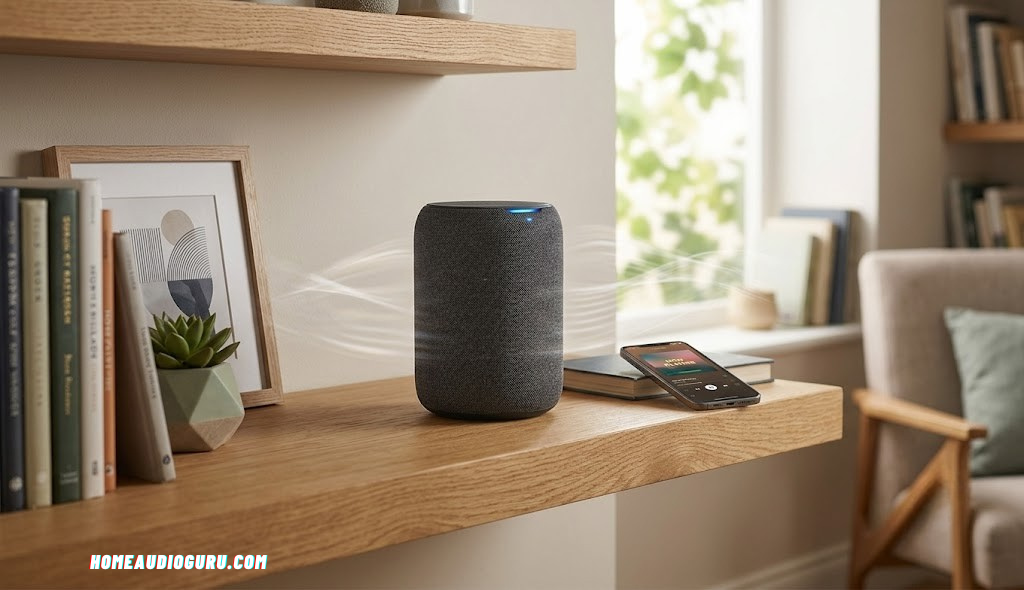
Are Wireless Speakers Any Good? An Honest, In-Depth Answer
A no-nonsense look at sound quality, latency, range, battery life, and real-world reliability — so you can decide whether going wireless is right for your ears and your room.
The Quick Answer: Yes, Modern Wireless Speakers Are Genuinely Good
If you clicked on this article hoping for a straightforward answer, here it is up front: yes, wireless speakers are good, and for the vast majority of listeners they are good enough that the old wired-versus-wireless debate has quietly become a non-issue. That wasn’t always true. A decade ago, “wireless speaker” was almost synonymous with “compressed, tinny, and unreliable.” Bluetooth connections dropped out if you walked past a microwave. Battery life was measured in a handful of hours. Sound quality was an afterthought bolted onto a gadget built primarily around convenience.
That era is over. Wireless audio has matured into a mainstream category with its own high-end tier, its own competitive codecs, and its own passionate community of listeners who genuinely prefer the flexibility of a cable-free setup. Companies that used to be purely wired hi-fi brands now build wireless flagships. Streaming protocols have gotten smarter, more efficient, and less prone to compression artifacts. Batteries last through entire weekend trips. And crucially, the actual acoustic engineering inside these speakers — the drivers, the enclosures, the DSP tuning — has improved just as fast as the wireless transmission technology carrying the signal to them.
None of this means wireless is automatically the right choice for every situation, and it doesn’t mean every wireless speaker on the market is good. There’s still a wide gulf between a $30 no-name Bluetooth speaker and a serious wireless hi-fi system. The goal of this guide is to walk through exactly where wireless technology shines, where it still falls short of a wired connection, and how to tell the difference between a wireless speaker worth buying and one that will disappoint you within a month. If you’re weighing a wireless purchase against a full home audio system, this breakdown should make the decision much clearer.
It’s also worth noting that “wireless speaker” now covers a huge range of very different products, from a $25 shower speaker to a multi-thousand-dollar wireless hi-fi tower system. Lumping all of these into a single category and asking “is wireless good” is a bit like asking whether “cars” are reliable — the honest answer depends enormously on which specific model you’re talking about. This guide focuses on giving you the underlying technical understanding to evaluate any specific wireless speaker on its own merits, rather than treating the entire category as a single monolithic product.
How Wireless Speakers Actually Work
Before judging whether wireless speakers are “good,” it helps to understand what’s actually happening when your phone talks to a speaker across the room with no cable in sight. Broadly, wireless speakers rely on one of two transmission methods: Bluetooth or Wi-Fi, with a smaller number of devices using proprietary RF (radio frequency) protocols for specific use cases like outdoor party speakers or professional PA systems.
Bluetooth Audio Transmission
Bluetooth is the transmission method most people are familiar with. It’s the same short-range wireless protocol used for headphones, keyboards, and car infotainment systems. When you pair your phone with a Bluetooth speaker, the two devices establish a direct point-to-point link operating in the 2.4GHz frequency band. Audio data gets compressed using a codec (more on that shortly), transmitted over the air, and decompressed by the speaker in real time.
Bluetooth’s biggest strength is universality. Virtually every phone, laptop, and tablet made in the last ten years supports it, and pairing usually takes seconds. Its biggest limitation is bandwidth: Bluetooth simply cannot move as much data per second as a wired connection or a Wi-Fi network, which means some form of compression is almost always necessary.
Wi-Fi Audio Transmission
Wi-Fi speakers connect to your home network the same way a laptop or smart TV does. Instead of a direct phone-to-speaker link, audio often gets pulled from a streaming service (or your phone) and routed through your router to the speaker. This has several advantages: significantly more available bandwidth, the ability to support multiple speakers playing perfectly synced audio throughout a house, and typically a more stable connection since it isn’t limited by the same short-range restrictions as Bluetooth.
Wi-Fi speakers do require your home network to be reasonably solid — if your Wi-Fi drops out, so does your music. But because Wi-Fi supports much higher data rates, these speakers can often stream near-lossless or fully lossless audio, which is a meaningful step up in fidelity compared to standard Bluetooth.
The Role of Audio Codecs
A codec is the compression algorithm used to shrink an audio file or stream down to a size that fits within the available wireless bandwidth. Different codecs make different trade-offs between file size and sound quality, and understanding roughly where each one sits on that spectrum makes it much easier to judge a speaker’s real-world listening potential from its spec sheet alone:
- SBC (Sub-band Coding): The baseline codec required on every Bluetooth device. It works everywhere but compresses audio the most aggressively.
- AAC: Common on Apple devices, generally better than SBC for perceived quality at similar bitrates.
- aptX / aptX HD: Qualcomm’s codec family, offering near-CD quality on supported hardware.
- LDAC: Sony’s high-resolution codec, capable of significantly higher bitrates than SBC, often marketed as “Hi-Res Audio” wireless.
- Wi-Fi lossless streaming: Used by many multi-room systems to send audio essentially uncompressed.
The codec matters enormously when judging whether a specific wireless speaker will sound “good.” A budget speaker limited to SBC will sound noticeably worse than the same hardware running LDAC or a lossless Wi-Fi stream, even though both are technically “wireless.”
How Bluetooth Versions Have Evolved
Part of why wireless speakers have gotten so much better has nothing to do with acoustic engineering at all — it comes down to the underlying Bluetooth standard itself. Early Bluetooth speakers from the late 2000s and early 2010s typically ran on Bluetooth 2.1 or 3.0, versions that offered limited bandwidth, weaker error correction, and noticeably shorter effective range. Dropouts were common, pairing was fiddly, and battery drain on the source device was higher than it needed to be.
Bluetooth 4.0 and 4.2 introduced Bluetooth Low Energy, which dramatically cut power consumption and improved connection stability, laying the groundwork for the all-day battery life we now take for granted. Bluetooth 5.0 then doubled the effective data transfer speed and quadrupled the potential range compared to 4.2, which is a big part of why modern speakers can maintain a clean connection across a larger room or even through a wall or two. The latest generations, including Bluetooth 5.3 and beyond, focus on refining connection stability in crowded RF environments, reducing the audible “hiccups” that used to occur when many wireless devices were active in the same space at once, such as a house full of smart home gadgets, phones, and laptops all competing for the same 2.4GHz frequency band.
This matters for shoppers because a speaker’s Bluetooth version, which is often buried in the fine print of a spec sheet, has a real and measurable impact on day-to-day reliability. Two speakers with otherwise similar drivers and price points can behave very differently in a crowded apartment simply because one uses an older, less robust Bluetooth chipset.
Proprietary Wireless Protocols
Beyond standard Bluetooth and Wi-Fi, some manufacturers use their own proprietary RF protocols, particularly for outdoor party speakers, portable PA systems, and certain wireless subwoofer connections in soundbar systems. These proprietary links are designed for a specific job — usually maximizing range or minimizing latency for a paired subwoofer — rather than general-purpose compatibility. They tend to perform very well for their narrow use case but won’t connect to devices outside their own ecosystem, which is worth knowing before you buy if you’re hoping to mix and match brands.

See Today’s Top-Rated Wireless Speakers
Compare current bestsellers with real owner reviews before you buy.
Check Prices on AmazonSound Quality: The Real Story
Sound quality is usually the deciding factor for anyone genuinely on the fence about wireless audio, and it deserves a more nuanced treatment than a simple yes-or-no verdict. The reality sits somewhere between the two extremes commonly repeated online: it’s neither true that wireless sounds identical to wired in every situation, nor true that wireless still carries the same compromises it did in Bluetooth’s early days.
This is the question everyone actually cares about: does going wireless mean giving up sound quality? The honest answer is “it depends on the codec, the hardware, and how critically you listen,” but for the overwhelming majority of listening situations, a good wireless speaker sounds excellent.
What You Might Actually Notice
In blind listening tests, most casual listeners struggle to reliably tell the difference between a wired connection and a high-quality wireless connection using aptX HD, LDAC, or a Wi-Fi lossless stream. Where differences do show up, they tend to be subtle: a slight softening of the very highest frequencies, a marginally less precise stereo image, or a small reduction in dynamic punch on complex, busy tracks. For background music, casual listening, podcasts, and even most critical listening sessions, these differences are small enough that they rarely change someone’s enjoyment of the music.
Testing Sound Quality Yourself
The most reliable way to judge whether a specific wireless speaker sounds good enough for your needs is simply to listen to it with familiar music, ideally music you know intimately across a range of genres, including something bass-heavy, something vocal-focused, and something with wide dynamic range. Store demos and online reviews can only tell you so much; your own ears, listening to tracks you already know well, will reveal far more about how a speaker’s specific tuning matches your personal taste.
Where the Gap Still Shows Up
The gap becomes more audible in a few specific scenarios. Audiophiles doing serious critical listening on high-resolution masters, using premium headphones or reference-grade speakers, can sometimes pick out compression artifacts on lower-tier Bluetooth codecs like SBC. Home theater setups relying on wireless surround or subwoofer connections can occasionally suffer from very slight timing mismatches, though most modern wireless subwoofers correct for this automatically. And in noisy RF environments — apartment buildings packed with competing Wi-Fi networks and Bluetooth devices — even a great wireless speaker can suffer momentary quality dips as it fights for clean bandwidth.
Driver Quality Still Matters More Than Wireless Tech
It’s worth emphasizing something that gets lost in wireless-versus-wired debates: the single biggest factor in how a speaker sounds is still the quality of its drivers, cabinet design, and internal tuning — not whether the signal arrived wirelessly. A $600 wireless speaker with excellent drivers and a well-designed enclosure will sound dramatically better than a $60 wired speaker with cheap components, wireless technology aside. If you’re chasing great sound, spend your research time evaluating driver quality, frequency response, and cabinet design just as much as you evaluate the wireless codec.
How Digital Signal Processing Helps Close the Gap
A big part of why modern wireless speakers sound so much better than their predecessors comes down to onboard digital signal processing, or DSP. Rather than simply amplifying whatever raw signal arrives, today’s wireless speakers run that signal through custom tuning profiles built specifically for their driver array and cabinet shape. This lets manufacturers compensate for the physical limitations of a small enclosure, boosting perceived bass extension, smoothing out harsh frequency peaks, and balancing the tonal signature to sound fuller than the hardware would otherwise allow on its own.
DSP also plays a role in adapting to the wireless signal itself. Some speakers dynamically adjust their processing based on the strength and stability of the incoming Bluetooth or Wi-Fi signal, prioritizing consistency over raw peak fidelity when conditions get shaky, and pushing for maximum quality when the connection is strong and clean. This kind of adaptive processing wasn’t practical on cheaper hardware a decade ago, but it’s now common even in mid-range models, which is part of why the “wireless equals worse sound” assumption has become outdated.
Room Acoustics Matter More Than the Wireless Link
It’s also worth remembering that the room a speaker sits in has a far bigger impact on perceived sound quality than whether the connection is wired or wireless. Hard, reflective surfaces like tile floors and bare walls can create harsh reflections and boomy bass regardless of how the audio signal got to the speaker. Soft furnishings, rugs, and curtains absorb excess reflections and generally improve clarity. If a wireless speaker doesn’t sound as good as expected, it’s often worth troubleshooting placement and room acoustics before assuming the wireless connection itself is to blame.
Bluetooth vs. Wi-Fi Speakers: Which Is Actually Better?
Not all “wireless speakers” are built the same way, and the Bluetooth-versus-Wi-Fi distinction is one of the most important factors in how good a speaker will actually sound and behave day to day.
| Factor | Bluetooth Speakers | Wi-Fi Speakers |
|---|---|---|
| Typical Range | Up to ~30 ft indoors | Whole-home, limited by router/mesh coverage |
| Sound Quality Ceiling | Very good with aptX HD/LDAC | Often near-lossless or fully lossless |
| Setup Complexity | Simple pairing, seconds to connect | Requires app setup and network connection |
| Multi-Room Support | Limited, usually one speaker at a time | Excellent, built for synced multi-room audio |
| Portability | Excellent, works anywhere | Poor, tied to your home network |
| Battery-Friendly | Yes, low power draw | Usually mains-powered, less battery-optimized |
| Best For | Portable use, simplicity, travel | Fixed home systems, multi-room, highest fidelity |
If portability and simplicity matter most to you, Bluetooth wins easily. If you’re setting up a system that will stay in one place — living room, kitchen, home office — and you want the best possible sound with support for multiple synced speakers, Wi-Fi is generally the stronger long-term choice. Many premium speakers today actually support both, letting you use Wi-Fi at home for the best quality and Bluetooth as a fallback when you’re out and about.
Hybrid Speakers: The Best of Both Worlds
A growing number of manufacturers now build speakers that support both Wi-Fi and Bluetooth simultaneously, automatically switching between them depending on the situation. At home, connected to your network, the speaker streams over Wi-Fi for maximum fidelity and full multi-room integration. Take the same speaker to a friend’s house, a park, or anywhere outside your home network, and it seamlessly falls back to Bluetooth, pairing directly with your phone with no network required. This hybrid approach has quickly become the gold standard for anyone who wants both a serious home listening setup and genuine portability from the same product, rather than having to choose one or the other.
Network Congestion and Household Size
One less obvious factor in the Wi-Fi versus Bluetooth decision is how many devices already compete for bandwidth on your home network. In a household already running several streaming TVs, multiple laptops, smart home devices, and other Wi-Fi speakers, adding more Wi-Fi audio streams can occasionally strain an older or budget router, particularly during peak usage like a movie night combined with several people streaming video in other rooms. Bluetooth speakers sidestep this issue entirely since they don’t touch your home network at all, which can make Bluetooth the more dependable option in networks that are already under heavy load, at least until you’re able to upgrade to a more capable router or mesh system.
Latency and Lip-Sync: The Overlooked Wireless Weakness
Sound quality gets most of the attention in wireless debates, but latency — the delay between when audio is generated and when you actually hear it — is arguably a bigger practical issue for a lot of people, especially anyone using wireless speakers with video.
Why Latency Happens
Wirelessly transmitting audio takes time: the signal has to be compressed, transmitted, received, and decompressed before it reaches your ears. Standard Bluetooth using SBC typically introduces somewhere between 100 and 200 milliseconds of delay. For music playback alone, this is completely unnoticeable since there’s no visual reference to sync against. But the moment you’re watching a movie, a show, or a video call through wireless speakers, that delay can manifest as an out-of-sync mismatch between lips moving on screen and the audio you hear.
How Manufacturers Solve It
Recognizing this problem, many manufacturers now build in Low Latency modes using aptX Low Latency or proprietary game-audio codecs that shrink the delay down to 40 milliseconds or less — fast enough that most viewers won’t notice any mismatch. Wi-Fi based systems, particularly those using proprietary multi-room protocols, often manage similarly low latency figures because they aren’t constrained by the same Bluetooth bandwidth ceiling.
What This Means for Your Buying Decision
If you’re buying wireless speakers purely for music, latency is a non-issue and you can largely ignore it. If you’re buying a wireless soundbar, wireless surround speakers, or anything that will be paired with a TV, specifically check for a low-latency mode or a dedicated wireless transmission protocol designed for video — this is one of the few areas where a cheap wireless speaker can genuinely feel worse than a wired one in daily use.
Latency Sensitivity by Content Type
Not all video content is equally sensitive to latency. Talking-head content like news broadcasts and interviews tends to make lip-sync issues most obvious, since viewers are naturally focused on the speaker’s mouth movements. Fast-paced action sequences and music videos are somewhat more forgiving, since there’s more visual motion to distract from any small audio-visual mismatch. Gaming is its own special case: competitive, fast-reaction games demand extremely low latency to keep audio cues like footsteps and gunfire properly timed with on-screen action, which is why many wireless speakers and headphones marketed for gaming specifically advertise sub-40-millisecond “game mode” latency figures distinct from their standard music-listening Bluetooth mode.
Testing Latency Before You Commit
If possible, test a wireless speaker with actual video content before finalizing a purchase, either in-store or during a return window at home. Play a talking-head video or the news and watch closely for any mismatch between lip movement and audio. Most people can immediately tell whether a delay is present once they know to look for it, even if they wouldn’t have consciously noticed it during casual viewing.
Range, Reliability, and Dropouts
A wireless speaker that sounds incredible but constantly cuts out isn’t actually good — reliability is just as much a part of “sound quality” as the frequency response chart. This is one area where real progress has genuinely been made over the last several years.
Typical Range Expectations
Bluetooth speakers reliably maintain a connection at around 30 feet indoors, with performance dropping off through walls, floors, and other obstructions. Outdoors, with a clear line of sight, some speakers can maintain a connection considerably further, though this varies a lot by device and antenna design. Wi-Fi speakers, on the other hand, inherit the range of your home network — if your router or mesh system covers your whole house, your Wi-Fi speaker generally will too.
Common Causes of Dropouts
When wireless speakers do cut out, it’s usually caused by one of a few things: physical obstructions (thick walls, metal cabinets, large appliances), RF interference from other 2.4GHz devices like microwaves and older cordless phones, too much distance between source and speaker, or a congested Wi-Fi network overloaded with too many competing devices. Most modern speakers use frequency hopping and adaptive channel selection specifically to minimize these issues, which is why dropouts are far less common today than they were in Bluetooth’s earlier years.
Practical Tips to Improve Reliability
If you experience dropouts, a few simple changes usually fix the majority of issues: keep line of sight between your source device and speaker where possible, avoid placing speakers directly behind metal objects or large appliances, update your speaker’s firmware regularly since manufacturers frequently patch connectivity bugs, and for Wi-Fi speakers, make sure your router firmware is current and, if you have a large home, invest in a mesh Wi-Fi system to eliminate dead zones.
How Environment Affects Real-World Range
Published range specifications are almost always measured in ideal, open-air conditions with a clear line of sight, which rarely matches how speakers are actually used in a home. Drywall reduces Bluetooth range only slightly, but denser materials like brick, concrete, and especially metal studs or appliances can cut effective range significantly, sometimes by half or more. Open floor plans with fewer obstructions tend to deliver range much closer to the advertised figures, while older homes with plaster walls or metal lath can be noticeably more challenging environments for wireless signals.
When to Consider a Wireless Range Extender
For Wi-Fi based multi-room systems, a weak signal in a specific room is usually a router placement or coverage problem rather than a speaker problem. Adding a mesh network node or a dedicated Wi-Fi extender near the affected room is generally a more effective fix than trying to troubleshoot the speaker itself. For Bluetooth speakers used in large or oddly shaped rooms, some manufacturers offer proprietary range-extending transmitters that plug into a source device and rebroadcast the signal at a stronger power level, which can help in situations where a direct Bluetooth connection alone struggles to reach a distant speaker.
Battery Life and Power Considerations
For portable wireless speakers, battery life is often the single most practical factor in day-to-day satisfaction — a great-sounding speaker that dies after three hours isn’t going to make anyone happy on a weekend trip.
What’s Typical Today
Modern portable Bluetooth speakers typically offer somewhere between 8 and 24 hours of playback on a single charge, with premium models increasingly pushing past the 24-hour mark. Battery life depends heavily on volume level, with speakers played near maximum volume draining noticeably faster than those used at moderate levels. Most speakers now charge via USB-C, and many support fast charging that can deliver several hours of playback from just 10 to 15 minutes plugged in.
Fixed vs. Portable Power Needs
It’s worth distinguishing between two very different categories here. Portable wireless speakers rely entirely on internal batteries and are designed to be carried around, which is where battery specs matter most. Home wireless speakers — the kind meant to sit permanently on a shelf or bookcase — are usually plugged into wall power at all times and only use “wireless” for the audio signal itself, not for the power supply. If you’re shopping for a stationary home system, battery life isn’t really a relevant spec at all, and your attention should shift entirely to sound quality, network stability, and multi-room capability instead.
Battery Longevity Over Time
Like any rechargeable battery, the ones in wireless speakers degrade gradually with repeated charge cycles. A speaker that offers 20 hours per charge when new might drop to 15 or 16 hours after a couple of years of regular use. This is a normal part of lithium-ion battery chemistry and not a sign of a defective product, though it’s a reasonable factor to weigh if you plan to keep a speaker for many years.
Charging Habits That Extend Battery Life
A few simple habits can meaningfully slow down battery degradation over time. Avoiding letting a speaker sit fully drained for long periods, unplugging it once it reaches full charge rather than leaving it on the charger indefinitely, and keeping it out of direct sunlight or hot vehicles all help preserve capacity. Some premium speakers include smart charging features that intentionally stop charging at 80 or 90 percent to reduce long-term battery stress, similar to features found on many modern smartphones.
Power Delivery and Fast Charging
Most current wireless speakers charge via USB-C, and many support USB Power Delivery fast charging, which can restore several hours of playback from a short charging session. It’s worth checking the included charging cable and adapter specifications, since using a lower-wattage charger than the speaker supports can result in slower charging than expected, even though the speaker will still function normally.

Long-Battery-Life Wireless Speakers
Browse portable models built for all-day and weekend-trip playback.
Shop Long-Lasting SpeakersMulti-Room and Multi-Device Use
One of the clearest advantages wireless speakers hold over wired systems is flexibility across multiple rooms and multiple source devices — something that would require significant rewiring in a traditional wired setup.
Multi-Room Audio
Wi-Fi based multi-room systems let you place speakers in several rooms throughout your home and control them all from a single app. You can play perfectly synced audio across every room simultaneously, play different content in different rooms at the same time, or group specific speakers together for a party while leaving others playing something else entirely. This kind of flexible, zone-based audio used to require complex wired in-wall installations; today it’s achievable with a handful of wireless speakers and a stable home network.
Multipoint Bluetooth
On the Bluetooth side, many modern speakers support multipoint pairing, which lets a single speaker stay connected to two devices at once — for example, your laptop and your phone — and automatically switch between whichever one is actively playing audio. This is especially useful in shared spaces like offices or living rooms where more than one person might want to connect their own device without constantly re-pairing.
Voice Assistants and Smart Integration
Many wireless speakers now include built-in voice assistant support, letting you control playback, adjust volume, or ask general questions hands-free. This kind of smart integration is far more common in wireless models than wired ones, since the wireless connectivity hardware needed for voice assistant features is already present in the speaker.
Stereo Pairing and Surround Expansion
Beyond simple multi-room grouping, many wireless speaker lines let you pair two identical units together to form a genuine left-and-right stereo pair, which can dramatically improve imaging and soundstage width compared to a single mono speaker. Some ecosystems take this further, allowing a soundbar and a pair of compatible satellite speakers to be added wirelessly as rear surround channels, effectively building a wireless surround sound system out of what started as separate standalone products, all managed through a single companion app.
Grouping and Zone Control in Practice
In day-to-day use, zone-based control means you might play a podcast in the kitchen while a different playlist runs in the living room, then combine both into a single synced group with one tap when guests arrive. This kind of on-the-fly flexibility, adjusting which rooms play what and when, is one of the most genuinely useful upgrades wireless technology has brought to home audio, and it’s simply not practical to replicate with a traditional wired setup without a dedicated multi-zone amplifier and extensive in-wall wiring.
Real-World Use Case Scenarios
Rather than asking whether wireless speakers are good in the abstract, it’s more useful to look at how they perform in specific everyday situations, since the answer can shift quite a bit depending on the room and the way you actually listen.
Kitchen and Cooking
The kitchen is one of the best possible environments for a wireless speaker. Cables running across countertops near water and heat sources are inconvenient at best and unsafe at worst, so the ability to place a compact wireless speaker on a shelf, under a cabinet, or on the counter without worrying about an outlet nearby is a genuine practical win. Splash resistance is worth prioritizing here, and most mid-range wireless speakers now include at least an IPX4 rating, enough to handle the occasional splash from a sink or a pot boiling over.
Outdoor Patios and Backyards
Outdoor listening is arguably where wireless technology shows its biggest advantage over wired alternatives. Running speaker wire outdoors means dealing with weatherproof conduit, drilling through walls, and permanent installation. A rugged, IPX7-rated wireless speaker can simply be carried outside, placed on a table, and packed away again after the gathering ends. Battery life becomes especially important here, since outdoor sessions often stretch across an entire afternoon or evening without convenient access to an outlet.
Home Office and Desk Setups
For desk setups, wireless speakers offer a cleaner look than wired alternatives, especially in home offices where cable management is already a challenge with monitors, chargers, and peripherals. Multipoint Bluetooth is particularly valuable here, letting you switch seamlessly between a work laptop for calls and a personal phone for music without repairing each time.
Bedroom and Nightstand Use
Compact wireless speakers have become extremely popular as nightstand companions for podcasts, white noise, and gentle wake-up alarms. Because these speakers are typically used at low-to-moderate volumes, the audible gap between wireless and wired connections is essentially nonexistent in this setting, and features like companion-app alarm scheduling and warm nightlight functions matter more than absolute audiophile fidelity.
Living Room Home Theater
This is the one scenario where wireless technology still requires the most careful shopping. A wireless soundbar or wireless surround kit paired with a TV needs to handle dialogue-heavy, fast-moving audio in sync with picture, which puts more pressure on latency performance than simple music playback. As covered earlier, confirming a genuine low-latency mode is essential here, but once that box is checked, wireless home theater setups perform impressively well for the vast majority of viewers, and eliminate the need to run speaker wire behind walls or under rugs to reach rear surround positions.
Maintenance and Longevity Tips
Getting good, lasting performance out of a wireless speaker isn’t just about the initial purchase — a handful of ongoing habits can meaningfully extend both sound quality and product lifespan.
Keep Firmware Updated
Manufacturers regularly release firmware updates that patch connectivity bugs, improve battery management, and occasionally add entirely new features like additional codec support. Checking the companion app every few months for available updates is one of the simplest ways to keep a wireless speaker performing at its best over time.
Manage Battery Charging Habits
Lithium-ion batteries, like the ones found in nearly all portable wireless speakers, last longest when kept between roughly 20 and 80 percent charge rather than constantly cycled from completely empty to completely full. If a speaker will sit unused for an extended period, storing it around a 50 percent charge rather than fully charged or fully drained helps preserve long-term battery capacity.
Clean Vents and Grilles Regularly
Dust and debris can accumulate in speaker grilles and passive radiator vents over time, subtly affecting bass response and overall clarity. A soft brush or a can of compressed air used periodically keeps airflow clear and helps the speaker perform closer to its original specification for years.
Protect Against Extreme Temperatures
Leaving a wireless speaker in a hot car or direct summer sun for extended periods can degrade battery health far faster than normal use. Similarly, very cold conditions can temporarily reduce battery output. Storing speakers in moderate temperatures whenever possible helps maintain both battery longevity and driver performance.
Pros and Cons of Wireless Speakers at a Glance
Pros
- No cable clutter, fully flexible placement
- Sound quality now rivals wired in most listening scenarios
- Easy multi-room and multi-device support
- Portability for outdoor and travel use
- Frequent firmware updates add new features over time
- Built-in smart assistant support on many models
Cons
- Some compression on lower-tier Bluetooth codecs
- Latency can be an issue for video without a low-latency mode
- Reliant on battery charging for portable use
- Occasional dropouts from interference or distance
- Wi-Fi models depend on a stable home network
- Premium wireless models can cost more than comparable wired options
Wireless vs. Wired: Side-by-Side Comparison
| Category | Wireless Speakers | Wired Speakers |
|---|---|---|
| Sound Quality | Excellent with good codecs, small ceiling gap | Zero compression, theoretical maximum fidelity |
| Setup | Fast, flexible, no cable runs needed | Requires cable runs, more planning |
| Latency | Low with modern codecs, higher on budget models | Effectively zero |
| Portability | Excellent | Poor to none |
| Long-Term Cost | Battery replacement, occasional firmware issues | Cabling cost upfront, very low maintenance after |
| Multi-Room | Very easy with Wi-Fi systems | Requires in-wall wiring or a multi-zone amp |
For a deeper breakdown of specific system types, see our guides on the best home theater systems under $10,000 and best home stereo systems under $500, both of which cover wired and wireless options side by side.
Total Cost of Ownership
Sticker price is only part of the cost equation. Wired speaker installations often involve upfront costs for in-wall cable, wall plates, and sometimes professional installation labor, especially in finished homes where running cable through existing walls is disruptive. Once installed, however, a wired system typically requires very little ongoing investment beyond the occasional amplifier upgrade. Wireless systems usually cost less to install since there’s no cabling to run, but they carry their own long-term costs in the form of eventual battery replacement or degradation, and occasionally outgrowing an older app ecosystem as manufacturers phase out support for discontinued product lines. Neither approach is universally cheaper; the better value depends heavily on how long you plan to keep the system and how much you value the flexibility of being able to relocate speakers without any rewiring.
Resale and Upgrade Flexibility
Wireless speakers tend to hold resale value reasonably well as standalone units, since a buyer can simply pair them with their own devices without needing to match any existing wiring infrastructure. Wired speakers, especially in-wall or in-ceiling models, are far less portable between homes and are sometimes left behind entirely when a homeowner moves, since removing and patching in-wall speakers is disruptive. If you anticipate moving in the next few years, this is a meaningful practical advantage in favor of wireless systems that’s easy to overlook when comparing sound quality alone.
Who Should (and Shouldn’t) Go Wireless
With all the technical details out of the way, it helps to translate everything back into a simple, practical checklist. The following breakdown isn’t about which technology is objectively superior in a vacuum — it’s about matching the strengths and weaknesses of wireless audio to your actual habits, living situation, and listening priorities.
Wireless Is a Great Fit If You…
- Move your speaker between rooms or take it outside regularly
- Want multi-room audio without running cables through walls
- Rent your home and can’t install permanent wiring
- Listen mostly to music and podcasts rather than doing critical audio production
- Value flexible placement over squeezing out the last 1% of fidelity
Wired Might Still Be Better If You…
- Do professional audio production or critical mastering work
- Run a dedicated home theater with a wired AV receiver and want zero risk of sync issues
- Live in a very densely populated apartment building with heavy Wi-Fi/Bluetooth congestion
- Want a permanent, “set it and forget it” system with no batteries or firmware to manage
For most households, the honest answer is a hybrid one: use wireless speakers for convenience-driven listening in the kitchen, bedroom, or patio, and consider a wired connection only for a dedicated home theater or critical listening room. If you’re just getting started, our guide on how to set up a home audio system walks through exactly how to combine both approaches.
A Note on Budget Considerations
Budget is often the deciding factor in whether wireless makes sense for a given room. At lower price points, a wired bookshelf speaker paired with a basic amplifier can sometimes outperform a similarly priced wireless speaker, since wireless chipsets and batteries add cost that would otherwise go toward drivers and amplification. As budgets increase into the mid-range and above, wireless models close this gap quickly and often pull ahead in overall value once you factor in the convenience of flexible placement and multi-room support. If you’re working with a tight budget for a single room, it’s worth comparing both wired and wireless options directly rather than assuming one category is automatically the better deal.
A Note on Household Composition
Homes with multiple people sharing a space often benefit more from wireless flexibility than single-occupant setups, since different family members can move speakers between rooms, connect their own devices via multipoint Bluetooth, or set up independent zones for different activities happening simultaneously. Single dedicated listening rooms, on the other hand, tend to benefit less from this flexibility and more from consistent, unchanging performance, which slightly favors a fixed wired setup in that specific scenario.
What to Look for When Buying a Wireless Speaker
With so many wireless speakers on the market at every price point, it helps to have a concrete checklist rather than relying on marketing copy alone. The following ten factors cover the areas that most reliably separate a speaker you’ll be happy with for years from one that disappoints within a few months.
1. Codec Support
Check whether the speaker supports aptX HD, LDAC, or a Wi-Fi lossless streaming standard rather than relying purely on baseline SBC. This single spec has a bigger impact on perceived sound quality than almost anything else on the box.
2. Driver Configuration
Look at how many drivers the speaker has and whether it includes a dedicated tweeter and woofer rather than a single full-range driver. Multi-driver designs generally produce clearer highs and more controlled bass.
3. Battery Life (for Portable Models)
Aim for at least 12 hours of rated playback if you plan to use the speaker away from an outlet for extended periods, and remember that real-world battery life is often a bit lower than the marketed figure at higher volumes.
4. Water and Dust Resistance
If you’ll use the speaker outdoors, by a pool, or in the shower, check the IP rating. IPX7 or higher means the speaker can handle full submersion briefly, while IPX4 is more suited to splashes than a dunk.
5. Multi-Room and App Ecosystem
If you’re planning to build out a multi-room system over time, buy into an ecosystem with a genuinely good companion app and a healthy range of compatible speakers, rather than a niche system that might not be supported in a few years.
6. Low-Latency Mode for Video
If the speaker will be used with a TV, confirm it explicitly advertises a low-latency or game mode; otherwise you may run into noticeable audio lag during movies and shows.
7. Amplifier Power and Wattage
Wattage figures across brands aren’t always measured the same way, so treat published numbers as a rough guide rather than an absolute comparison point. That said, a higher-wattage amplifier generally means more headroom before distortion at high volumes, which matters most if you plan to fill a large room or host outdoor gatherings.
8. Build Quality and Materials
Metal grilles, reinforced corners, and quality fabric mesh tend to hold up better over years of regular use than thin plastic housings. If you plan to move a speaker between rooms or take it outdoors frequently, prioritize models with a genuinely rugged build rather than one that only looks sturdy in product photos.
9. App Quality and Update History
Since so much of the wireless experience runs through a companion app, spend a few minutes reading recent app store reviews before buying. A speaker with excellent hardware paired with a buggy, rarely updated app can be far more frustrating day to day than a slightly less powerful speaker backed by a smooth, actively maintained app.
10. Warranty and Customer Support
Wireless speakers have more complex electronics than passive wired speakers, including batteries, Bluetooth or Wi-Fi chipsets, and onboard software, all of which can occasionally fail. A solid warranty period and responsive customer support are worth factoring into your decision, particularly for higher-priced purchases you intend to keep for several years.

Build a Whole-Home Wireless System
Compare top multi-room speaker ecosystems and their app experiences.
Explore Multi-Room SystemsCommon Myths About Wireless Speakers, Debunked
Misconceptions about wireless audio tend to stick around long after the underlying technology has moved on, partly because early Bluetooth speakers really did earn their bad reputation. It’s worth separating outdated impressions from how the category actually performs today.
Myth: “Wireless Always Sounds Worse Than Wired”
This was largely true a decade ago but is no longer accurate for good-quality wireless speakers using modern codecs. The gap has shrunk dramatically, and for most listening situations it’s effectively closed.
Myth: “Bluetooth Speakers Constantly Drop the Connection”
Older Bluetooth versions had real reliability issues, but current Bluetooth generations use adaptive frequency hopping and more robust error correction, making dropouts far less common than they used to be — assuming the speaker isn’t placed far outside its rated range.
Myth: “You Need Expensive Speakers to Get Good Wireless Sound”
Plenty of mid-range wireless speakers punch well above their price with solid driver arrays and good codec support. Expensive doesn’t automatically mean better, and budget doesn’t automatically mean worse — it comes down to the specific engineering of each model.
Myth: “Wireless Speakers Drain Your Phone’s Battery Quickly”
Bluetooth audio streaming uses relatively little power on the source device compared to, say, GPS navigation or video streaming, so the impact on your phone’s battery is generally minor.
Myth: “All Wireless Speakers Are Basically the Same”
Just like wired speakers, wireless models vary enormously in driver quality, codec support, build materials, and tuning philosophy. It’s worth comparing specific models rather than assuming “wireless” is a single monolithic category.
Myth: “You Can’t Use Wireless Speakers for Serious Home Theater”
Wireless surround kits and soundbars have improved enormously, and many now include dedicated low-latency wireless links specifically engineered for movie and TV audio. While a fully wired reference home theater still holds a slight edge for absolute precision, wireless home theater setups are more than capable for the overwhelming majority of viewers, letting you avoid running speaker wire across a living room floor or through walls to reach rear channels.
Myth: “Wireless Speakers Are Bad for the Environment Because of Batteries”
While it’s true that rechargeable batteries eventually wear out and need replacing or recycling, many manufacturers now design speakers with modular, replaceable batteries rather than sealed units, extending usable product life. Compared to the copper wiring, PVC insulation, and installation waste associated with permanent wired systems, the environmental footprint of a well-maintained wireless speaker isn’t necessarily worse over its lifetime.
The Future of Wireless Audio
Wireless speaker technology hasn’t stood still, and the improvements of the past several years point toward a few clear trends that will likely continue to shrink whatever gap remains between wireless and wired performance.
Higher-Bandwidth Bluetooth Standards
Newer Bluetooth specifications continue to push available bandwidth higher while reducing power consumption, meaning future speakers should be able to stream increasingly high-resolution audio without sacrificing battery life. As these standards roll out across more affordable hardware, the audible difference between budget and premium wireless speakers should continue to narrow at the codec level, even if driver quality still separates the top and bottom of the market.
Smarter Adaptive Audio
Machine-learning-driven room correction is increasingly common in premium wireless speakers, using onboard microphones to analyze how sound bounces around a specific room and automatically adjusting the tuning to compensate. Expect this kind of adaptive calibration to trickle down into more affordable models over the next few product cycles, further reducing the importance of speaker placement and room acoustics for the average listener.
Tighter Multi-Room Ecosystems
As more households adopt multiple wireless speakers across different rooms, manufacturers are investing heavily in making multi-room setup faster, more reliable, and less dependent on any single company’s ecosystem. Cross-platform compatibility standards are gradually improving, which should make it easier in the future to mix and match speakers from different brands within a single connected home audio system, rather than being locked into one manufacturer’s proprietary app.
Longer Battery Life Through Efficiency Gains
Rather than simply adding bigger batteries, manufacturers are increasingly focused on improving amplifier and wireless chipset efficiency to extend battery life without adding bulk or weight. Expect portable wireless speakers to continue creeping past the 24-hour playback mark over the next several years while staying roughly the same size, rather than growing larger to accommodate bigger battery cells.
Frequently Asked Questions
Are wireless speakers as good as wired speakers?
Modern wireless speakers can come very close to wired performance for most listeners, especially with codecs like aptX HD or LDAC, though purists doing critical listening or home theater bass management still often prefer a wired connection for zero compression and zero latency.
Do wireless speakers lose sound quality?
Bluetooth wireless audio is compressed to fit within the available bandwidth, which can reduce fine detail compared to a lossless wired signal. Wi-Fi based wireless speakers avoid most of this compression and can sound nearly identical to a wired setup.
Is Wi-Fi or Bluetooth better for wireless speakers?
Wi-Fi generally offers better range, higher bandwidth, and support for multi-room audio, while Bluetooth is simpler to pair and more portable. For a fixed home system, Wi-Fi based speakers usually deliver a more consistent, higher-fidelity experience.
How much latency do wireless speakers have?
Standard Bluetooth audio typically has 100 to 200 milliseconds of latency, which can cause noticeable lip-sync issues with video. Speakers using aptX Low Latency or Wi-Fi based protocols can bring this down to under 40 milliseconds.
Do wireless speakers need to be charged?
Portable wireless speakers run on rechargeable batteries that typically last 8 to 24 hours per charge, while home wireless speakers usually stay plugged into wall power and only use wireless for the audio signal, not for power.
Can wireless speakers work without the internet?
Bluetooth speakers do not need internet access since they pair directly with your phone or player. Wi-Fi speakers usually need a local network connection to function, though many can still play Bluetooth audio as a backup.
How far can wireless speakers be from the source?
Bluetooth typically has a reliable range of around 30 feet indoors, while Wi-Fi based systems can cover an entire house since they use your existing router and mesh network infrastructure.
Are expensive wireless speakers worth it?
Higher-priced wireless speakers generally offer better drivers, larger enclosures, higher-quality wireless codecs, and more refined tuning, which does translate into audibly better sound, though there are diminishing returns above a certain price point.
Do wireless speakers work with multiple devices at once?
Many modern wireless speakers support multipoint Bluetooth, allowing them to stay paired to two devices simultaneously, while Wi-Fi based multi-room systems can pull audio from many sources across an entire home network.
Can wireless speakers replace a home theater system?
Wireless soundbars and surround kits have become capable enough to replace many traditional wired home theater setups for most households, though dedicated wired systems still generally hold an edge in raw power and precise imaging for large rooms. See our best home theater systems under $10,000 guide for specific recommendations.
Do wireless speakers interfere with Wi-Fi routers?
Bluetooth and Wi-Fi both operate in overlapping frequency bands and can occasionally cause minor interference, though modern devices use frequency hopping and channel management to minimize any real-world impact.
What is the biggest downside of wireless speakers?
The most common downsides are audio compression on Bluetooth models, dependence on battery charging for portable units, occasional dropouts from interference, and a reliance on a stable network for whole-home Wi-Fi systems.
Final Verdict: Are Wireless Speakers Any Good?
Yes — for the overwhelming majority of listeners and use cases, wireless speakers are genuinely good, and in many practical respects they’ve become the smarter default choice over wired alternatives. Sound quality has closed most of the gap with wired systems, especially once you look at speakers supporting aptX HD, LDAC, or Wi-Fi lossless streaming. Range and reliability have improved dramatically compared to early Bluetooth generations. Battery life on portable models is now measured in full days rather than a couple of hours. And multi-room flexibility is something wired systems simply can’t match without significant installation effort.
The right move isn’t to ask “wireless or wired” in the abstract, but to match the technology to your actual listening habits: portable and multi-room use cases lean wireless, while dedicated critical-listening or home theater rooms may still benefit from a wired backbone. Whichever direction you go, focus your buying decision on driver quality, codec support, and — if video matters to you — confirmed low-latency performance.
It’s also worth remembering that this technology continues to improve every year. Codecs keep getting more efficient, batteries keep lasting longer, and multi-room ecosystems keep getting easier to set up and more reliable to use. Whatever small compromises still exist between wireless and wired listening today are likely to keep shrinking, which makes now a genuinely good time to invest in a wireless setup rather than waiting for some hypothetical future improvement. The technology has already crossed the threshold from “acceptable trade-off” to “legitimately excellent option” for the way most people actually listen to music and watch movies at home.
Shop Today’s Best Wireless Speakers