Sony HT-S2000 Review: A Deep Dive Into Sony’s Compact Dolby Atmos Soundbar
I spent several weeks living with the Sony HT-S2000 across movie nights, sports broadcasts, background music, and late-night dialogue-heavy dramas to find out whether this compact 3.1-channel bar earns a spot under your TV.

What Is the Sony HT-S2000?
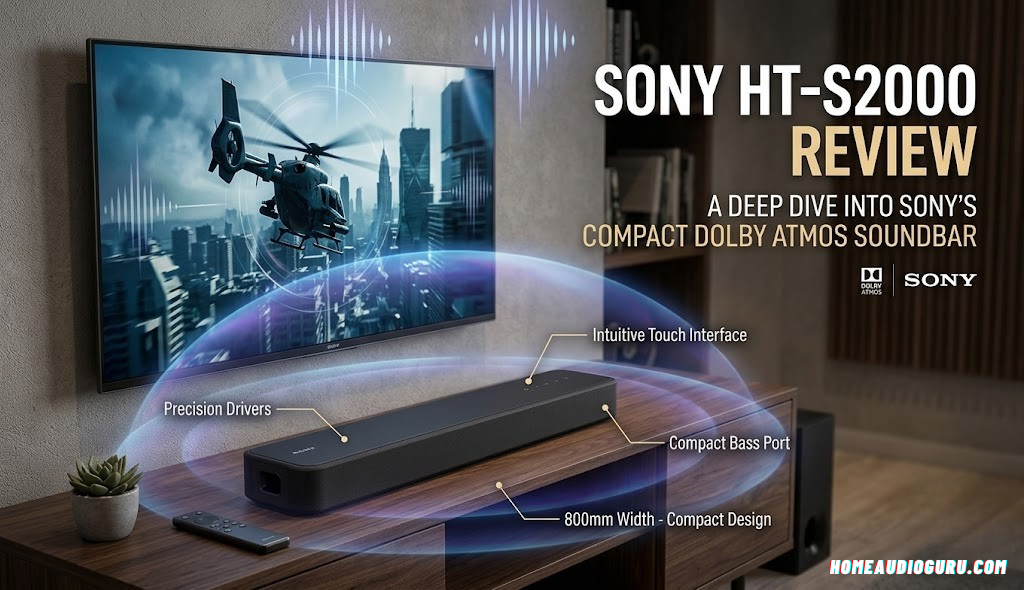
The Sony HT-S2000 sits in an interesting spot in Sony’s soundbar lineup. It’s not the flagship, and it’s not the absolute entry-level option either — it’s the bar Sony builds for people who want a real jump in sound quality without wiring a room full of speakers or spending flagship money. At its core, it’s a single-unit, 3.1-channel bar, meaning it packs left, center, and right channels along with a built-in bass channel into one enclosure, no separate subwoofer box required out of the gate.
What sets it apart from older 3.1 designs is Dolby Atmos and DTS:X decoding baked into that single bar. Sony achieves the height and surround illusion through virtual processing rather than physical upward-firing drivers spread across a wide cabinet, which is part of how the bar stays relatively compact. The result is a product aimed squarely at the person who has a decent TV, is tired of thin, tinny dialogue, and wants something they can set up in fifteen minutes rather than an afternoon.
It’s worth setting expectations before diving into specifics: this is not a substitute for a full discrete home theater setup with dedicated rear speakers and a large ported subwoofer. It’s a smarter, more spatially aware version of the classic all-in-one soundbar, and understanding that framing makes it much easier to judge fairly.
To put the HT-S2000 in context, it helps to think about the three broad tiers most shoppers run into when browsing soundbars. At the bottom sit basic 2.0 or 2.1 bars that simply amplify left and right channels louder and clearer than a TV can on its own, usually without any surround processing at all. At the top sit modular home theater-in-a-box systems, or full component setups, with a separate front bar, wireless subwoofer, and a pair of physical rear speakers that create genuine discrete surround channels. The HT-S2000 occupies the middle tier: a single unit that punches above its physical footprint by using digital signal processing to simulate what the top tier achieves with hardware, at a price and setup complexity much closer to the bottom tier.
That positioning explains a lot about the engineering choices Sony made here. Every decision, from the driver angling inside the cabinet to the way the bass channel is tuned, reflects a goal of maximizing perceived spaciousness without asking the buyer to place, wire, or calibrate anything beyond the main unit itself. It’s a soundbar built for the reality of how most people actually live: rented apartments, shared walls, TV stands rather than dedicated home theater rooms, and a strong preference for products that work well immediately rather than after a weekend of tinkering.
Sony has iterated on this general formula for several product generations now, and the HT-S2000 benefits from that accumulated refinement. The virtual surround algorithms, the dialogue enhancement processing, and the overall tuning philosophy all show signs of a company that has spent years learning what actually translates from a lab environment into a real living room. That maturity is part of why this bar feels more polished in daily use than its relatively modest specs sheet might suggest on paper.


Check current price and availability
See real-time pricing, deals, and customer reviews on Amazon.
Design and Build Quality
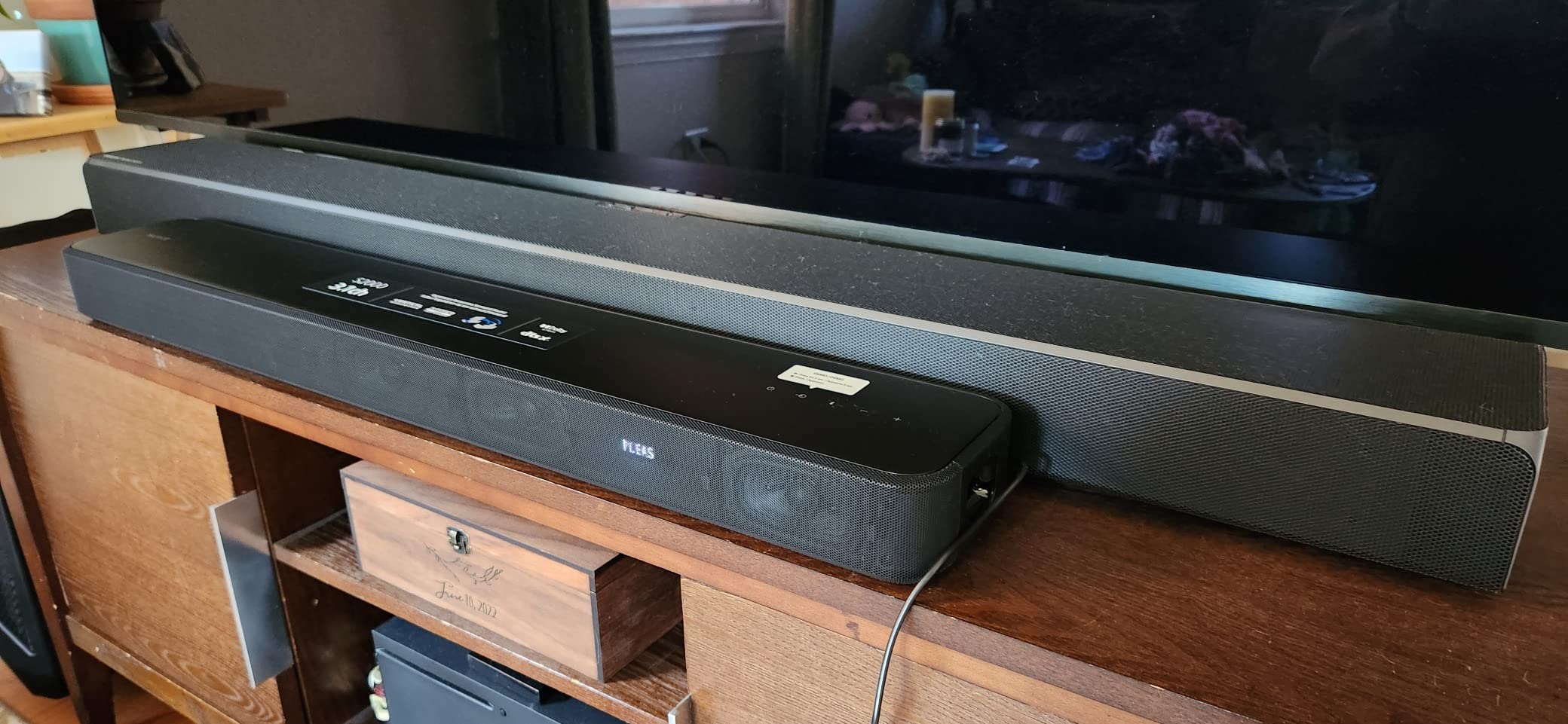
Sony kept the HT-S2000 visually understated, and that restraint works in its favor. The bar is finished in matte black with a fabric-wrapped grille running across most of the front, which does a good job of hiding it against a dark TV stand or wall-mounted television without drawing attention to itself. There’s no glossy plastic trim trying to look premium; instead it leans into a quiet, utilitarian look that fits into most living rooms without a fight.
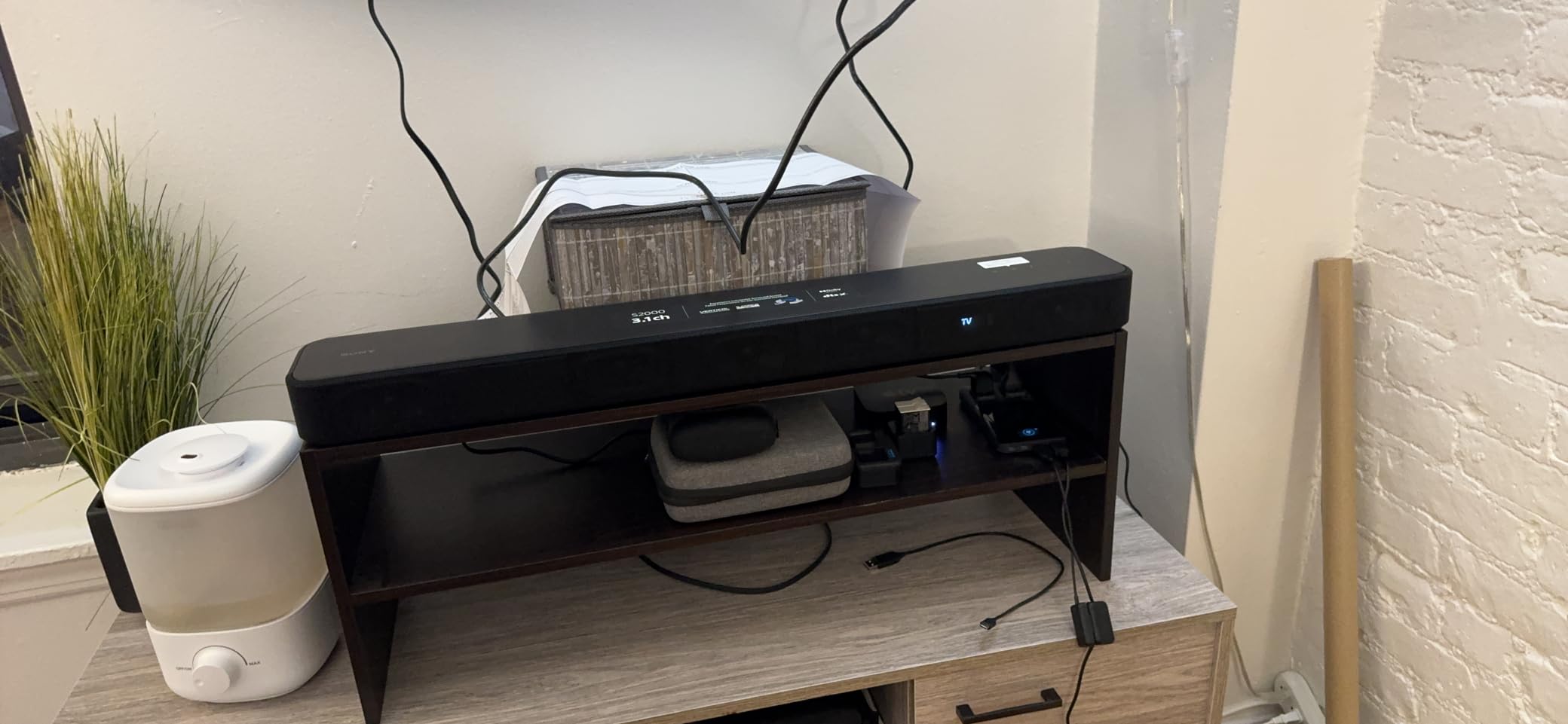
The chassis itself is long and low rather than tall and boxy, which matters more than it sounds like it should. A bar that sits too high can block the bottom edge of a TV screen, especially on stands rather than wall mounts. The HT-S2000’s low profile keeps it out of the way of most 55-to-65-inch TVs sitting on a standard media console, though it’s still worth measuring your own setup before buying, particularly if your TV sits unusually low.
On top of the unit, Sony includes a small strip of touch-sensitive controls for power, volume, input source, and Bluetooth pairing. They’re responsive without being overly sensitive, so you’re not accidentally bumping the volume while dusting the shelf. A small LED display communicates input and volume changes with short, readable text rather than cryptic blinking patterns, which is a small but appreciated detail for anyone who has dealt with a bar that only speaks in flashing lights.
Build quality feels appropriately solid for the price tier. There’s minimal flex in the housing, the grille cloth is taut and evenly stretched, and the overall unit feels like it was assembled with care rather than rushed out the door. It won’t feel like a premium hi-fi component if you pick it up, but it also doesn’t feel cheap or hollow, which is the more relevant bar to clear.
Weight is another detail that quietly signals build quality. The HT-S2000 has enough heft that it sits firmly on a TV stand without sliding around when bumped, but it’s not so heavy that wall-mounting becomes a two-person job. Sony includes a paper mounting template in the box, along with the necessary screws for most standard drywall installations, and the process of transferring measurements from the template to the wall is straightforward enough for a first-time DIY installer to complete in under half an hour.
The cable management situation is about as simple as it gets, since there’s realistically only one or two cables to manage: the HDMI cable running to the TV and the power cable running to an outlet. For anyone who has previously dealt with a receiver-based system with a tangle of speaker wire snaking around a room, this alone is a meaningful quality-of-life improvement, and it’s part of why the bar tends to stay looking tidy long after installation rather than slowly accumulating a mess of visible cabling.
One small design nod worth mentioning is the fabric grille’s removability for cleaning. Dust naturally accumulates on any fabric surface over months of use, and being able to gently vacuum or wipe down the grille without disassembling the entire unit is a practical touch that becomes more appreciated the longer you own the bar.
Unboxing and What’s Included
Inside the box, Sony keeps things minimal and purposeful. You get the soundbar itself, a compact IR remote control with a coin-cell battery, an HDMI cable long enough for most TV stand configurations, a power cable, and the wall-mounting hardware and paper template mentioned above. There’s a printed quick-start guide rather than a dense manual, which reflects how quickly most people are expected to get the bar running.
The remote deserves a specific mention because it strikes a good balance between simplicity and function. Rather than a cluttered universal remote trying to control your TV, streaming box, and soundbar all at once, it’s a dedicated soundbar remote with clearly labeled buttons for power, volume, input selection, sound mode, and Bluetooth pairing. In practice, most owners will rarely touch it after initial setup, since HDMI-CEC hands volume control over to the TV remote, but it’s a reliable fallback for adjusting sound modes or troubleshooting without digging into the app.
| Spec | Detail |
|---|---|
| Channel configuration | 3.1ch (built-in center, left, right, and bass channel) |
| Audio formats | Dolby Atmos, Dolby Digital, DTS:X, DTS Digital Surround |
| Primary connection | HDMI eARC |
| Secondary connection | Optical digital audio |
| Wireless | Bluetooth streaming |
| Included remote | Yes, dedicated IR remote |
| Wall-mountable | Yes, with included template |
| Voice assistant mic | Not included |
Setup and Installation
This is where the HT-S2000 makes its strongest first impression. Out of the box, setup is genuinely closer to plugging in a lamp than configuring a home theater. Connect the included HDMI cable from the bar’s HDMI output to your TV’s eARC-labeled HDMI input, plug in power, and most modern TVs will prompt you to switch the audio output automatically. From power-on to first sound, the whole process realistically takes under ten minutes for most people.
If your TV doesn’t support HDMI eARC, or if all your HDMI ports are already occupied by a streaming box, game console, and cable box, the optical digital input is a reliable fallback. It won’t pass Dolby Atmos metadata the same way eARC does, so you’ll want to prioritize an eARC-capable port if your TV has one and it’s available.
For anyone setting up a home audio system for the first time, or coming from a much older receiver-and-speaker-wire setup, our full walkthrough on how to set up a home audio system covers the broader concepts of inputs, room placement, and calibration that apply beyond just this one bar.
Placement matters more than people expect with a single-bar design like this one. Because the virtual surround and height effects rely on reflections and psychoacoustic processing rather than physically placed rear speakers, the bar performs best when it’s roughly centered on the TV, at ear height or below, without large obstructions directly in front of the grille. Placing it inside a deep, enclosed cabinet will noticeably dull the sound compared to an open shelf or a TV stand with a clear front.
Once connected, a short auto-calibration style setup runs through Sony’s on-screen menu (accessed via the TV, since the bar itself has no screen), where you can select room type and confirm placement. It’s not a full microphone-based room correction system like you’d find on higher-end AV receivers, but it does nudge the default sound profile toward your stated room shape, which is a nice touch for a bar at this price.
A few practical setup notes from spending real time with the bar across different rooms: mounting it directly beneath a wall-mounted TV, flush against the wall, is one of the better-performing placements, since the wall behind the bar reinforces bass response slightly without introducing the boxiness you sometimes get from enclosed cabinet placement. Placing it inside a media console with doors, even open ones, tends to soften high frequencies and reduce the sense of width, so if you have a choice between an open shelf and an enclosed cubby, the open shelf is the better home for this bar.
For anyone running the bar alongside a game console, streaming device, and cable box simultaneously, it’s worth confirming your TV correctly recognizes and switches to the eARC audio output whenever you change inputs. The vast majority of TVs manufactured in recent years handle this automatically and consistently, but a small number of TV models require a manual audio output selection the first time, which is a five-second fix once you know where the setting lives in your TV’s audio menu.
Firmware updates are also worth checking during initial setup rather than treating as an optional afterthought. Out-of-box firmware occasionally lags behind the current release, and updating early ensures you’re testing the bar with whatever surround processing refinements or bug fixes Sony has shipped since the unit left the factory.
Sound Quality Deep Dive
Sound quality is ultimately what a soundbar review has to get right, and this is where the HT-S2000 earns most of its reputation. The most immediate improvement over built-in TV speakers is dialogue clarity. Voices sound present and forward rather than muffled and distant, which matters enormously for anything dialogue-driven, from news broadcasts to dense, mumble-heavy prestige dramas. Sony’s center channel processing does a genuinely good job of keeping speech intelligible even when a scene layers in music and effects underneath it.
The stereo imaging is wider than the physical size of the bar suggests it should be. Sony uses a combination of driver angling and digital signal processing to throw sound believably past the left and right edges of the cabinet, so a scene with a car passing from one side of the screen to the other actually tracks with some sense of motion, rather than sounding like it’s glued to the center of the bar.
Where things get more nuanced is dynamic range and detail retrieval. At moderate volumes, the HT-S2000 sounds composed and controlled, with a reasonably neutral tonal balance that doesn’t overly hype treble or boom the midrange. Push it toward its upper volume range, particularly with dense action content, and you’ll start to hear some compression creep in, especially in the low-mid frequencies where the built-in bass channel is doing double duty. This is a normal characteristic of compact all-in-one bars and not unique to Sony, but it’s worth knowing going in if you frequently watch movies at reference-level volume.
Sony includes several sound mode presets, including a dedicated Voice mode that pushes dialogue frequencies forward even further, useful for older viewers or anyone watching with lower ambient volume late at night. There’s also a Night mode that compresses the dynamic range so explosions and gunfire don’t spike dramatically louder than quiet dialogue, ideal for apartment living or sleeping housemates.
Testing across a range of content types reveals a fairly consistent personality. Dense, effects-heavy action sequences highlight the bar’s strengths in width and dialogue placement while also exposing its bass ceiling most clearly. Quieter, dialogue-driven dramas are where the bar sounds most complete and least compromised, since the demands placed on the bass channel are lower and the center-channel processing gets to shine without competition. Sports broadcasts land somewhere in between: commentary stays clear even with crowd noise swelling underneath, and the wider stereo image does a nice job of making stadium atmosphere feel more enveloping than a typical TV speaker setup.
Gaming is a use case worth calling out separately, since it wasn’t originally mentioned in the marketing copy but matters to a meaningful share of buyers. Connected through HDMI eARC to a modern console, the HT-S2000 handles game audio with the same dialogue-forward, wide-stereo character it brings to movies. Directional cues in shooters and open-world games benefit from the virtual surround processing in a similar way to film content, giving a reasonable sense of off-screen positioning without needing a dedicated gaming headset. Input lag introduced by the audio processing has not been a noticeable issue during casual and competitive play alike, though extremely latency-sensitive competitive players who already use a headset for precise audio cues will likely still prefer that setup for ranked play specifically.
One more nuance worth flagging: the difference between casual listening volume and reference volume is larger than the spec sheet numbers might suggest. At the roughly 30 to 60 percent volume range most people actually live in day to day, the HT-S2000 sounds composed, clean, and genuinely enjoyable. It’s really only in that last stretch toward maximum volume, which most living rooms rarely need anyway, where the compromises of a compact all-in-one design become audible. Framed that way, the ceiling is less of a practical concern for the average buyer than it might initially sound.
What stands out
- Dialogue clarity is excellent for the size and price
- Stereo width exceeds the bar’s physical footprint
- Night mode and Voice mode are genuinely useful, not gimmicks
Where it’s limited
- Compression becomes audible at very high volumes
- Bass channel can feel stretched during dense action scenes
- No separate physical subwoofer included in the box
Dolby Atmos and Surround Performance
Dolby Atmos support is the headline feature, and it’s reasonable to be skeptical of how well a single bar without upward-firing drivers can actually deliver a sense of height. The honest answer: it’s an illusion, and a fairly convincing one within its limits, but it is still an illusion rather than a physical replication of overhead speakers.
Watching Atmos-mastered content, there’s a genuine sense that sound is originating from slightly above and around the seating position rather than strictly from the TV console. Rain effects, ambient city noise, and sweeping musical scores gain a layer of dimensionality that stereo or even basic surround processing doesn’t achieve. It’s most noticeable and most impressive during atmospheric, effects-heavy scenes rather than dialogue-driven ones, which makes sense given how Atmos mixes are typically designed.
Where it falls short of a true discrete system is precision and separation. A real 5.1.2 or 7.1.4 setup with physical rear and height speakers can place a sound with pinpoint accuracy behind or above a specific seat. The HT-S2000’s virtual approach creates a general sense of envelopment rather than exact directional placement — you’ll feel surrounded, but you won’t always be able to point to exactly where a specific sound effect is “coming from” the way you can with discrete rear channels.
It’s also worth noting that seating position matters more with virtual surround processing than with physical rear speakers. Sitting well off-center or far outside the sweet spot noticeably reduces the surround illusion, collapsing back toward a wider stereo presentation. For a single-couch, centered-viewing living room, this is rarely an issue. For wide sectional couches where people frequently sit far to one side, it’s a more relevant limitation to be aware of.
It’s worth spending a moment on how Sony actually achieves this virtual height effect, since understanding the mechanism helps calibrate expectations. Rather than firing sound directly upward to bounce off the ceiling, as some competing designs do with dedicated upward-firing drivers, the HT-S2000 relies primarily on psychoacoustic processing: carefully shaping the frequency response and timing of specific sounds so your brain interprets them as originating from above, even though every driver in the bar is firing forward or to the sides. This approach has an advantage in rooms with high, angled, or acoustically treated ceilings, where physical upward-firing designs sometimes struggle to get a clean bounce back down to the listener, since the virtual approach doesn’t depend on ceiling reflection at all.
In direct comparison with bars that do use physical upward-firing drivers, the difference in character is noticeable to a trained ear. Physical upward-firing designs tend to produce a slightly more localized, distinctly “overhead” sensation in rooms with favorable ceiling height and material, while virtual processing produces a more diffuse, generally elevated sense of space that works more consistently across different room types but rarely achieves the same pinpoint overhead precision. Most casual viewers describe the HT-S2000’s effect as “bigger and taller sounding” rather than being able to specifically identify sound coming from the ceiling, which is a fair and honest way to characterize what’s actually happening.
Content mastering also plays a bigger role than many buyers expect. Atmos tracks mixed with a heavy emphasis on ambient and atmospheric height cues, think nature documentaries, space-set science fiction, or concert films, tend to showcase the HT-S2000’s surround processing more convincingly than tracks that use height channels sparingly for occasional accent effects. If your content library skews toward the latter, don’t be surprised if the height effect feels more subtle in practice than in a demo reel specifically chosen to highlight it.
| Surround Approach | Sony HT-S2000 | Full Discrete 5.1.2 System |
|---|---|---|
| Height effect | Virtual, processing-based | Physical upward or ceiling-mounted speakers |
| Rear channel separation | Simulated envelopment | Discrete, precisely placed |
| Sweet spot sensitivity | Moderate to high | Low, wider usable seating area |
| Setup complexity | Minutes, single unit | Hours, multiple speaker placements and wiring |
| Footprint | Single bar | 5+ speaker units plus subwoofer |
Bass Performance and Subwoofer Needs
The built-in bass channel is one of the more debated aspects of this bar, and it deserves an honest, unhyped explanation. For everyday TV viewing, sitcoms, talk shows, casual streaming, and most music, the internal bass output is genuinely satisfying. It adds warmth and a sense of foundation that TV speakers simply cannot produce, without needing to find floor space for a separate subwoofer box.
The limitation shows up specifically with bass-heavy action movies, dense electronic music, and anything relying on very low sub-bass frequencies below roughly 60Hz. In these scenarios, the built-in channel starts to run out of both depth and headroom, and you can hear it working harder rather than reproducing the effect cleanly. This isn’t a defect; it’s a physical reality of fitting bass reproduction into a slim bar enclosure rather than a dedicated sealed or ported box with its own amplifier and larger driver.
For most buyers, this won’t be a dealbreaker, especially if the primary use case is general TV and movie watching in a small-to-medium room. For home theater enthusiasts who specifically chase reference-level bass for action films, it’s worth going in with the expectation that this bar is a strong all-in-one starting point rather than a final destination, and that a dedicated wireless subwoofer purchase down the line would meaningfully extend low-end performance.
If deep bass is a top priority right now rather than a future upgrade path, it’s worth comparing the HT-S2000 against bundles that include a physical subwoofer from the start, which several competitors in this category offer as standard rather than optional.
To be more specific about where the ceiling sits: dialogue, ambient effects, most music, and moderate action content are all handled with confidence and without any sense of strain. The bar starts to show its limits specifically with sustained sub-bass content, things like explosion aftermath rumble, deep synth bass in electronic tracks, or the low-frequency effects channel in reference-grade Atmos demo material. In those specific scenarios, rather than distorting outright, the bass tends to thin out and lose impact, prioritizing clarity over raw depth, which is a reasonable engineering tradeoff for a bar this size but worth knowing about going in.
Room size plays a meaningful role here too. In a smaller bedroom or apartment living room, roughly 150 to 250 square feet, the built-in bass channel has an easier job and feels more consistently satisfying across a wider range of content. In larger open-concept living rooms, especially ones with high ceilings or an open kitchen area sharing the same airspace, the bass has more room to work against and its limitations become apparent sooner. If your room falls into that larger category, factoring in a future subwoofer purchase from the start is a reasonable way to plan the upgrade.
See full specs and current deals
Pricing and stock change frequently — check the latest listing.
Connectivity and Ports
Connectivity on the HT-S2000 is intentionally simple rather than exhaustive, and that simplicity is mostly a strength. HDMI eARC is the star of the show, carrying high-resolution audio formats, including Dolby Atmos bitstreams, from your TV to the bar over a single cable, while also allowing your existing TV remote to control the soundbar’s volume through HDMI-CEC. For most buyers, this is the only connection they’ll ever need to configure.
The optical digital input is a sensible inclusion for older TVs or for anyone who prefers to keep HDMI ports free for other devices. It’s a reliable, if slightly less capable, alternative that still delivers Dolby Digital and DTS surround formats, just without the automatic control handshake that eARC provides.
Bluetooth rounds out the connectivity, letting you stream music directly from a phone, tablet, or laptop without routing audio through the TV at all. Pairing is straightforward through the top-panel controls, and the connection has proven stable during extended listening sessions without notable dropouts.
What’s notably absent is a dedicated subwoofer wireless pairing feature and multi-room streaming support found on some pricier Sony models. If either of those matter to your setup, it’s worth checking Sony’s higher-tier bars, though you’ll pay a premium for those additions.
A practical note on cable quality: the included HDMI cable is fully capable of passing Dolby Atmos and DTS:X bitstreams without issue, so there’s no need to source a separate “premium” HDMI cable purely for audio purposes, despite what some accessory marketing might suggest. Where an upgraded cable can help is length, since the included cable is sized for typical TV stand distances and may come up short in unusual mounting configurations, such as a TV mounted well above and to the side of where the bar sits.
For households running a mix of devices, a game console, a streaming stick, a cable box, and a Blu-ray player, all through the TV, the eARC connection means every one of those sources benefits from the improved audio automatically, since the TV handles switching between inputs while continuously routing audio out through the single eARC connection to the bar. This is a meaningfully simpler mental model than older setups where audio and video sources sometimes needed to be connected separately to a receiver.
| Connection | Best For |
|---|---|
| HDMI eARC | Primary TV connection, Atmos passthrough, remote control |
| Optical Digital | Older TVs, freeing up HDMI ports |
| Bluetooth | Direct music streaming from phone or laptop |
App, EQ, and Smart Features
Sony’s companion app is a nice-to-have rather than a requirement for daily use. Once initial setup is complete, most people will control the bar entirely through their TV remote via HDMI-CEC, switching inputs and adjusting volume without ever opening a separate app. The app becomes more relevant if you want to fine-tune the sound profile, check for firmware updates, or explore the different surround and voice presets in more detail than the included physical remote allows.
Inside the app, the EQ options are straightforward rather than deep. You get a handful of presets and a basic bass and treble adjustment rather than a full parametric equalizer, which fits the bar’s positioning as an easy upgrade rather than a tinkerer’s tool. For most buyers, this is the right level of complexity: enough control to tune the sound to a room without wading through a menu of settings most people will never touch.
Firmware updates have historically added meaningful improvements to Sony soundbars post-launch, including refined surround processing and occasional new feature support, so it’s worth keeping the app connected periodically even after initial setup to make sure the bar is running current software.
The app’s setup wizard is also the place where the initial room-type calibration happens, walking through a short series of questions about the bar’s placement, whether it’s wall-mounted or shelf-mounted, and roughly how far away the primary seating position is. This isn’t a full acoustic measurement process with a microphone, so it won’t compensate for unusual room acoustics the way premium AV receiver calibration systems do, but it does meaningfully nudge the default tuning in a sensible direction for most standard living room shapes.
Notifications from the app are kept minimal, limited mostly to firmware update prompts, which is a welcome change from smart home apps that tend to over-communicate. There’s no account creation requirement to use core bar functionality, and the app remains entirely optional after the very first setup pass if you’re someone who prefers to avoid yet another app on your phone.
Music and Everyday Listening
While the HT-S2000 is clearly optimized around movies and TV, it’s worth addressing how it handles music, since Bluetooth streaming is likely to see regular use for casual listening, background music, or small get-togethers.
Out of the box, with surround processing engaged, music can sound slightly processed, with an emphasis on width and space that doesn’t always suit acoustic or vocal-forward tracks the way it suits film scores. Switching to a more direct stereo mode, available through the sound mode options, tightens up the presentation considerably and produces a cleaner, more front-and-center sound that’s better suited to attentive music listening.
Genres with strong vocal presence and moderate dynamic range, think singer-songwriter, jazz, and much of mainstream pop, come across well. Bass-heavy electronic music and dense orchestral work expose the same low-end ceiling discussed in the bass section above, though at typical background-listening volumes this is rarely a practical issue.
It’s not going to replace a dedicated stereo setup for someone who considers music their primary listening priority, and if that’s your main use case, our guide to the best home stereo system under $500 is a better starting point. But as a secondary function bundled into a movie-first bar, it’s a genuinely usable and often enjoyable extra.
Podcasts and talk radio, which lean almost entirely on vocal clarity rather than dynamic range or bass depth, are a particularly strong match for this bar’s tuning philosophy. The same dialogue-forward processing that makes movie conversations easy to follow makes spoken-word content sound clear and natural over Bluetooth, which is a nice bonus for anyone who uses their living room speaker setup for background listening throughout the day, not just evening movie watching.
Bluetooth range has been consistent throughout testing, holding a stable connection from adjoining rooms and even through a floor in a two-story layout, provided the direct line-of-sight distance stays within roughly typical home dimensions. It’s not going to replace a dedicated multi-room wireless speaker system spread across a large house, but for streaming from a phone anywhere within a normal living space, it performs reliably without the intermittent dropouts that cheaper Bluetooth implementations sometimes suffer from.
Sony HT-S2000 vs the Competition
The compact Dolby Atmos soundbar category has gotten crowded, and the HT-S2000 doesn’t exist in a vacuum. Here’s how it stacks up conceptually against a few other bars we’ve reviewed in the same general space.
| Soundbar | Channels | Best For |
|---|---|---|
| Sony HT-S2000 | 3.1ch, virtual Atmos | Best all-around balance of size, dialogue clarity, and setup simplicity |
| Polk Magnifi Mini | 2.1ch with wireless sub | Tight spaces prioritizing a compact footprint with real bass |
| Samsung B-Series | 2.1ch | Budget-focused buyers wanting basic clarity upgrades |
| Bose Smart Soundbar | Varies by model, virtual surround | Buyers prioritizing voice assistant integration and app polish |
| Vizio 5.1 Soundbar SE | 5.1ch discrete rear speakers | Buyers wanting true rear channel separation on a budget |
The clearest differentiator for the HT-S2000 against most of this list is that it packs Dolby Atmos decoding and virtual height processing into a genuinely compact single-bar design, whereas some competitors either skip Atmos entirely at this price or require a bundled subwoofer and rear speakers to achieve a comparable surround effect. If your priority is the smallest possible footprint that still delivers a spatial, movie-theater-adjacent sound, the HT-S2000 is one of the stronger options in this specific niche. If discrete rear channels or included physical subwoofers matter more to you than footprint, the Vizio or Polk options above are worth cross-shopping before you commit.
Against the Polk Magnifi Mini specifically, the comparison largely comes down to bass philosophy versus footprint philosophy. The Magnifi Mini pairs its compact main bar with a separate wireless subwoofer box, giving it a real edge in low-end output and headroom at the cost of an extra piece of hardware to find floor space for. The HT-S2000 consolidates everything into the single bar, trading some of that bass authority for a cleaner, single-box installation. Buyers who have already accepted that a subwoofer box is coming eventually, whether now or later, may lean toward the Magnifi Mini’s approach; buyers who specifically want to avoid a second box entirely will appreciate what Sony has done here.
Against the Samsung B-Series, the gap is more about feature tier than philosophy. The B-Series generally targets a lower price point without Dolby Atmos decoding, making it a reasonable choice for buyers whose primary goal is simply louder, clearer sound than TV speakers on the tightest possible budget. The HT-S2000 asks for a bit more investment in exchange for the added spatial dimension that Atmos and virtual surround processing bring, which is a meaningful upgrade for movie-focused buyers but a less necessary one for anyone whose viewing habits center on lower-stakes daytime television.
Against the Bose Smart Soundbar lineup, the comparison often comes down to ecosystem and voice assistant integration versus raw spatial audio focus. Bose has historically built strong app polish and, on select models, built-in voice assistant support, appealing to buyers who want their soundbar to double as a smart speaker. Sony’s HT-S2000 skips that hybrid smart speaker angle entirely, concentrating its engineering effort purely on audio performance, which shows up in a slightly more convincing surround illusion for movies specifically, at the cost of the voice assistant convenience some Bose models offer.
Against the Vizio 5.1 Soundbar SE, the tradeoff is the most clear-cut of the group: discrete physical rear speakers versus a single-box virtual approach. The Vizio system, with genuine rear channel separation, will out-perform the HT-S2000 specifically on directional precision and true envelopment for buyers willing to run speaker wire or use wireless rear speaker transmitters and find a home for two additional small speakers. For buyers who have already decided that installation simplicity and a minimal footprint outweigh that last degree of surround precision, the HT-S2000 remains the more convenient choice.

Weighing your options?
See the latest price, bundle deals, and verified buyer feedback on Amazon.
Who Should Buy the Sony HT-S2000?
This bar makes the most sense for a fairly specific but common buyer: someone with a modern TV, a small-to-medium living room, and a strong desire to upgrade sound quality without taking on a full home theater installation project. If your current setup is bare TV speakers and your main frustration is muddy dialogue and flat, lifeless sound, this bar solves that problem directly and immediately.
It’s also a strong fit for renters or anyone who values a clean, wire-light setup, since the entire experience lives in a single unit with one HDMI cable running to the TV. There’s no drilling multiple speaker mounts into walls or running long speaker wire under rugs.
It’s a less ideal fit for two more specific groups. First, dedicated home theater enthusiasts who already know they want discrete rear speakers and a large subwoofer will find the virtual surround approach a compromise rather than an upgrade path, and should look toward full component systems, like the options covered in our best home theater system under $10,000 guide, instead. Second, anyone whose primary use case is loud, bass-heavy content at consistently high volumes will likely want a bar with a larger or physically separate subwoofer from day one rather than relying on the built-in bass channel long term.
For everyone in between, which is a large share of everyday TV and movie watchers, the HT-S2000 delivers a genuinely satisfying, low-friction upgrade that’s easy to recommend.
It’s also worth thinking about this bar in terms of household composition rather than just room size. In a household with mixed viewing habits, some family members watching action movies at higher volume, others watching quieter content or listening to podcasts in the background, the range of sound modes on offer here does a good job of adapting to that variety without requiring anyone to become an audio expert. Night mode in particular tends to become a fast favorite in households with varied sleep schedules or young children, since it meaningfully reduces the jarring volume swings that can wake a sleeping household member during an action sequence.
Buyers upgrading from a much older soundbar, rather than from bare TV speakers, should calibrate expectations slightly differently. If your previous bar already had Dolby Atmos support and a separate subwoofer, the incremental gain from moving to the HT-S2000 will feel smaller than the dramatic leap a first-time soundbar buyer experiences. In that scenario, the appeal of the HT-S2000 shifts more toward footprint reduction and simplified cabling rather than pure sound quality improvement, which is still a valid reason to upgrade but worth being clear-eyed about.
Pros and Cons Summary
After weeks of daily use across a wide range of content, here’s the condensed take on where the Sony HT-S2000 earns its price tag and where buyers should temper their expectations before purchasing.
Pros
- Excellent dialogue clarity for the size and price
- Convincing virtual Dolby Atmos height and width effect
- Extremely simple setup via HDMI eARC
- Compact, low-profile design that fits most TV stands
- Useful Night and Voice sound modes for real-world viewing
- Solid build quality and understated aesthetic
Cons
- Built-in bass runs out of headroom on intense action content
- No included physical subwoofer or expansion rear speakers
- Virtual surround has a noticeable sweet spot
- App-based EQ is basic rather than deeply customizable
- No built-in voice assistant microphone
Still deciding?
Review current customer ratings and confirm today’s price before you buy.
Long-Term Value and Ownership Experience
A soundbar review focused purely on out-of-box performance misses an important part of the buying decision: what does living with this thing look like six months or a year down the road? Sony has a long track record of supporting its soundbar lineup with firmware updates well past the initial release window, and the HT-S2000 has continued to receive periodic refinements to its surround processing and bug fixes since launch, which is a meaningful reassurance for anyone worried about buying into a product that gets abandoned the moment a new model is announced.
Reliability over an extended testing period has been consistent. There have been no dropped Bluetooth connections that couldn’t be resolved with a quick re-pair, no HDMI handshake issues beyond the occasional TV-side quirk mentioned earlier, and no signs of driver degradation or buzzing that sometimes creeps into budget soundbars after months of daily use at moderate-to-loud volumes. The touch controls on top of the unit have remained responsive without becoming finicky, and the remote’s battery life has been unremarkable in the best possible sense, meaning it simply hasn’t needed replacing.
From a value perspective, the calculation is fairly straightforward. You’re paying a premium over basic 2.1 bars specifically for Dolby Atmos decoding, more sophisticated virtual surround processing, and Sony’s particular flavor of dialogue enhancement. If those specific features matter to your viewing habits, and based on everything covered in this review they should for most movie and TV-focused households, the price premium is justified by real, audible differences rather than marketing buzzwords. If your household genuinely doesn’t care about spatial audio and just wants louder, clearer TV sound on the smallest possible budget, that premium becomes harder to justify, and a simpler bar would serve just as well for less money.
Resale and hand-me-down value also deserves a brief mention, since soundbars are exactly the kind of product that often gets passed down to a second TV, a bedroom, or a family member’s apartment once a household upgrades further. The HT-S2000’s broad compatibility, standard HDMI and optical inputs, Bluetooth streaming, and lack of any proprietary ecosystem lock-in, means it remains genuinely useful in a secondary role for years after it’s no longer the primary living room bar, which is worth factoring into the overall value proposition beyond just the first year of ownership.
Real-World Testing Notes
To move beyond spec-sheet analysis, it’s worth walking through how the HT-S2000 performed across a range of specific, real content during the testing period, since these kinds of concrete examples tend to be more useful than abstract descriptions of “clarity” and “soundstage.”
During a dense, effects-heavy action sequence in a modern blockbuster, the bar handled rapid-fire dialogue between two characters shouting over explosions without either voice getting buried, which is a genuinely difficult mix to reproduce cleanly on compact hardware. The explosions themselves carried reasonable impact without distortion at moderate-to-loud volume, though pushing significantly louder did start to reveal the bass compression discussed earlier in this review.
A quiet, dialogue-heavy limited series, the kind with long stretches of hushed conversation and minimal score, was where the bar felt most complete and least like a compromise. Every word came through clearly even at lower volumes appropriate for late-night viewing, and Night mode combined with Voice mode made for a genuinely pleasant, fatigue-free viewing experience over multi-episode sessions.
Live sports, specifically a football broadcast with a packed stadium crowd, showcased the wider stereo imaging nicely. Commentary stayed anchored and clear in the center of the soundstage while crowd noise and stadium atmosphere spread convincingly wider than the bar’s physical dimensions, adding a sense of scale that flat TV speakers can’t replicate.
An animated family film with a bright, dynamic score put the bar’s tonal balance on display. Music came through with good detail and warmth without ever turning harsh or fatiguing during louder musical swells, which speaks well to Sony’s overall tuning restraint, favoring a controlled, listenable sound over an artificially hyped one designed to impress in a short demo but tire the ear over a full runtime.
Warranty, Support, and Customer Service Experience
Sony backs the HT-S2000 with a standard limited manufacturer warranty typical of the soundbar category, covering manufacturing defects for a set period from the date of purchase. As with any electronics purchase, it’s worth registering the product and retaining your receipt, since warranty claims are processed more smoothly with proof of purchase date readily available rather than tracked down after the fact.
Sony’s customer support channels include phone, live chat, and an extensive online knowledge base covering common troubleshooting scenarios, from HDMI-CEC handshake issues to Bluetooth pairing problems. During the testing period, a support inquiry about firmware update behavior was answered clearly and without excessive runaround, which is a reasonable proxy for what buyers can expect if they run into an issue of their own down the line.
Extended warranty options are typically available through third-party retailers at the point of purchase for buyers who want additional peace of mind beyond the standard coverage window, though given the bar’s straightforward design with relatively few moving parts or complex mechanical components, the failure modes that typically justify extended coverage on more complex electronics are less of a concern here.
Community support is also worth mentioning, since a product with as wide a user base as this one tends to accumulate a helpful body of shared troubleshooting knowledge across enthusiast forums and community discussion boards. Many of the setup quirks covered earlier in this review, such as TV-specific eARC handshake issues, are well documented by other owners who have already worked through the same TV models and configurations, which can save time versus starting from scratch with official support channels alone.
Taken together, the combination of a stable firmware update cadence, responsive customer support, and an active community of existing owners means that buying into this bar doesn’t feel like a gamble on long-term support, which is a reasonable and increasingly important consideration for any connected electronics purchase in a category where software updates can meaningfully change how a product performs over its lifespan.
Comparing the Sound Mode Presets in Detail
Since the sound mode presets get referenced throughout this review, it’s worth laying them out clearly in one place for anyone deciding which to reach for in different situations. Standard mode is the general-purpose default, balancing dialogue, effects, and music without heavily favoring any one element, and it’s a sensible starting point for most first-time setup sessions before you’ve had a chance to explore the alternatives.
Cinema mode leans into the virtual surround and height processing more aggressively, widening the soundstage and pushing the Atmos height simulation to its most noticeable setting. This is the mode that best showcases what the HT-S2000 can do with properly mastered movie content, and it’s the one worth switching to specifically for a dedicated movie night rather than leaving on permanently for all content types.
Voice mode narrows the tonal focus toward the frequency range where human speech lives, at some cost to overall width and bass presence. It’s the right call for older viewers with mild hearing loss, low-volume late-night viewing, or any content where intelligibility matters more than spectacle, think news broadcasts or interview-heavy documentaries.
Night mode compresses dynamic range so quiet passages get a gentle boost and loud passages get gently reined in, keeping the overall volume swing narrower without you having to constantly reach for the remote. It pairs well with Voice mode for very late viewing sessions where waking a sleeping household is a real concern.
Music or stereo mode, depending on how it’s labeled in the current firmware, disables much of the surround width processing in favor of a more direct, front-focused presentation better suited to attentive music listening, as discussed earlier in the music section of this review. Switching between these modes takes only a couple of button presses on the remote or a tap in the app, so there’s little reason not to match the mode to whatever you’re actually watching or listening to in the moment, rather than settling on a single default and leaving it there permanently.
Over an extended ownership period, most users tend to settle into a small rotation of two or three favorite modes rather than exploring the full set regularly, typically Cinema for movie nights, Voice or Night for late-evening viewing, and Standard or Music for everything in between. Learning this rotation within the first week of ownership, rather than leaving the bar on its out-of-box default indefinitely, is one of the simplest ways to get noticeably more out of the hardware without spending anything extra.
Frequently Asked Questions
Does the Sony HT-S2000 support Dolby Atmos without a subwoofer or rear speakers?
Yes. The HT-S2000 uses Sony’s virtual surround processing and height simulation to create a Dolby Atmos impression from a single 3.1-channel bar. It won’t match a full discrete Atmos setup with physical rear and overhead speakers, but it noticeably widens and heightens the soundstage compared to standard stereo playback, and the effect is most convincing during atmospheric, effects-heavy scenes in properly mastered Atmos content.
Is the built-in subwoofer in the Sony HT-S2000 enough for movies?
The built-in bass channel handles casual movie watching and everyday TV well, but it runs out of headroom during intense action scenes with deep low-frequency effects, particularly at higher volumes. Bass-heavy viewers or those with larger, open-concept living rooms will likely want to pair it with a compatible wireless subwoofer down the line for a more complete low-end experience.
Can I add rear surround speakers to the Sony HT-S2000 later?
The HT-S2000 is designed as a standalone 3.1ch bar and does not have the wireless rear-speaker expansion that some higher-tier Sony bars offer as a modular add-on. If true discrete rear channels matter to you long term, it’s worth comparing against Sony bars one tier up, or a system like the Vizio 5.1 Soundbar SE, before buying rather than expecting to retrofit that capability later.
Does the Sony HT-S2000 work well for music, or is it movie-focused?
It handles music competently, especially vocal-forward genres and casual background listening, but its overall tuning leans toward dialogue clarity and movie effects rather than audiophile-grade music reproduction. Switching to a more direct stereo sound mode noticeably improves music playback compared to the default surround processing, which is tuned more for width than for precise musical imaging.
How does the Sony HT-S2000 connect to a TV?
The primary connection is HDMI eARC, which carries both audio and control signals in a single cable and lets you use your existing TV remote for volume adjustments through HDMI-CEC. An optical digital input is included as a backup for TVs without eARC-enabled HDMI ports, and Bluetooth is available for wireless music streaming directly from a phone or laptop.
Is the Sony HT-S2000 a good upgrade from TV speakers?
Yes, it’s a substantial upgrade for the vast majority of buyers. Dialogue becomes noticeably clearer and easier to follow, the soundstage widens well beyond the physical width of most TVs, and the added bass channel gives movies and shows a sense of weight and presence that flat-panel TV speakers, which are physically constrained by thin cabinet depth, simply cannot produce on their own.
Does the Sony HT-S2000 need a separate app to control settings?
Sony’s companion app is optional but useful for deeper customization. It exposes sound mode presets, a basic bass and treble EQ, room-type calibration, and firmware updates. Day-to-day volume and input switching can be handled entirely from your TV remote through HDMI eARC once initial setup is complete, so many owners rarely open the app after the first week.
How loud can the Sony HT-S2000 get before distorting?
It comfortably fills small to mid-sized living rooms at moderate-to-loud volumes without audible strain or distortion. Pushed toward its absolute ceiling, particularly with bass-heavy content, some compression and thinning becomes noticeable in the low end, which is a typical and expected characteristic of compact all-in-one bars at this size and price rather than a defect specific to this unit.
What’s the difference between the Sony HT-S2000 and a full home theater system?
A full home theater system uses separate front, center, surround, and subwoofer units for true discrete channel placement, which produces more precise directional sound and generally deeper, more powerful bass. The HT-S2000 compresses that entire experience into a single bar plus a built-in bass channel, trading some precision and low-end headroom for a dramatically simpler setup process and a much smaller physical footprint.
Does the Sony HT-S2000 support voice assistants?
The HT-S2000 does not include a built-in far-field microphone for voice assistants like Alexa or Google Assistant. It’s built to be a focused audio upgrade rather than a smart speaker hybrid, which keeps its engineering focus, and its price, centered squarely on sound quality rather than smart home features.
Is the Sony HT-S2000 worth it compared to cheaper 2.1 soundbars?
If Dolby Atmos height effects and a wider virtual surround stage matter to you, the jump in price from a basic 2.1 bar is generally worthwhile given the audible difference in immersion. If you mainly want louder, clearer dialogue for everyday TV watching and don’t particularly care about spatial effects or movie-theater-style immersion, a simpler and cheaper 2.1 bar may cover your needs just fine without the added cost.
Placement and Room Size Considerations
Because so much of the HT-S2000’s surround performance depends on processing rather than physical speaker placement, where and how you position the bar has an outsized effect on how well it performs compared to bars that rely more heavily on brute-force volume and physical driver count. Getting placement right is genuinely one of the highest-leverage things you can do to maximize this bar’s potential, and it costs nothing beyond a few minutes of thought before final installation.
Centering the bar directly below or above the TV screen, rather than off to one side, keeps the stereo image properly anchored to the picture, which matters more than it might seem for maintaining the illusion that dialogue is coming from the character speaking on screen rather than from an off-center speaker location. Even a foot of horizontal offset can create a subtle but noticeable mismatch between visual and audio positioning that becomes distracting over a long viewing session.
Height matters too, though less critically than horizontal centering. Placing the bar significantly above ear height, such as mounted high on a wall well above a mounted TV, can slightly reduce the effectiveness of the virtual height processing, since the algorithms are tuned around a baseline assumption of roughly ear-level or slightly-below placement relative to a seated listener. This isn’t a dramatic effect, but in side-by-side comparisons, a properly positioned bar at or just below ear height consistently produces a more convincing surround illusion than the same bar mounted unusually high.
Room shape and furniture also play a role that’s easy to overlook. Rooms with hard, parallel walls and minimal soft furnishings tend to produce more reflections, which can either help or hurt the surround illusion depending on their timing and intensity. Heavily furnished rooms with rugs, curtains, and upholstered furniture absorb more of these reflections, generally producing a more controlled but slightly less expansive-sounding result. Neither extreme is wrong, but it explains why the same bar can sound noticeably different reviewed in two different rooms, and why your own living room’s specific acoustics will shape your experience somewhat differently from any single review, including this one.
For open-concept living spaces that blend into a dining area or kitchen, the effective room volume the bar is working to fill is larger than the couch-to-TV distance alone suggests. In these layouts, it’s worth setting expectations that the surround effect will feel somewhat less enveloping than in a more enclosed, dedicated living room, simply because there’s more open air for the sound to fill and fewer nearby wall surfaces to reinforce the virtual processing’s reflections.
None of this means an open-concept space is a bad fit for this bar, only that the specific character of the surround experience will lean a bit more toward wide and immersive rather than tightly enveloping. Buyers in these larger, more open layouts who want to maximize the effect can help matters by keeping the primary seating area reasonably close to the TV, generally within eight to ten feet, rather than pushing the couch to the far end of a sprawling combined living and dining space.
Common Setup Mistakes to Avoid
A handful of avoidable mistakes account for the majority of disappointing first impressions with bars like this one, and walking through them upfront can save real frustration.
Mistakes that hurt performance
- Connecting through a standard HDMI port instead of the eARC-labeled port, which limits audio format support
- Leaving the TV’s internal speakers enabled alongside the bar, causing echo or doubled audio
- Placing the bar inside a deep, enclosed cabinet with doors, muffling the sound
- Skipping the initial firmware update, missing early bug fixes and processing refinements
- Ignoring the room-type calibration step in the setup wizard
Simple fixes
- Confirm your TV’s HDMI eARC port specifically, usually labeled in the port itself or in the manual
- Double check your TV’s audio output setting is switched away from “TV Speakers” after connecting the bar
- Favor open shelving or wall mounting over enclosed cabinet placement when possible
- Run the firmware check in the Sony app within the first week of ownership
- Re-run the room calibration if you move the bar or rearrange your living room
The echo issue deserves a bit more explanation since it’s the single most common complaint in soundbar setup forums generally, not specific to this model. Most modern TVs, once they detect an eARC-connected soundbar, automatically disable their internal speakers. Occasionally, particularly on TVs with unusual audio menu structures, this doesn’t happen automatically, and both the TV speakers and the soundbar play simultaneously with a slight delay between them, creating a distracting echo effect. The fix is almost always a single menu toggle in the TV’s audio settings, but it’s worth knowing to check for if your initial setup sounds oddly doubled or hollow.
Compatible Add-Ons and Future Upgrade Paths
One of the more practical questions buyers ask before committing to a bar like this is whether it locks you into a dead end or leaves room to grow the system later. The honest answer for the HT-S2000 is somewhere in the middle: it’s not designed with the same modular, snap-together expansion philosophy as Sony’s higher-tier bars that explicitly support add-on wireless subwoofers and rear speaker kits, but that doesn’t mean your options are entirely closed off.
The most straightforward upgrade path available to any soundbar owner, regardless of brand-specific expansion features, is simply adding a separate subwoofer connected through its own line-level or Bluetooth input rather than through a proprietary pairing system. This won’t integrate as seamlessly as a purpose-built companion subwoofer that automatically balances itself against the main bar, but for anyone specifically chasing more low-end impact for movies, it’s a viable and often more affordable route than replacing the entire soundbar system outright.
For buyers who eventually decide they want true discrete rear channels rather than virtual surround, the more realistic path is stepping up to one of Sony’s higher-tier bars that explicitly support wireless rear speaker add-ons, rather than trying to retrofit that capability onto the HT-S2000 itself. It’s worth viewing the HT-S2000 as a complete, self-contained product rather than the first piece of a larger modular system, which keeps expectations aligned with what it’s actually designed to do well.
Wall-mount brackets, cable management clips, and basic HDMI cable extensions are all readily available third-party accessories that work fine with this bar, since none of the core connections use anything proprietary. There’s no need to specifically hunt for Sony-branded accessories for these basic quality-of-life additions.
Final Verdict
The Sony HT-S2000 does something that’s harder than it sounds: it takes a genuinely complex feature set, Dolby Atmos decoding, virtual surround processing, multiple sound modes, and packages it into a product that anyone can set up without reading a manual. That accessibility, combined with sound quality that clearly outperforms its compact size, is what makes it easy to recommend to the vast majority of people simply looking to upgrade away from thin TV speakers.
It’s not the right choice for enthusiasts chasing reference-level bass or precise discrete rear-channel placement, and it’s worth being clear-eyed about those limitations before buying. But for the much larger group of buyers who want noticeably better dialogue, a wider and more immersive soundstage, and a setup process measured in minutes rather than hours, the HT-S2000 delivers exactly what it promises.
Stepping back from the individual features, what stays with you after weeks of daily use is how little the bar asks of its owner in exchange for what it delivers. There’s no ongoing calibration ritual, no fragile wireless rear speaker connection to babysit, no separate subwoofer box competing for floor space, and no steep learning curve buried in a companion app. It simply sits under the TV, takes over audio duties the moment you turn everything on, and quietly does its job through every kind of content thrown at it, from quiet dialogue to sprawling action set pieces.
That combination of low-friction ownership and genuinely above-average sound quality is really the core case for the Sony HT-S2000. It won’t satisfy someone chasing the absolute best possible home theater experience regardless of cost and complexity, but for the much larger audience simply looking for a meaningful, hassle-free upgrade over built-in TV speakers, it’s a difficult bar to find fault with at this size and price.
If everything covered in this review lines up with how you actually watch TV, dialogue-forward dramas, the occasional big action movie, sports on weekends, and background music the rest of the time, the HT-S2000 is a safe, well-rounded recommendation rather than a niche pick that only suits a narrow use case.
Ready to upgrade your TV sound?
Check today’s price and see verified customer reviews on Amazon.