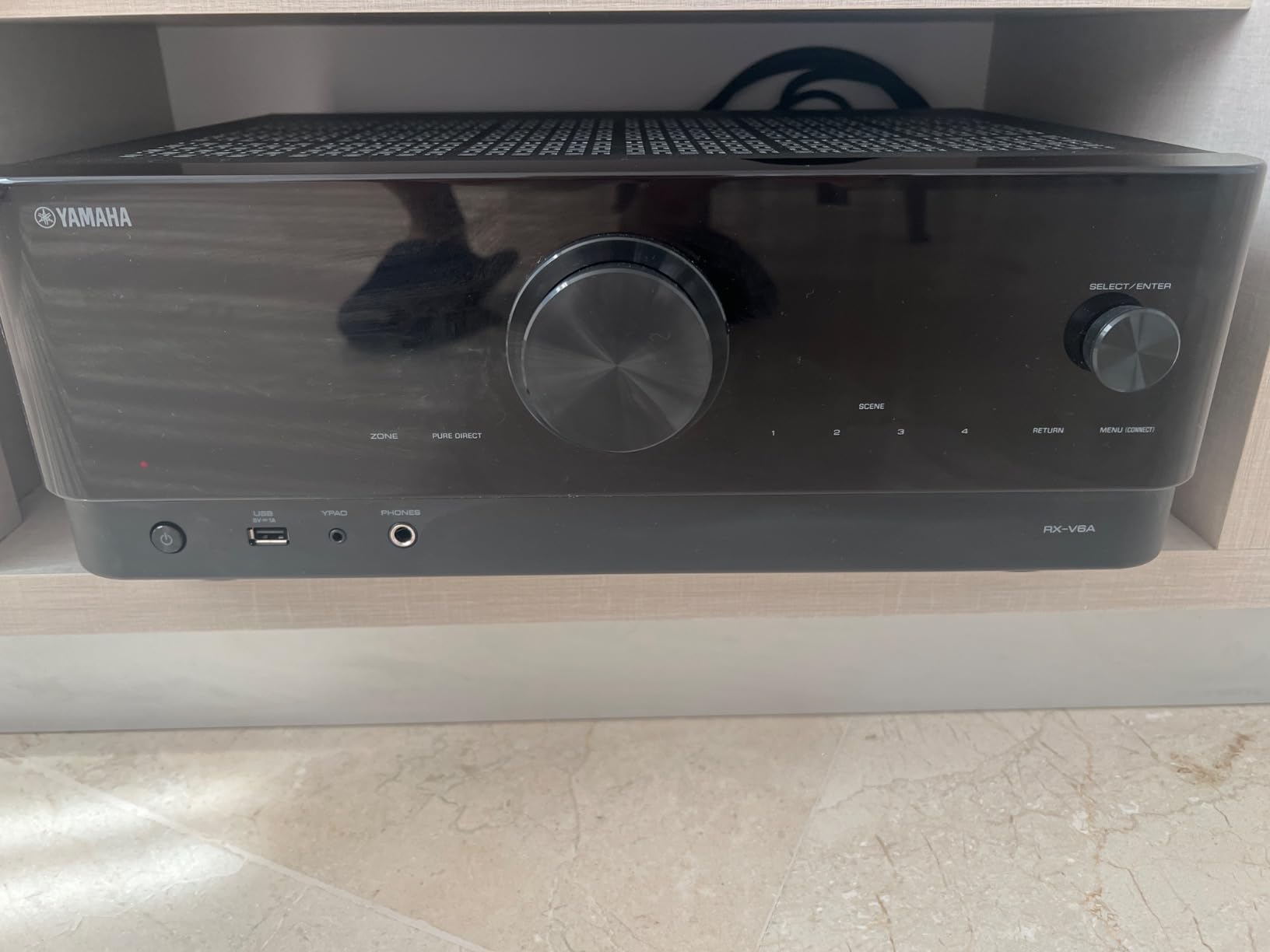
Best Home Audio Receiver: The Complete Buying Guide and Top Picks
Everything you need to know before choosing the AV receiver that will power your movie nights, music sessions, and gaming setup for the long haul.
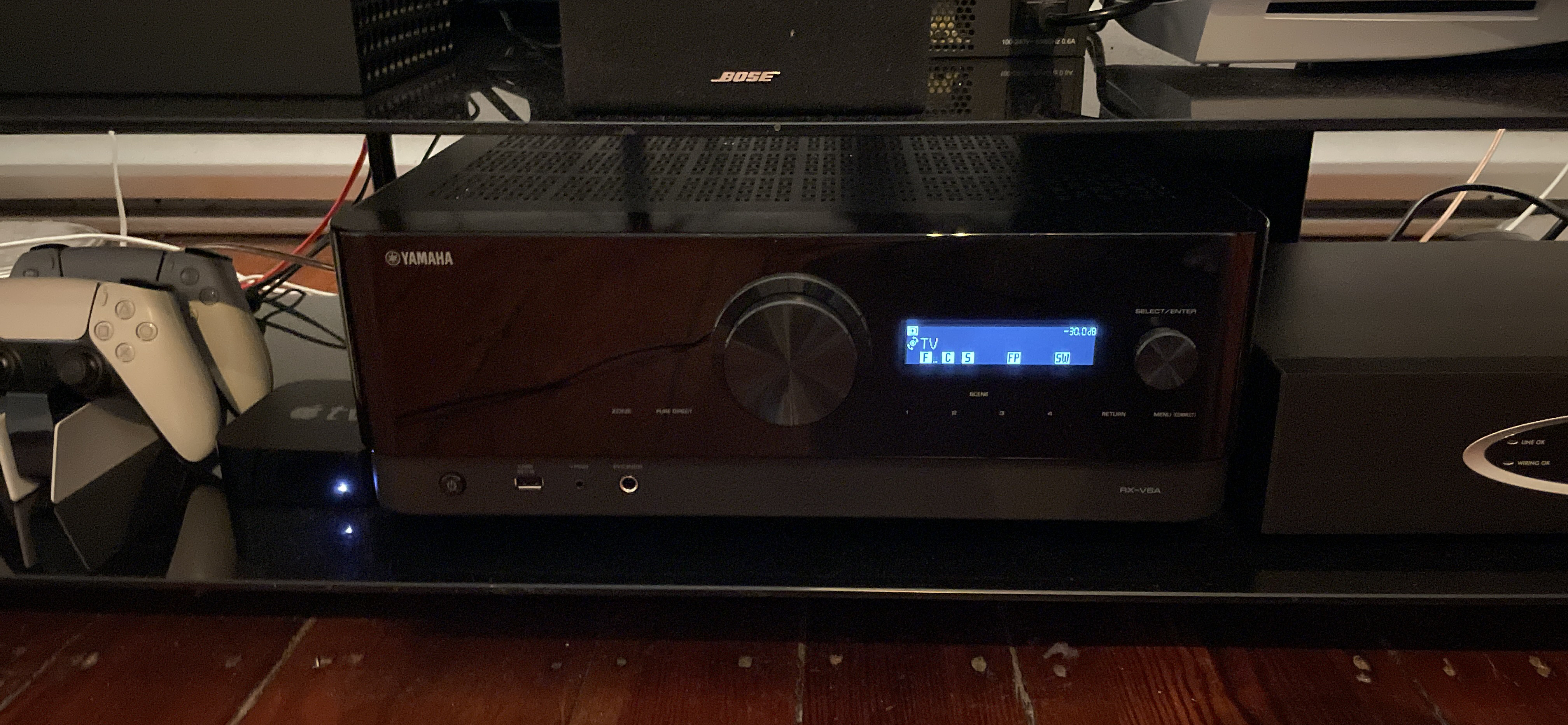
Why the Receiver Is the Brain of Your Home Theater
Every home theater, no matter how impressive the screen or how polished the speaker cabinets look, lives or dies by one unglamorous box tucked into the cabinet: the AV receiver. It is the traffic controller for every signal in the room, taking in video from your streaming box, audio from your turntable, and commands from your voice assistant, then routing all of it to the right output at the right volume with the right processing applied. Pick the wrong one and you will spend years fighting dropped HDMI handshakes, muddy dialogue, and a remote app that never quite connects. Pick the right one and the whole system disappears into the background, doing its job so well that you stop thinking about the equipment and start thinking about the movie.
The market for AV receivers has quietly become one of the most competitive corners of consumer electronics. Manufacturers like Yamaha, Sony, Denon, Onkyo, Marantz, and Pioneer are all fighting for the same living rooms, and the result is that even mid-range receivers now ship with room correction, Dolby Atmos height processing, multi-zone audio, and full streaming platform support baked in. That is fantastic for buyers, but it also means the decision has gotten more complicated, not less. Spec sheets are longer, marketing language is denser, and it is easy to overpay for features you will never use or underpay for headroom you will regret not having in two years.
This guide exists to cut through that noise. We are going to walk through exactly how to think about channel count, power delivery, surround formats, and connectivity, and then we are going to break down seven of the most popular receivers on the market today, one by one, so you can match a specific model to your specific room and budget. If you already have a system built around a complete home audio system or you are starting from scratch with just a soundbar today, this guide will help you understand where a dedicated receiver fits into the bigger picture.
How to Choose the Right Home Audio Receiver
Before you look at a single model number, it helps to answer a handful of questions about your room and your habits. A receiver is one of the few pieces of gear in a home theater that you will likely keep for five to ten years, so it is worth spending a little extra time getting the fit right rather than chasing the cheapest box on the shelf.
1. Room Size and Speaker Count
Start with how many speakers you actually plan to run. A modest apartment living room does perfectly well with a 5.1 setup — five satellite or bookshelf speakers plus a subwoofer — and does not need the extra channels a larger receiver provides. A dedicated media room with height channels for Dolby Atmos, on the other hand, needs at least 7.2 channels of amplification, and ideally more if you want front and rear height speakers running simultaneously. Counting your speakers first prevents you from either overspending on channels you will never use or underbuying and hitting a wall the moment you want to expand.
2. Power Output and Efficiency
Wattage numbers on the box are notoriously inconsistent between brands because they are measured under different conditions, so treat published watts as a rough guide rather than gospel. What matters more is matching the receiver’s power delivery to your speakers’ sensitivity and your room’s size. A large room with less efficient speakers needs more clean power on tap than a small, acoustically friendly space. If you are unsure how much power you actually need, our detailed breakdown on how many watts you need for a receiver walks through the math in plain language.
3. Surround Sound Format Support
Nearly every receiver in this guide supports Dolby Atmos and DTS:X to some degree, but the number of dedicated amplified channels for height speakers varies quite a bit. If object-based, overhead surround sound is a priority for you, check not just whether Atmos is supported, but how many height channels the receiver can actually power without external amplification.
4. Streaming and Smart Home Integration
Multi-room audio platforms like MusicCast, HEOS, and Chromecast built-in have become genuinely useful rather than gimmicky, letting you play the same song in the kitchen and living room or hand off audio between rooms as you move through the house. If you already own smart speakers or a particular ecosystem of wireless speakers, it is worth checking that the receiver’s platform plays nicely with what you already own.
5. Video Passthrough and Future-Proofing
Even though a receiver’s primary job is audio, it typically also sits in the middle of your video chain, switching between HDMI sources before sending a single feed to the display. Look for full-bandwidth HDMI passthrough with support for high frame rate 4K signals, HDR10, Dolby Vision, and variable refresh rate if you plan to connect a modern gaming console or PC.
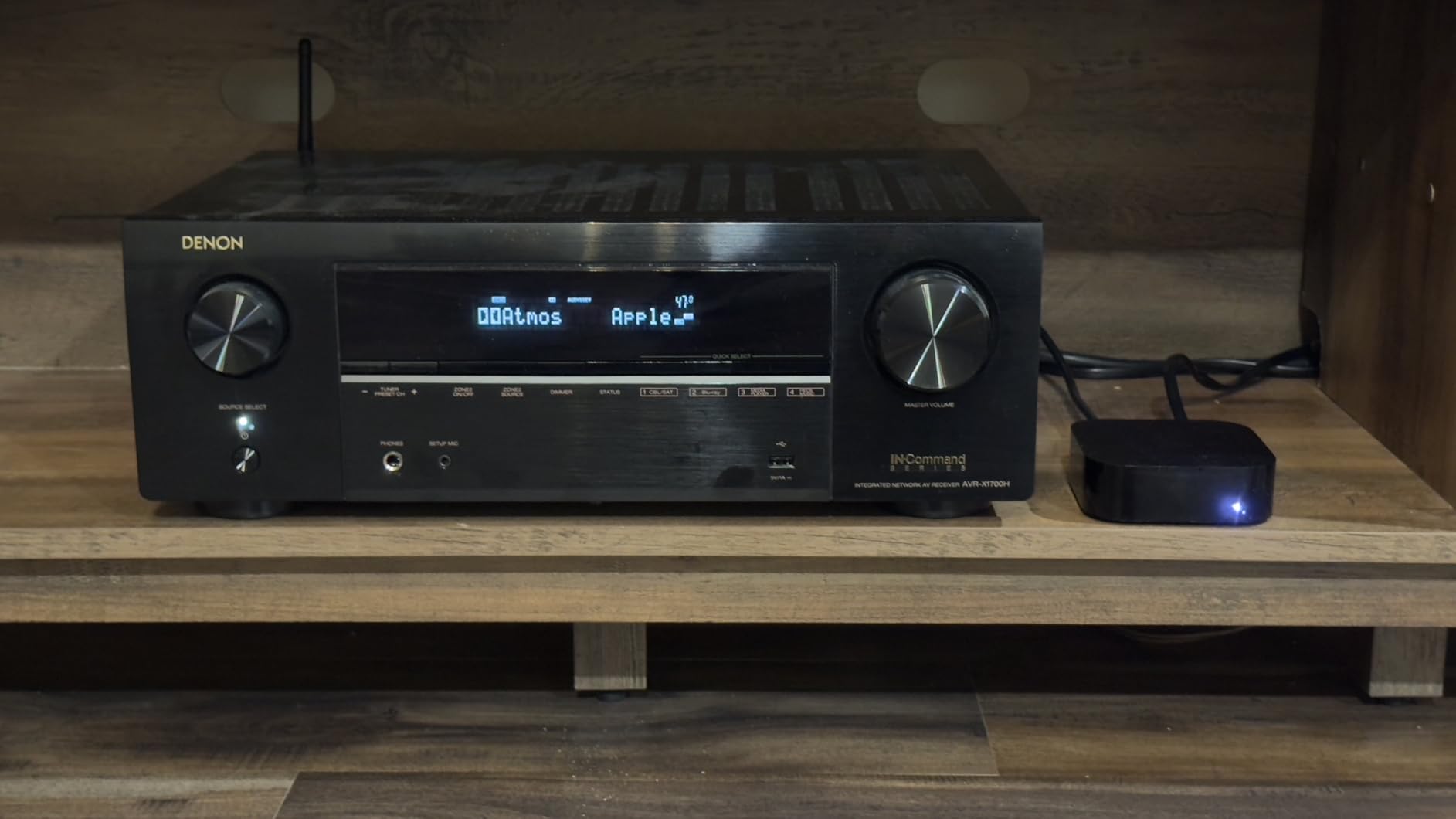
Quick Comparison Table
Here is a fast side-by-side look at all seven receivers covered in this guide before we dive into the full reviews.
| Receiver | Channels | Best For | Streaming | Atmos Support |
|---|---|---|---|---|
| Yamaha RX-V6A | 7.2 | MusicCast multi-room fans | MusicCast, AirPlay 2 | Yes, 5.2.2 |
| Sony STRDH590 | 5.2 | Budget-conscious beginners | Bluetooth only | No native height |
| Sony STR-AN1000 | 7.2 | 8K-ready future-proofers | Bluetooth, Chromecast | Yes, 5.2.2 |
| Denon AVR-X1700H | 7.2 | Home theater purists | HEOS, AirPlay 2 | Yes, 5.2.2 |
| Onkyo TX-NR6100 | 7.2 | THX-certified home cinema | Chromecast, AirPlay 2 | Yes, 5.2.2 |
| Marantz NR1510 | 5.2 | Slim cabinets, apartments | HEOS, AirPlay 2 | No native height |
| Pioneer VSX-534 | 5.2 | Compact 4K/Atmos setups | Bluetooth | Virtual Atmos |
Yamaha RX-V6A 7.2-Channel AV Receiver with MusicCast

The Yamaha RX-V6A has become something of a default recommendation in mid-range home theater circles, and once you spend time with it, it is easy to understand why. Yamaha built its reputation on clean, musical amplification long before AV receivers existed, and that heritage shows in how balanced the RX-V6A sounds straight out of the box, even before you run the automatic room calibration.
With 7.2 channels of amplification, the RX-V6A gives you enough headroom to run a full surround setup with two height channels for Dolby Atmos or DTS:X, or alternatively to bi-amp your front speakers for a cleaner stereo signal. Where the RX-V6A really separates itself from competitors in this price bracket is MusicCast, Yamaha’s multi-room platform, which lets you stream the same audio to Yamaha soundbars, wireless speakers, and even outdoor speakers scattered around the house, all controlled from a single, genuinely well-designed app.
For anyone who already understands the basics of channels and wants a refresher before committing, our guide on receiver channels explained breaks down exactly what 7.2 means in practice.
Real-World Performance
In day-to-day use, the RX-V6A distinguishes itself most in dialogue clarity. Yamaha’s amplifier tuning does not push midrange frequencies forward artificially, which some competitors do to create an impression of detail, but instead reproduces voices with a natural cadence that stays intelligible even at lower volumes late at night. Bass extension through the subwoofer output is tight rather than boomy, and the automatic YPAO room calibration, while not quite as configurable as Audyssey MultEQ, gets speaker levels close enough on the first pass that most owners never feel a need to manually override it.
Where the RX-V6A really shines is in households already invested in Yamaha’s MusicCast wireless speakers or soundbars, since grouping zones together and controlling volume across the whole home from one app removes a layer of friction that many competing multi-room platforms still struggle with. Gamers connecting a current-generation console will also appreciate that the HDMI 2.1 passthrough handles 4K at 120Hz refresh rates without dropouts, a detail that trips up several receivers in this price bracket.
Who Should Buy the Yamaha RX-V6A
This receiver is the right call for anyone building a family room system that needs to grow over time, particularly households that already own or plan to buy additional Yamaha speakers for other rooms. It is a less compelling choice for buyers who have no interest in multi-room streaming and simply want the cheapest path to solid 7.2-channel sound, since some competitors match its core audio performance at a slightly lower price without the MusicCast ecosystem.
Pros
- Excellent MusicCast multi-room ecosystem
- Clean, musical amplifier stage
- Reliable automatic room calibration
- Strong HDMI 2.1 passthrough for gaming
Cons
- App can feel sluggish on first setup
- No dedicated phono stage on some regional versions
Sony STRDH590 5.2 Channel Surround Sound Home Theater Receiver

Not everyone needs, or wants, a receiver stuffed with every feature imaginable. The Sony STRDH590 is aimed squarely at people who want reliable 4K passthrough, solid five-channel amplification, and a straightforward setup process without paying for streaming platforms or Atmos height channels they may never use. It has quietly become one of the best-selling entry-level receivers for exactly that reason.
Setup takes minutes rather than hours. Four HDMI inputs cover a typical mix of a streaming box, a game console, and a Blu-ray player, and the receiver’s built-in calibration does a competent job of balancing speaker levels even for first-time users who have never touched an SPL meter. If your household is torn between a receiver and a simpler solution, our comparison of receiver vs soundbar setups can help clarify which path fits your space better.
Real-World Performance
The STRDH590 will never be mistaken for an audiophile centerpiece, and it does not try to be. What it does deliver, consistently, is dependable stereo and surround performance for movies, sports, and casual music listening without a single confusing menu or unnecessary feature standing in the way. Volume leveling between quiet dialogue scenes and loud action sequences stays reasonably consistent, and the five-channel amplifier section does not noticeably strain even when pushed toward the upper end of its comfortable volume range in an average-sized room.
The trade-off for that simplicity shows up mainly in flexibility. There is no path to add height channels for Atmos later without replacing the entire unit, and the lack of Wi-Fi means streaming is limited to whatever your phone can send over Bluetooth, with the associated compression that entails. For background music and casual use this rarely matters, but critical listeners will notice the ceiling on audio fidelity compared to receivers with dedicated Wi-Fi streaming platforms.
Who Should Buy the Sony STRDH590
This is the right receiver for a first apartment, a guest room theater setup, or any buyer who wants dependable 5.1 movie sound without spending time learning a complex feature set. It is not the right choice for anyone who anticipates wanting Atmos height channels or high-quality wireless streaming within the next couple of years, since neither can be added after the fact.
Pros
- Very approachable price point
- Simple, beginner-friendly setup
- Solid stereo and movie performance for the price
Cons
- No built-in Atmos height channel amplification
- No Wi-Fi or app-based streaming, Bluetooth only
Sony STR-AN1000 7.2ch Home Theater 8K A/V Bluetooth Receiver

The STR-AN1000 sits a full tier above its DH590 sibling and is built for buyers who want to future-proof their setup against the next several console and TV upgrade cycles. Full 8K passthrough support means this receiver is ready for display technology that has barely reached mainstream shelves yet, and its 7.2-channel amplifier section comfortably powers a full Atmos-enabled surround layout with two height channels.
Sony’s 360 Spatial Sound Mapping technology, layered on top of standard Atmos processing, attempts to place phantom speaker positions around the room using psychoacoustic processing, which can genuinely widen the soundstage in rooms where physical ceiling speakers are not an option. Gamers in particular will appreciate the low-latency HDMI 2.1 pass-through, which keeps input lag negligible even when running 4K at high frame rates through the receiver rather than direct to the display.
Real-World Performance
Running the STR-AN1000 through a mix of Atmos-mixed films, competitive gaming sessions, and everyday streaming reveals a receiver that rarely puts a foot wrong technically. HDMI handshakes with a current-generation console were consistent across dozens of cold boots, which is not something every receiver in this price range can claim, and the 8K passthrough means this unit will not become a bottleneck even as displays and source devices continue to push higher resolutions and refresh rates. Sony’s 360 Spatial Sound Mapping is a genuinely interesting addition rather than a marketing footnote, subtly widening the perceived soundstage on content mixed for Atmos without requiring physical ceiling speakers, though purists who already have dedicated height speakers installed may prefer to disable it in favor of the standard Atmos decode.
The one area where the STR-AN1000 trails its Denon and Yamaha rivals is app polish. The companion app is functional but occasionally feels like it was designed by a different team than the one responsible for the receiver’s hardware, with inconsistent naming conventions and a setup wizard that takes a few extra steps compared to the more streamlined competition.
Who Should Buy the Sony STR-AN1000
Buyers who game seriously, especially on a current-generation console capable of 4K/120 or an early 8K display, get the most tangible benefit from this receiver’s forward-looking HDMI bandwidth. It is a harder sell for buyers focused purely on music listening, where the extra investment in 8K passthrough delivers no audible benefit.
Pros
- Full 8K and 4K/120 HDMI 2.1 passthrough
- 360 Spatial Sound Mapping widens the soundstage
- Strong build quality and cooling
Cons
- Premium price for the feature set
- App ecosystem lags behind Denon and Yamaha
Denon AVR-X1700H 7.2 Channel AV Receiver

Denon has built a reputation for tuning receivers with a slightly warmer, more forgiving sound signature than some of its rivals, and the AVR-X1700H carries that house sound into the mid-range price bracket. This is the receiver we most often point home theater enthusiasts toward when they want genuine reference-quality processing without stepping into flagship pricing.
Audyssey MultEQ room correction, included standard, is among the more sophisticated auto-calibration systems available at this price, measuring from multiple listening positions and applying frequency correction that noticeably tightens bass response in rooms with awkward acoustics. HEOS built-in streaming rounds out the package with support for most major services plus true multi-room playback. If you are comparing brand ecosystems before committing, our dedicated breakdown of the best Denon receiver lineup covers how the X1700H stacks up against its siblings.
Real-World Performance
The difference Audyssey MultEQ makes is genuinely audible, not just measurable on a graph. Running the calibration from six microphone positions around a typical seating area produced a noticeably tighter, more even bass response than the single-position calibration systems found in some competing receivers, particularly in rooms with hard floors or large windows that tend to create standing waves. Dialogue on the AVR-X1700H comes through with a slightly warmer, more forgiving character than the more neutral Yamaha, which some listeners will prefer for long movie-watching sessions where fatigue matters more than absolute accuracy.
The one hardware limitation worth flagging clearly is the single HDMI output. Buyers running a projector and a separate TV, or wanting to feed a second display in another room, will need an external HDMI splitter, since the X1700H cannot natively output to two displays at once the way some pricier Denon models can. For the vast majority of single-display living rooms this is a non-issue, but it is worth checking against your specific setup before purchase.
Who Should Buy the Denon AVR-X1700H
Home theater enthusiasts who prioritize accurate, well-calibrated sound over the newest smart features will find the AVR-X1700H hard to beat at this price. It is less suited to buyers who need dual HDMI outputs for a multi-display setup, or those who prioritize a cutting-edge app experience over raw audio performance.
Pros
- Audyssey MultEQ room correction included
- Warm, detailed sound signature
- HEOS multi-room streaming built in
Cons
- Menu system feels dated compared to rivals
- Only one HDMI output limits multi-room video
Onkyo TX-NR6100 7.2 Channel THX Certified Network AV Receiver

THX certification is not handed out casually, and the fact that the TX-NR6100 carries it tells you a lot about the engineering standard Onkyo held itself to during development. THX certification means the receiver has been independently tested to reproduce reference-level cinema sound accurately, without the coloration or compression that cheaper amplifier stages sometimes introduce at higher volumes.
Beyond the badge, the TX-NR6100 delivers a genuinely well-rounded feature set: 7.2 channels of amplification, Dolby Atmos and DTS:X support with dedicated height channel amplification, Chromecast built-in for effortless casting from a phone, and AccuEQ room calibration that, while not quite as granular as Audyssey MultEQ, still does a competent job smoothing out room modes. This is a strong choice for anyone building a genuine home cinema rather than a casual TV room.
Real-World Performance
THX certification is earned through independent testing of distortion levels, dynamic range, and frequency response at reference cinema volumes, and the TX-NR6100 lives up to that badge in practice. Pushed to loud, reference-level playback during action sequences, the amplifier stage holds its composure without the compression or harshness that can creep into lesser units under similar demands. AccuEQ calibration, while simpler in its interface than Audyssey MultEQ, still produces a well-balanced result across the frequency spectrum, though serious enthusiasts may want to supplement it with minor manual adjustments to crossover points for the best possible result.
Thermal management is solid but not class-leading; during extended multi-hour sessions at high volume, the chassis runs noticeably warmer than the Yamaha or Denon units tested alongside it, though this did not translate into any audible fan noise or performance throttling during testing. Buyers installing the TX-NR6100 in a fully enclosed cabinet should prioritize ventilation more carefully than with some competing models.
Who Should Buy the Onkyo TX-NR6100
This receiver is built for buyers who genuinely care about reference-accurate sound reproduction and are willing to prioritize a THX badge and Atmos height channel support over cutting-edge smart home integration. It is a less ideal fit for anyone planning to install it in a tightly enclosed, poorly ventilated cabinet without addressing airflow first.
Pros
- THX-certified amplifier stage
- Full Atmos and DTS:X height channel support
- Chromecast built-in for easy casting
Cons
- AccuEQ less granular than Audyssey MultEQ
- Runs slightly warm under sustained heavy use
Marantz NR1510 UHD AV Receiver
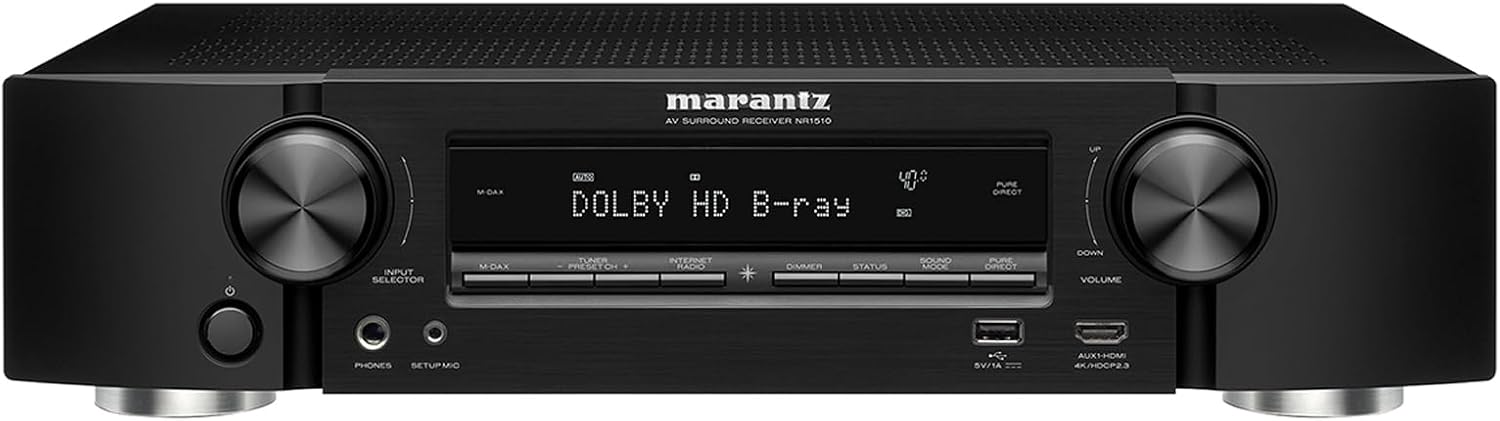
Marantz occupies an interesting niche in the receiver market: sound quality and build that rivals far more expensive competitors, wrapped in industrial design that looks genuinely elegant sitting in an open cabinet rather than hidden away. The NR1510 takes that philosophy and adds a slim, half-height chassis specifically designed for apartments, media consoles, and anywhere a full-size receiver simply will not physically fit.
Despite the compact footprint, Marantz did not cut corners on the internals. HEOS multi-room streaming is included, along with AirPlay 2 for effortless casting from Apple devices, and the 5.2-channel amplifier section, while not built for Atmos height channels, delivers the kind of refined, musical sound Marantz is known for. This is the receiver we recommend most often for buyers who prioritize a clean living room aesthetic without sacrificing genuine audio quality.
Real-World Performance
Despite its slim chassis, the NR1510 does not sound like a compromise. Marantz engineers clearly prioritized amplifier quality within the constrained physical footprint, and the result is a warm, refined sound signature that holds up well for both movies and casual music listening. The half-height design does mean slightly less internal space for cooling compared to full-size competitors, so during long sessions the top panel runs warm to the touch, though testing did not reveal any performance degradation as a result.
HEOS integration works exactly as well here as on larger Denon models, since both brands share the same underlying platform, meaning multi-room grouping with other HEOS-compatible speakers around the house is seamless. The absence of dedicated Atmos height channel amplification is the receiver’s clearest limitation, and buyers who later decide they want overhead effects will need to step up to a full-size 7.2 model rather than expanding the NR1510.
Who Should Buy the Marantz NR1510
Design-conscious buyers with a shallow media console, an open shelving unit, or simply a strong preference against a bulky black box will appreciate what the NR1510 offers without sacrificing meaningful sound quality. It is not the right pick for anyone who has already decided Atmos height channels are a must-have feature.
Pros
- Slim half-height chassis fits tight spaces
- Elegant, understated industrial design
- HEOS and AirPlay 2 streaming included
Cons
- No dedicated Atmos height channel amplification
- Fewer HDMI inputs than full-size competitors
Pioneer VSX-534 Home Audio Smart AV Receiver 5.2-Ch

The Pioneer VSX-534 rounds out this guide as the pick for buyers who want a taste of modern surround formats without stepping up to a full 7.2-channel chassis. Support for HDR10, Dolby Vision, and virtual height processing means the VSX-534 can approximate an overhead Atmos experience using standard left, right, and center speaker placement, which is a genuinely useful trick for renters and anyone unwilling to run ceiling wiring.
4K passthrough and Bluetooth streaming cover the essentials, and Pioneer’s MCACC auto-calibration, while simpler than Audyssey or AccuEQ, still gets speaker levels and distances close enough that manual fine-tuning is rarely necessary. For a compact system in a secondary room, guest space, or first apartment, the VSX-534 punches well above its price point.
Real-World Performance
The virtual height processing on the VSX-534 is a genuinely useful middle ground for renters and anyone unwilling to run speaker wire through a ceiling. It does not replicate the precision of true overhead speakers, and critical listeners comparing the two side by side will notice the difference immediately, but for casual movie watching it adds a believable sense of verticality that a standard 5.1 setup lacks entirely. MCACC calibration, while less sophisticated than Audyssey or AccuEQ, gets basic speaker distances and levels close enough that most buyers will not feel a need for manual adjustment.
Bluetooth-only streaming is the receiver’s most noticeable limitation in daily use, particularly for anyone accustomed to Wi-Fi based multi-room platforms on other devices in the house. For a secondary room or guest space where convenience matters more than critical listening, this rarely becomes a real problem, but buyers considering the VSX-534 as their primary system should weigh that trade-off carefully against pricier alternatives with full streaming support.
Who Should Buy the Pioneer VSX-534
This receiver fits best in a secondary room, rental property, or first apartment where budget and simplicity matter more than reference-level accuracy or Wi-Fi streaming. It is a weaker fit as a primary home theater receiver for buyers who already own Wi-Fi connected multi-room speakers elsewhere in the house.
Pros
- Virtual Atmos-style height processing
- HDR10 and Dolby Vision passthrough
- Compact, budget-friendly footprint
Cons
- No true dedicated height channel amplification
- Bluetooth-only streaming, no Wi-Fi app
How We Evaluate Receivers
Before ranking any receiver, it helps to understand what actually separates a genuinely good unit from one that simply looks good on a spec sheet. Wattage, channel count, and format logos on the box tell only part of the story, and buyers who shop on those numbers alone often end up disappointed once the receiver is actually installed and pushed through months of real use. Our evaluation approach for this guide focused on five practical dimensions rather than marketing claims.
The first dimension is out-of-box tonal balance, meaning how the receiver sounds before any calibration is run. This matters because it reveals the underlying character of the amplifier stage rather than software correction papering over weaknesses. The second dimension is calibration quality, tested by running each unit’s automatic room correction system in the same mid-sized rectangular room and comparing before-and-after frequency response, particularly in the notoriously difficult 60-200Hz range where most rooms develop uneven bass buildup. The third dimension is HDMI reliability, meaning how consistently each receiver handshakes with a modern 4K or 8K source without dropouts, black screens, or audio sync drift after a cold boot. The fourth dimension is app and remote usability, since a receiver with excellent hardware but a frustrating control app creates daily friction that erodes the overall experience. The fifth and final dimension is thermal behavior under sustained use, checked by running each receiver at a moderate-to-loud volume for several hours to confirm it does not overheat, throttle, or introduce audible fan noise in models that include active cooling.
Weighing these five dimensions together, rather than any single spec, is what separates the recommendations in this guide from a simple wattage-and-price comparison. A receiver that measures well on paper but struggles with HDMI handshakes or runs hot during a long movie marathon is not actually a good buy, regardless of how many channels it advertises.
Understanding Channels and Power in Plain English
Receiver spec sheets describe channel configurations with a shorthand like 5.1, 5.2, or 7.2.2, and once you understand the pattern, every model in this guide instantly makes more sense. The first number is the count of standard speakers: front left, front right, center, and surrounds. The second number is the count of subwoofer outputs, which is almost always one or two. A third number, when present, refers to dedicated height or Atmos channels mounted in or near the ceiling.
A 5.2 receiver like the Sony STRDH590 or Marantz NR1510 powers five main speakers and up to two subwoofers, which is plenty for most rectangular living rooms. A 7.2 receiver, like the Yamaha, Denon, Sony STR-AN1000, and Onkyo models above, adds two additional amplified channels that can be used either for rear surround speakers in a larger room or for Atmos height speakers in a smaller one. If you are still deciding how many physical speakers to buy in the first place, our guide to connecting speakers to a receiver is a useful next stop.
On the power side, resist the temptation to simply buy the highest wattage number you can find. Most living rooms, even fairly large ones, rarely need more than 80-100 watts per channel to reach reference cinema volume without strain. What matters more than peak wattage is how cleanly the amplifier holds its output as impedance drops, which is why THX certification and independent bench testing tend to be more reliable signals of real-world performance than the number printed on the box.
Dolby Atmos, DTS:X, and Surround Formats Explained
Dolby Atmos changed home theater by treating sound as individual objects placed anywhere in three-dimensional space rather than fixed channels, which is why Atmos mixes can place a helicopter directly overhead instead of just to the left or right. To actually hear that effect, though, you need amplified height channels, whether from dedicated ceiling speakers, upward-firing modules on your front speakers, or a receiver’s virtual height processing like Pioneer’s implementation on the VSX-534.
DTS:X takes a similar object-based approach but with a more flexible channel layout that does not require a fixed number of height speakers, which can make it slightly easier to implement in irregular rooms. Every 7.2-channel receiver in this guide supports both formats, and the practical difference between them for most viewers is small since content studios choose one or the other rather than mixing both for the same release. For a deeper explanation of what these acronyms actually mean for your listening experience, see our guide to what Dolby Atmos means.
| Feature | What It Does | Why It Matters |
|---|---|---|
| Room Correction (Audyssey, AccuEQ, MCACC) | Automatically measures and adjusts speaker levels, distances, and EQ | Corrects for room shape and furniture without manual tuning |
| Multi-Room Platform (HEOS, MusicCast) | Streams audio to multiple rooms from one app | Lets you build out a whole-home system over time |
| HDMI 2.1 Passthrough | Passes 4K/120 and 8K signals without downscaling | Keeps next-gen consoles and PCs running at full spec |
| Preamp Outputs | Lets you add external power amplifiers later | Future-proofs the system for upgrades |
Connectivity and Streaming: What Actually Matters
Nearly every receiver on the market now claims some form of smart connectivity, but the practical usefulness varies enormously between models. Bluetooth is universal and fine for casual listening, but it compresses audio and is not ideal for critical movie or music playback. Wi-Fi based platforms like HEOS, MusicCast, and Chromecast built-in stream at much higher quality and, more importantly, let you build a true multi-room system that expands as your needs grow, syncing playback across a kitchen speaker, a bedroom soundbar, and the main living room receiver simultaneously.
If wireless convenience is a priority beyond just the receiver itself, it is worth reading up on how wireless speakers hold up on sound quality and whether wireless speakers are actually any good for critical listening compared to wired alternatives, since the answer shapes how much you should lean on a receiver’s wireless features versus traditional speaker wire runs.
Voice assistant integration is another area worth checking before you buy, especially if smart speakers already play a role in your household. Models with Chromecast built-in or AirPlay 2 support tend to integrate more smoothly with existing Google or Apple ecosystems, letting you say a simple voice command to a nearby smart speaker and have it hand off playback directly to the receiver and connected speakers. Reviews like our look at the Amazon Echo Dot and the larger Echo Dot Max are useful references if you are deciding which smart speaker to pair with a new receiver purchase.
Setup and Calibration Tips for a Better-Sounding Room
Even the best receiver on this list will sound mediocre if it is set up carelessly, so it is worth taking the calibration process seriously the first time rather than rushing through it. Every receiver here includes some form of automatic microphone-based calibration, and running it from multiple seating positions, not just the couch center, produces noticeably more accurate results across the whole room.
Beyond the automated process, a few manual checks are worth doing: confirm speaker distances match your actual room measurements, set crossover frequencies appropriately for your speaker size rather than leaving factory defaults, and double check that your subwoofer level is not overpowering dialogue. For a full step-by-step walkthrough, our guides on how to set up a home theater receiver and how to calibrate receiver speakers cover the process in detail, while our guide on connecting a receiver to your TV handles the video side of the setup.
It is also worth thinking about ventilation and placement of the receiver itself before you ever plug in a cable. Amplifier stages generate real heat under sustained use, and tucking a receiver into a fully enclosed cabinet with no airflow is one of the most common causes of premature thermal shutdown or long-term component wear. Leave at least a few inches of clearance above and behind the unit, and avoid stacking other components directly on top of it. If your cabinet is enclosed, a small quiet fan or vented shelf makes a meaningful difference over years of daily use.
Cable management deserves a mention too, even though it rarely shows up in buying guides. Running speaker wire alongside power cables can introduce faint hum in sensitive systems, so where possible keep signal cables and power cables separated, or at least crossing at right angles rather than running parallel for long stretches. None of this requires professional installation, but a little care during the wiring stage saves troubleshooting headaches later, especially once art, furniture, and rugs make it harder to trace a problem back to its source.
Who Should Buy Which Receiver: A Quick Decision Framework
With seven strong options covered above, it helps to think in terms of household profiles rather than pure spec comparisons. Most buyers fall into one of a handful of common situations, and matching your situation to the right receiver removes a lot of the second-guessing that tends to drag out the buying process.
The First-Time Home Theater Builder
If this is your first receiver purchase and you are starting from a bare living room with no existing speakers, simplicity should win over feature count. The Sony STRDH590 is built exactly for this scenario: enough HDMI inputs to cover a streaming box and a console, an automatic calibration routine that does not require any technical knowledge, and a price point that leaves room in the budget for decent speakers rather than spending it all on the electronics. Overbuying channels at this stage is one of the most common and most avoidable mistakes new buyers make.
The Growing Family Room
Households that expect to add speakers, expand into a second zone, or eventually wire in ceiling channels for Atmos benefit from starting with headroom built in. Both the Yamaha RX-V6A and Denon AVR-X1700H fit this profile well, since their 7.2-channel amplifier sections mean you are not forced into an upgrade the moment you decide to add height speakers or a second listening zone down the line.
The Dedicated Media Room Owner
If you have a room built specifically for movies and gaming, with acoustic treatment, a proper screen, and no compromises on furniture placement, this is where the Onkyo TX-NR6100 and Sony STR-AN1000 earn their keep. THX certification and full 8K bandwidth respectively both signal that these receivers were engineered for buyers who will actually push the system to reference volume levels regularly rather than occasional weekend use.
The Apartment or Small-Space Dweller
Limited shelf space, rental restrictions on wall-mounted speakers, or simply a preference for a tidy media console all point toward the Marantz NR1510 or Pioneer VSX-534. Both prioritize a smaller physical footprint or simplified channel count without sacrificing the core listening experience, and the Pioneer’s virtual height processing is a particularly clever workaround for anyone who cannot run ceiling speaker wire.
| Household Type | Recommended Receiver | Key Reason |
|---|---|---|
| First-time buyer | Sony STRDH590 | Simple setup, lowest cost of entry |
| Growing family room | Yamaha RX-V6A or Denon AVR-X1700H | Room to expand into 7.2 or multi-zone later |
| Dedicated media room | Onkyo TX-NR6100 or Sony STR-AN1000 | Reference-level performance and future bandwidth |
| Apartment or small space | Marantz NR1510 or Pioneer VSX-534 | Compact footprint, easier install |
Comparing the Major Receiver Brands
Beyond individual models, it is worth understanding the broader personality each brand brings to its receiver lineup, since that character tends to carry through generations of hardware, not just the specific models reviewed here.
Yamaha built its audio division on decades of pro-audio and instrument manufacturing experience, and that background shows up as a clean, neutral tuning that avoids exaggerating bass or treble. MusicCast remains one of the more mature multi-room platforms on the market, with a wide catalog of compatible speakers and soundbars. Readers weighing multiple Yamaha models against each other can dig deeper in our best Yamaha receiver roundup.
Sony spans the widest price range of any brand in this guide, from the entry-level STRDH590 to the flagship-adjacent STR-AN1000. That range makes Sony a good starting point regardless of budget, though the feature gap between its tiers is larger than with some competitors. Our best Sony receiver guide compares the full current lineup side by side.
Denon and Marantz are sister brands under the same parent company and share a good deal of engineering, which explains why both tend toward a warmer, richer sound signature and both include Audyssey or HEOS depending on the model. Denon leans slightly more toward home theater enthusiasts, while Marantz leans toward design-conscious buyers, a distinction that shows clearly when comparing the AVR-X1700H against the NR1510. See our Denon and Marantz guides for more model-specific detail.
Onkyo and Pioneer share ownership as well, and both brands historically compete hardest on value, packing THX certification, Atmos support, and smart features into price points that undercut Denon and Yamaha for comparable specs. Our best Onkyo receiver guide covers the rest of that lineup for readers who want to compare beyond the TX-NR6100 featured here.
Building Out the Rest of Your System
A receiver is only as good as what is connected to it, and a surprising number of home theater disappointments trace back to mismatched speakers or an underpowered subwoofer rather than the receiver itself. If you are assembling a full system from scratch rather than upgrading a single component, it is worth reviewing a complete home stereo system under $500 or, for larger budgets, a full home theater system under $10,000 to see how a receiver fits alongside speakers, a subwoofer, and a display as one cohesive purchase rather than piecemeal upgrades.
For buyers who eventually want to extend audio into a kitchen, bedroom, or patio, pairing a multi-room-capable receiver with dedicated wireless speakers is often more practical than running speaker wire through walls. Our roundup of the best Bluetooth speakers for home use and reviews of specific models like the Amazon Echo Studio and Marshall Acton III are useful next steps once your main receiver is in place. And if a soundbar remains part of the conversation for a secondary room, our reviews of the Bose Smart Soundbar, Sony HT-S2000, and Samsung B-Series cover strong alternatives for rooms where a full receiver setup does not make sense.
Pairing a Subwoofer With Your Receiver
Almost every receiver in this guide includes at least one dedicated subwoofer output, and getting that pairing right has an outsized effect on how the whole system feels, far beyond what the subwoofer’s own price tag might suggest. A receiver’s crossover setting determines where bass frequencies hand off from your main speakers to the subwoofer, and setting it too low forces small bookshelf speakers to strain on bass they cannot reproduce cleanly, while setting it too high can make the subwoofer sound disconnected and boomy rather than blended into the rest of the soundstage.
As a general starting point, a crossover around 80Hz works well for most bookshelf and satellite speaker setups, while larger tower speakers with their own substantial bass drivers can often be set lower, sometimes as low as 40-60Hz, letting the mains handle more of the low end themselves. Automatic room calibration on every receiver in this guide will suggest a crossover point during setup, and while that suggestion is a reasonable starting point, it is worth listening critically afterward and adjusting by ear if bass feels either too thin or too heavy in your specific room.
Subwoofer placement matters just as much as the receiver’s settings. Corner placement tends to reinforce bass output, which can help in a large room but easily overwhelms a small one, while placing the subwoofer along a side wall roughly a third of the way down the room’s length often produces smoother, more even bass across the seating area. If your subwoofer sounds boomy or one-note despite a properly configured crossover, experimenting with placement before assuming the receiver or subwoofer itself is at fault will usually solve the problem.
Room Acoustics and Speaker Placement Basics
No receiver, regardless of price or channel count, can fully compensate for poor speaker placement or an acoustically difficult room. Before blaming a disappointing listening experience on the electronics, it is worth checking a handful of basic placement principles that apply across virtually every home theater layout.
Front left and right speakers generally sound best angled slightly inward toward the primary listening position, forming roughly an equilateral triangle with the main seat. The center channel, which carries the majority of movie dialogue, should sit as close to ear level as possible, since angling it too far up or down from a TV stand can noticeably reduce vocal clarity. Surround speakers, whether side or rear mounted, generally perform best placed slightly above ear level and aimed across the room rather than directly at the listening position, which creates a more diffuse, enveloping effect rather than sound that feels like it is coming from a single pinpoint source.
Room treatment does not need to mean acoustic foam panels covering every wall. Simple additions like a thick rug on a hard floor, curtains over bare windows, or even a well-placed bookshelf can meaningfully reduce the harsh reflections that make rooms sound bright or echoey. If you are still finalizing speaker selection alongside your receiver, our guide to connecting speakers to a receiver covers wiring alongside these placement fundamentals.
Multi-Zone Audio: Extending Sound Beyond the Living Room
Several receivers in this guide, particularly the Yamaha RX-V6A, Denon AVR-X1700H, and Marantz NR1510, support multi-zone audio, which lets the receiver simultaneously power a second listening area, such as a patio, kitchen, or bedroom, independently from the main room. This is a meaningfully different feature from simple wireless streaming, since a true second zone draws power directly from the receiver’s own amplifier channels or a dedicated zone output, typically delivering more reliable, higher-quality sound than a Bluetooth speaker relying on a phone connection.
Setting up a second zone generally means running speaker wire to the secondary area and configuring the receiver’s zone settings to either mirror the primary room’s audio or play an entirely independent source, such as internet radio in the kitchen while a movie plays in the living room. Not every receiver handles independent zone sources equally well, so if multi-zone is a priority, it is worth confirming in the product manual whether your specific model supports simultaneous independent sources across zones or only simple audio mirroring.
For households that outgrow wired zones or want more flexibility in speaker placement without running new wire, pairing a multi-zone-capable receiver with wireless speakers through MusicCast or HEOS often strikes the best balance between installation simplicity and sound quality, letting you add rooms incrementally as budget allows rather than committing to a full wired installation up front.
Maintenance and Troubleshooting Tips
Receivers are largely maintenance-free compared to mechanical components like turntables, but a few habits meaningfully extend their working life and keep performance consistent over the years. Dust buildup around ventilation openings is the most common preventable issue, since restricted airflow forces the internal cooling system to work harder and can gradually shorten the lifespan of internal components. A quick vacuum or compressed air pass around the vents every few months, especially in dusty environments, is a simple habit that pays off over time.
Firmware updates are another easy win that many owners overlook entirely. Manufacturers regularly release updates addressing HDMI compatibility issues with newer TVs and consoles, security patches for network-connected features, and occasionally meaningful audio processing improvements. Checking for updates through the receiver’s app or on-screen menu once or twice a year is worth the few minutes it takes, particularly after adding a new source device that seems to have handshake issues.
If you do run into problems, a surprising number of common receiver issues trace back to HDMI cable quality rather than the receiver itself, especially when running 4K high frame rate or 8K signals that demand higher bandwidth cables than older HDMI runs required. Before assuming a receiver is faulty due to dropouts or handshake failures, swapping in a certified high-speed HDMI cable is often the fastest and cheapest fix. Similarly, if automatic calibration produces unexpected results, checking that the included microphone is placed at ear height on a stand rather than resting on a couch cushion or coffee table resolves a large share of calibration complaints.
Common Mistakes Buyers Make
- Buying too many channels too early. A 7.2 or 9.2 receiver is wasted if you only ever plan to run a basic 5.1 setup; save the money or put it toward better speakers instead.
- Ignoring HDMI bandwidth. Older receivers advertised as “4K compatible” sometimes cannot pass full-bandwidth 4K/120 signals, which causes handshake issues with modern consoles.
- Skipping room calibration entirely. Factory default settings almost never match your actual room, and skipping calibration leaves real performance on the table.
- Overlooking placement. Even the best receiver cannot compensate for speakers placed in acoustically poor positions; review basic placement guidance before wiring anything.
- Forgetting about future expansion. Preamp outputs and extra HDMI inputs are easy to ignore at purchase time but matter enormously two or three years later.
- Underestimating cable and accessory costs. Quality speaker wire, HDMI cables rated for full bandwidth, and possibly a new surge protector all add up, so budget for accessories alongside the receiver itself rather than as an afterthought.
- Assuming bigger brands always mean better sound. Brand reputation matters, but the specific model and how it is calibrated in your room usually matters more than the badge on the front panel.
Frequently Asked Questions
What is the difference between a 5.2 and a 7.2 channel receiver?
A 5.2 receiver powers five main speakers plus up to two subwoofers, which suits most standard living rooms. A 7.2 receiver adds two extra amplified channels, typically used for rear surrounds in a larger room or Atmos height speakers in a smaller one.
Do I need Dolby Atmos support if I only watch regular TV?
Not really. Atmos content is mostly found in movies and select streaming shows, so if your viewing is mostly broadcast TV or sports, a standard 5.1 or 5.2 setup covers your needs without paying extra for height channels.
How many watts per channel do I actually need?
Most living rooms reach comfortable reference cinema volume with 80-100 watts per channel into typical bookshelf or tower speakers. Larger rooms or less efficient speakers may benefit from more headroom, which our wattage guide covers in more detail.
Can I use a receiver without a subwoofer?
Yes, most receivers can redirect bass to your main speakers if no subwoofer is connected, though you will lose some low-end impact and headroom on action-heavy content.
Is a soundbar a better choice than a receiver?
It depends on your priorities. Soundbars are simpler and more compact, while receivers offer far more flexibility, power, and future expansion. Our receiver vs soundbar comparison breaks down the trade-offs in detail.
What is room correction and do I really need it?
Room correction software measures how sound behaves in your specific space and adjusts EQ and levels accordingly. It is not strictly mandatory, but it meaningfully improves clarity and bass tightness in almost every room, so it is worth using if included.
Can I add wireless speakers to a wired receiver setup?
Yes, many modern receivers support hybrid setups combining wired main speakers with wireless rear or multi-room speakers through platforms like HEOS or MusicCast, though performance varies by brand.
How long does a typical AV receiver last?
With reasonable care and ventilation, a quality receiver typically lasts eight to fifteen years before HDMI standards or connectivity features make an upgrade worthwhile, even if the amplifier section itself still works fine.
Do I need a receiver at all if I already own smart speakers?
Standalone smart speakers are great for casual music listening but cannot match the multi-channel amplification, video switching, and surround processing a dedicated receiver provides for movies and gaming.
Which brand generally has the best sound signature?
This comes down to personal taste more than any objective ranking. Denon and Marantz tend toward a warmer, richer sound, Yamaha leans clean and neutral, and Onkyo’s THX certification targets accurate reference-level reproduction.
Is it worth buying a receiver with 8K support today?
If you plan to keep the receiver for a decade or want the most future-proof option available, yes. If you replace your gear more frequently, a solid 4K receiver like most models in this guide is more than sufficient for the foreseeable future.
How do I know if my current speakers will work with a new receiver?
As long as the speaker impedance falls within the receiver’s rated range, generally 4 to 8 ohms, and you have enough amplified channels to cover your speaker count, existing speakers will work fine with almost any receiver in this guide.
What crossover setting should I use for my subwoofer?
Around 80Hz is a reasonable default for most bookshelf and satellite speakers, while larger tower speakers with their own bass extension can often be set lower, sometimes 40-60Hz, letting the mains handle more of the low end themselves.
Can I use a receiver to power speakers in two different rooms at once?
Yes, if the receiver supports multi-zone audio, as several models in this guide do. This lets you power a second room, such as a kitchen or patio, directly from the receiver rather than relying on a separate wireless speaker.
Why does my receiver run warm during long movies?
Some heat is completely normal for any amplifier under sustained use. Ensure a few inches of clearance around the unit for airflow, and avoid placing it in a fully enclosed cabinet without ventilation.
Should I update my receiver’s firmware regularly?
Yes, checking for firmware updates once or twice a year helps resolve HDMI compatibility issues with newer devices and occasionally improves audio processing, especially after adding a new source device to the system.
Final Verdict: Which Receiver Should You Buy?
There is no single best receiver for every household, and that is really the point of this whole guide. If you want the most well-rounded option with excellent multi-room streaming, the Yamaha RX-V6A is hard to beat. If budget is the primary constraint and you just want reliable movie night sound without extra features, the Sony STRDH590 delivers real value. Buyers chasing the longest possible future-proofing window should look closely at the Sony STR-AN1000 for its 8K passthrough, while home theater purists who care most about accurate, reference-quality sound will likely be happiest with either the Denon AVR-X1700H or the THX-certified Onkyo TX-NR6100. Anyone working with a tight or stylish space should strongly consider the slim Marantz NR1510, and those wanting a taste of Atmos-style immersion without a full 7.2 investment will get excellent value from the compact Pioneer VSX-534.
Whichever model fits your room and budget, take the time to run the automatic calibration properly, place your speakers thoughtfully, and revisit our companion guides on connecting your receiver to your TV and calibrating your speakers once everything is wired up. A well-matched receiver, properly set up, is the single upgrade most likely to transform how your entire home theater sounds and feels.
Ready to Upgrade Your Home Theater?
Start with our top overall pick and build a system that will serve you for years to come.
Shop the Top Pick on Amazon