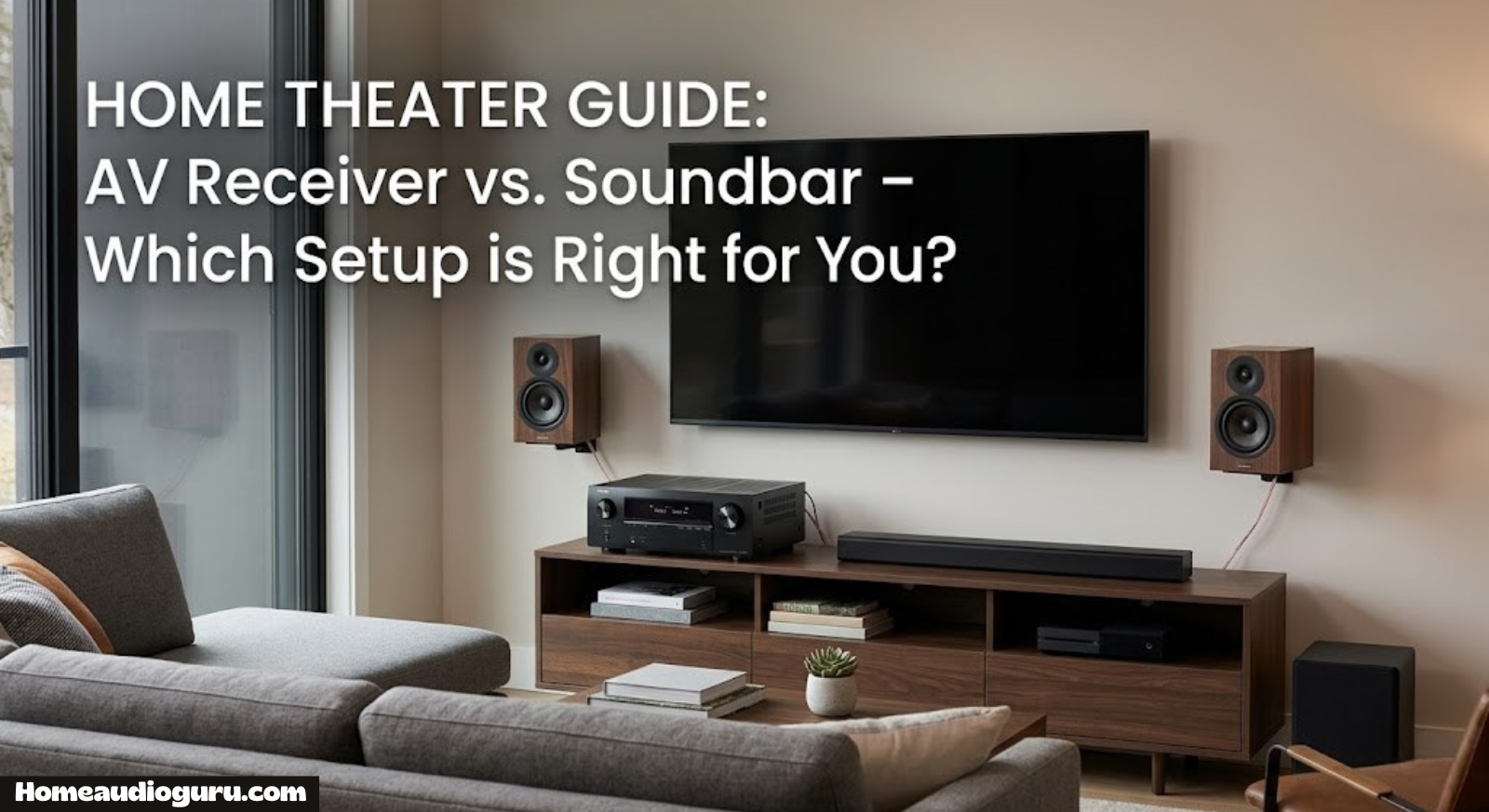
Receiver vs Soundbar: Which One Actually Belongs in Your Living Room?
If you’ve spent any time comparing home audio gear, you’ve probably landed on the same fork in the road that trips up almost everyone: do you go with a full AV receiver and separate speakers, or do you keep things simple with a soundbar? Both promise to fix the same problem — thin, tinny TV sound — but they solve it in completely different ways, at completely different price points, with completely different long-term ceilings. This guide breaks down exactly how a receiver and a soundbar differ, where each one wins, and how to figure out which one fits your room, your budget, and your patience for cables.
We’ll walk through sound quality, channel counts and Dolby Atmos, real-world setup time, wiring and aesthetics, power and wattage, streaming features, pricing at every budget tier, room-size fit, brand landscape, a full pros-and-cons breakdown, and even the hybrid path some people take between the two. By the end, you shouldn’t need another comparison article — you’ll know exactly which category fits the way you actually watch TV and listen to music at home.
What Is an AV Receiver?
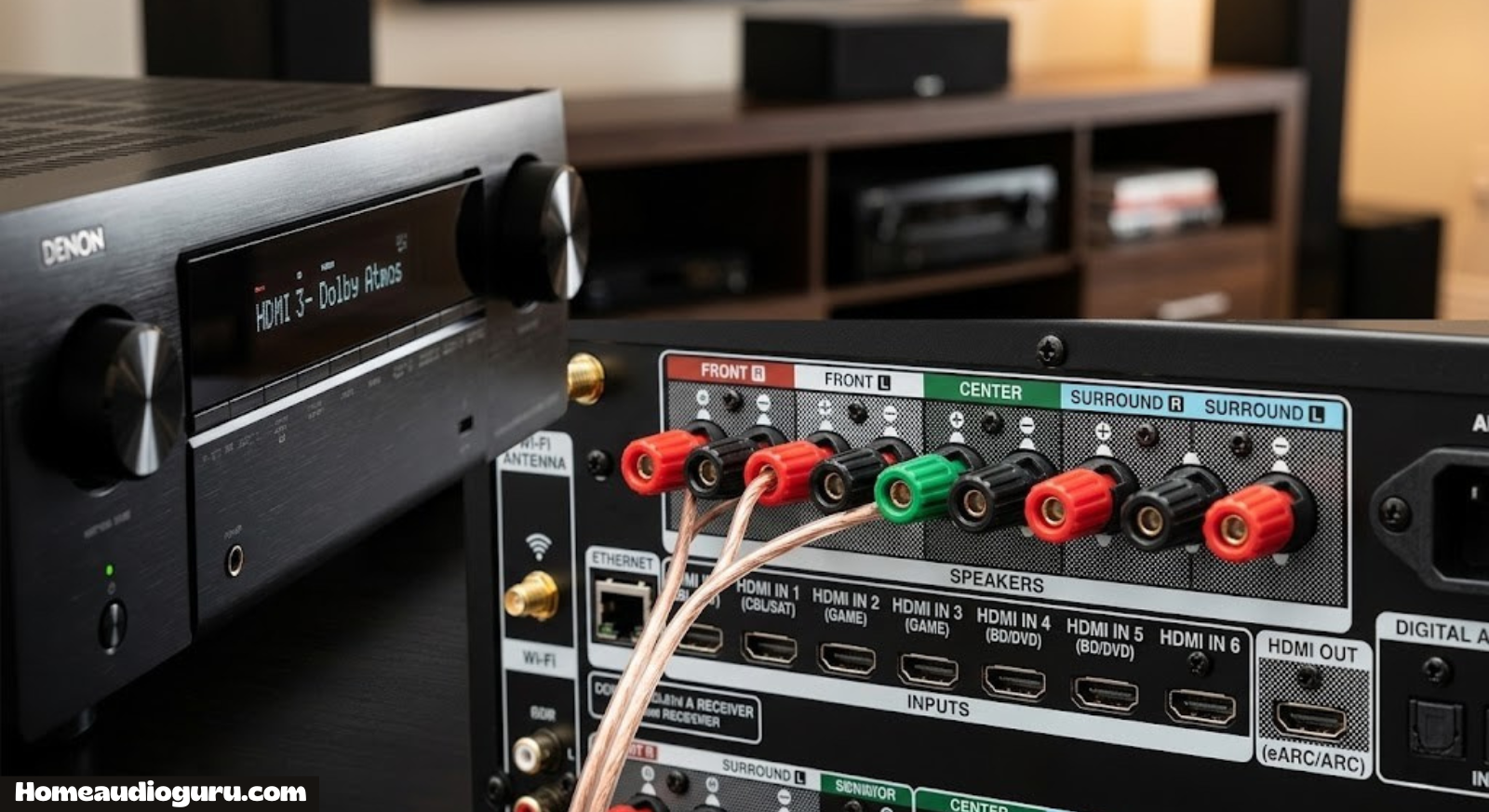
An AV receiver is the command center of a traditional home theater. It’s a box that sits under or beside your TV and does three jobs at once: it switches between video sources like your streaming box, game console, and cable box; it decodes surround sound formats; and it amplifies that audio to power a set of separate speakers placed around your room. Nothing else in home audio touches that many jobs at once, which is why receivers have remained the backbone of serious home theater setups for decades.
Because a receiver is really just an amplifier with a brain attached, the sound quality it produces depends heavily on what you connect to it. Pair a budget receiver with mismatched bookshelf speakers and you’ll get mediocre results. Pair a mid-range receiver with a well-matched 5.1 speaker package and a subwoofer, and you’ll get a soundstage no soundbar can replicate, because the sound is genuinely coming from multiple points around the room instead of one bar under the screen. If you’re shopping for your first unit, our breakdown of the best home audio receivers is a good place to compare current models across price tiers.
The tradeoff is complexity. A receiver isn’t a single product you unbox and plug in — it’s a hub that assumes you’re going to add speaker wire, a subwoofer cable, and possibly an outboard amplifier down the line. That’s exactly why people either love receivers for the control they offer, or avoid them entirely because they don’t want to deal with cable runs.
It also helps to understand what’s happening inside the box, because that’s where the price differences across models actually come from. A receiver contains a preamp/processor section that decodes incoming audio signals and applies room correction, plus a bank of amplifier channels that turn that processed signal into enough current to move a speaker cone. Cheaper receivers cut costs on the amplifier section first, which is why two receivers with identical channel counts can sound noticeably different once you push the volume up. Mid-range and higher-end models invest in cleaner power supplies and better-built amp stages, which is the main reason serious home theater enthusiasts are willing to pay a premium once they’ve outgrown entry-level gear.

Want to see how current AV receivers stack up on price and features before you commit to a setup?
Browse AV Receivers on AmazonWhat Is a Soundbar?
A soundbar is a single, self-contained speaker enclosure, usually paired with a wireless subwoofer, that sits directly below or above your TV. Inside that one bar are multiple small drivers angled to fake a wider soundstage than the cabinet size would suggest. Some higher-end models add rear satellite speakers or up-firing drivers for a limited surround effect, but the entire system is designed around one core promise: better sound than your TV’s built-in speakers, with almost none of the setup work a receiver demands.
Soundbars have become the default upgrade for most households precisely because they remove friction. There’s no speaker wire to route through walls, no need to calibrate multiple channels, and in most cases the entire system connects to the TV with a single HDMI ARC or optical cable. Reviews of specific models — like the Polk MagniFi Mini, the Samsung B-Series soundbar, the Sony HT-S2000, the Bose Smart Soundbar, and the Vizio 5.1 Soundbar SE — show just how wide the range is, from compact single-bar units to fuller 5.1 packages that genuinely compete with entry-level receiver setups.
What you’re trading for that convenience is ceiling. A soundbar can sound genuinely impressive in a small-to-medium room, but it’s still working with drivers packed into one cabinet. It can simulate width and height with clever DSP tricks, but it can’t physically place a speaker behind your couch. That’s a hard limit no amount of software can fully solve.
It’s also worth understanding the internal tiers within the soundbar category itself, because “soundbar” now covers an unusually wide range of products. At the entry level, you’re looking at a single bar with two or three internal channels and no separate subwoofer — a modest step up from TV speakers, best suited to bedrooms or secondary rooms. The mid-tier adds a wireless subwoofer and expands to genuine 3.1 or 5.1 channel processing, which is where most of the popular models on the market today actually sit. At the premium end, you get rear satellite speakers, dedicated up-firing Atmos drivers, room calibration microphones, and app-based EQ control — features that were once exclusive to receiver-based systems, now packaged into a single enclosure. Knowing which tier you’re actually shopping in matters more than the word “soundbar” on the box.
Sound Quality Compared
This is the question most people actually care about, so let’s be direct: dollar-for-dollar, a receiver paired with dedicated speakers will almost always out-perform a soundbar at the same price point, because you’re paying for distributed hardware instead of a single clever enclosure. A $500 receiver with a modest 5.1 speaker package creates real channel separation — dialogue anchored at the screen, effects panning convincingly left to right, surround channels actually located behind you. A $500 soundbar, even a very good one, is still simulating most of that from a single physical location.
That said, “better” doesn’t automatically mean “better for you.” Premium soundbars using multiple forward, side, and up-firing drivers have gotten remarkably good at psychoacoustic tricks that fool your brain into perceiving width and height that isn’t physically there. In a smaller living room with close, reflective walls, those tricks work better than you’d expect. In a large or oddly-shaped room, they tend to fall apart, and that’s exactly where a receiver-driven speaker system holds its advantage.
| Factor | AV Receiver + Speakers | Soundbar |
|---|---|---|
| Channel separation | True physical separation | Simulated via DSP |
| Dialogue clarity | Excellent with center channel | Good to very good |
| Bass depth | Depends on subwoofer chosen | Limited to bundled sub |
| Room adaptability | High — speakers repositionable | Low — fixed single source |
| Ceiling for upgrades | Very high | Low to moderate |
If pure fidelity is your priority and you’re willing to do the setup work, a receiver wins this category outright. If you want “significantly better than TV speakers” without becoming an audio hobbyist, a good soundbar clears that bar easily.
Dialogue intelligibility deserves its own mention here, since it’s the single most common complaint people have about modern TVs. Movies and shows are frequently mixed with wide dynamic range, which means quiet dialogue can get buried under loud effects and music. A receiver with a dedicated center-channel speaker anchors dialogue to a fixed point directly beneath the screen, which is genuinely one of the most noticeable upgrades a home theater can offer. Soundbars address the same problem through dedicated “voice” or “dialogue enhancement” modes that use EQ and compression to push vocal frequencies forward — effective, but a processed solution rather than a structural one. If your main complaint about your current TV audio is “I can’t understand what people are saying,” both paths will help, but a receiver with a proper center channel tends to solve it more completely.
Channels & Surround Sound (Dolby Atmos, DTS:X)
Channel count is where the two categories diverge most clearly. A receiver’s spec sheet will list something like 5.1, 7.1, or 7.2.4 — numbers that describe exactly how many discrete speakers and subwoofers the unit can drive, including height channels for object-based formats. If those numbers look like a foreign language, our guide on receiver channels explained breaks down what each digit actually controls in a real room.
Dolby Atmos and DTS:X are the object-based surround formats that have redefined what “surround sound” means over the last several years — instead of mixing audio into fixed channels, they place sound objects anywhere in 3D space, including overhead. A receiver-driven system with genuine height speakers (or Atmos-enabled upward-firing modules) reproduces that overhead effect physically. If the concept is new to you, it’s worth reading exactly what Dolby Atmos means before you decide how much of it you actually need.
Soundbars have adopted Atmos too, but almost always through virtualization — up-firing drivers that bounce sound off your ceiling to approximate height, rather than a physically separate speaker. It works reasonably well with a flat, reflective ceiling at a standard height; it works poorly with vaulted or acoustically treated ceilings. A receiver system with real in-ceiling or height-module speakers doesn’t have that dependency.

Curious how current Dolby Atmos soundbars compare on channel count and price?
Shop Atmos Soundbars on AmazonSetup & Installation Complexity
This is the category where soundbars win decisively for most people. Unboxing a soundbar, connecting one HDMI cable, and pairing the wireless subwoofer usually takes under fifteen minutes. There’s no speaker wire to run, no multi-zone configuration, and minimal risk of getting something wrong.
A receiver setup is a genuinely different project. You’re running speaker wire to five, seven, or more locations, connecting a subwoofer, routing HDMI from every source device through the receiver rather than directly to the TV, and then running an auto-calibration routine so the system understands your room’s dimensions and speaker distances. It’s not difficult exactly, but it is a project, not a five-minute task. If you’re taking this on, our step-by-step walkthroughs on how to set up a home theater receiver, how to connect a receiver to your TV, and how to connect speakers to a receiver cover the exact cabling and menu steps.
Calibration is the step people underestimate most. A receiver’s automatic room correction system measures distance, level, and frequency response from your listening position and adjusts every channel accordingly — skipping this step is the single most common reason a receiver system underperforms its potential. Our guide on how to calibrate receiver speakers walks through the process for the major calibration systems. Soundbars, by contrast, either skip calibration entirely or run a much simpler one-microphone room scan that takes under a minute.
If your household priority is “plug it in and never think about it again,” that alone may settle the decision in favor of a soundbar, regardless of what the sound-quality comparison says.
Space, Wiring & Aesthetics
A soundbar occupies one shelf. A receiver-based system occupies your room. Even a modest 5.1 setup means four satellite or bookshelf speakers plus a subwoofer distributed around the space, connected back to a receiver by wire (unless you invest in wireless speaker kits, which add their own cost and occasional latency quirks). For open-concept apartments, rentals where wall-fishing cable isn’t an option, or households that simply don’t want visible wiring, that’s a real practical constraint — not just an aesthetic preference.
Cable management solutions exist — raceways, in-wall fishing, cable covers rated for under rugs — but they add both cost and labor to a receiver install. A soundbar sidesteps this entirely: one cable to the TV, one power cord, and a wireless subwoofer that only needs a nearby outlet.
There’s also a visual argument. A receiver is a black or silver box that has to live somewhere in your media console, typically with a stack of components on top of or beside it. A soundbar disappears visually under most TVs, especially ultra-slim modern designs that barely add depth to your setup. For minimalist interiors, this matters more than people initially expect it to.
On the flip side, if you already have a media console with room to spare and don’t mind (or actively enjoy) visible audio gear as part of the room’s character, this category stops being a real drawback for the receiver path.
Power & Wattage Explained
Wattage specs are one of the most misunderstood numbers in audio shopping, and both receivers and soundbars list them prominently. More watts doesn’t automatically mean louder or better sound — it means more headroom before distortion, which matters most in larger rooms or when you want clean, undistorted volume at higher levels. Our detailed breakdown of how many watts you actually need for a receiver walks through matching wattage to room size and speaker sensitivity, which is a far more useful exercise than chasing the biggest number on the box.
Receivers typically list per-channel power (for example, 100 watts x 7 channels), and that figure is usually measured with only two channels driven simultaneously — a detail manufacturers rarely highlight but that matters if you’re comparing models seriously. Soundbars list combined system wattage across all their internal drivers plus the subwoofer, which isn’t directly comparable to a receiver’s per-channel spec, and marketing numbers on budget soundbars are notoriously optimistic.
| Room Size | Suggested Receiver Power | Soundbar Wattage Range |
|---|---|---|
| Small (under 150 sq ft) | 50–80W per channel | 100–200W total |
| Medium (150–300 sq ft) | 80–100W per channel | 200–400W total |
| Large (300+ sq ft) | 100W+ per channel | 400W+ total (upper limit) |
In practice, this means a large, open living-dining space will always be a more forgiving environment for a receiver-driven system, simply because you can scale amplification and speaker placement to the room. A soundbar has a wattage ceiling baked into its enclosure size, and once you’re past a certain room volume, no amount of DSP trickery fully compensates.

Filling a larger room with clean, undistorted bass usually comes down to subwoofer choice.
Check Subwoofers on AmazonStreaming, Connectivity & Smart Features
Modern receivers and soundbars have both leaned hard into wireless streaming, but they approach it differently. Receivers typically support Wi-Fi, Bluetooth, AirPlay, Chromecast built-in, and sometimes proprietary multi-room platforms, all layered on top of their core job of switching video and decoding surround formats. Soundbars tend to focus on a narrower set of streaming protocols but integrate them more tightly with voice assistants, since the whole product is designed to be a single, simple hub.
If your household already leans on smart speakers, it’s worth thinking about how a new audio system fits that ecosystem. Devices like the Amazon Echo Dot, the larger Echo Dot Max, and the bass-forward Echo Studio can pair with either a receiver or a soundbar for multi-room audio, voice control, or as an additional wireless surround source. A compact option like the Marshall Acton III shows how far standalone Bluetooth speakers have come as a lighter-weight alternative for secondary rooms.
Wireless audio has a reputation for compromise, and it’s a fair one to interrogate before you buy. If you’re relying heavily on Bluetooth or Wi-Fi streaming rather than wired connections, it’s worth reading whether wireless speakers lose audio quality compared to wired setups, and more broadly, whether wireless speakers are actually any good for the kind of listening you do most. For casual TV and music listening, the difference is usually inaudible; for critical, high-volume home theater use, wired connections still have a real edge.
If portable or secondary-room audio is part of the picture, it’s also worth browsing the current best Bluetooth speakers for home use, since neither a receiver nor a soundbar is designed to move around the house the way a dedicated Bluetooth speaker is.
App control is another area where the two categories have converged more than people expect. Most current receivers ship with a companion app that lets you adjust individual channel levels, switch inputs, and manage streaming services from a phone instead of the front panel or a bulky remote. Soundbar apps tend to be simpler by design — usually focused on EQ presets, subwoofer level, and pairing rear satellites if the model supports them — but for a product built around minimal fuss, that simplicity is a feature rather than a limitation. If granular control over every channel matters to you, a receiver’s app and on-screen menu system will always offer more depth than a soundbar’s.
Price & Value for Money
Entry-level soundbars start well under $150, and even feature-rich 5.1 packages with a wireless subwoofer rarely cross $500. Entry-level receivers start slightly higher, but the real cost jump comes from the speakers themselves — a receiver is only ever half the system. Budgeting for a full 5.1 setup means pricing the receiver and the speaker package together, which is why total cost of ownership, not sticker price, is the number that actually matters here.
If you’re working with a tight budget, it’s genuinely possible to build a receiver-driven system for close to soundbar money by starting small — our guide to the best home stereo systems under $500 shows what’s achievable at that price point without cutting corners on the components that matter most. On the other end, if budget isn’t the constraint and you want a reference-quality result, the best home theater systems under $10,000 illustrates just how far a receiver-based system scales when money isn’t the limiting factor — a ceiling soundbars simply don’t have.
| Budget Tier | Soundbar Option | Receiver + Speakers Option |
|---|---|---|
| Under $200 | Solid single-bar or basic 2.1 | Rarely competitive at this tier |
| $200–$600 | Full 5.1 soundbar package | Entry receiver + budget 5.1 speakers |
| $600–$2,000 | Premium Atmos soundbar | Mid-tier receiver + quality speaker set |
| $2,000+ | Diminishing returns | Wide range of high-end, scalable options |
The honest takeaway: soundbars offer better value per dollar at the low end, while receiver-based systems offer better value per dollar as the budget climbs, because you’re investing in components that can be individually upgraded rather than replacing a sealed unit.

See current pricing on complete home theater packages before you set a budget.
Compare Packages on AmazonBest Use Cases by Room
Room shape and size do more to decide this comparison than almost any spec sheet. A studio apartment or a small bedroom TV setup is close to ideal soundbar territory — the listening distance is short, there’s rarely space for rear speakers, and the simulated width a good soundbar produces is genuinely convincing at close range.
A dedicated living room, especially one with a couch positioned several feet from the TV and enough floor space for surround speakers, is where a receiver-driven system starts to justify its extra complexity. The wider the room and the more seating positions you need to cover evenly, the more a distributed speaker layout outperforms a single-point source.
Multi-purpose spaces — a combined kitchen, dining, and living area, for instance — tend to favor soundbars for a different reason: running speaker wire across a shared, high-traffic space is genuinely impractical, and a soundbar’s simplicity avoids that problem entirely. If you’re building out sound for more than one zone of the house, it’s worth looking at the fundamentals in our best home audio systems roundup and the practical walkthrough on how to set up a home audio system that covers multi-room thinking beyond just the TV room.
Basements and dedicated media rooms deserve a special mention, since they’re arguably the best-case scenario for a receiver-driven setup. These spaces are often already closed off from the rest of the house, frequently unfinished or semi-finished in a way that makes running speaker wire behind walls straightforward, and typically built around a single primary seating area rather than open traffic flow. If you have access to a space like this, it’s genuinely worth the extra setup effort a receiver demands, because it’s exactly the environment surround sound was designed for.
Brand Ecosystem & Product Options
Receiver shopping is dominated by a handful of established AV brands, each with a distinct personality. Denon and Marantz (sister brands under the same parent company) lean toward warmer, more musical tuning and strong build quality; Yamaha is known for reliable, feature-dense mid-range units with excellent room calibration; Sony brings mainstream accessibility and tight integration with its own TVs and speakers; Onkyo has historically offered strong specs per dollar, particularly for buyers who want higher channel counts without premium pricing. Our in-depth picks for the best Denon receiver, best Yamaha receiver, best Sony receiver, best Onkyo receiver, and best Marantz receiver compare current lineups across each of these brands in detail.
Soundbar shopping is a different landscape entirely, mixing TV manufacturers (Samsung, Sony, Vizio) with dedicated audio companies (Bose, Polk, Sonos) who each bring a distinct strength — TV-brand soundbars usually pair more tightly with that brand’s own televisions for simplified remote and eARC handshakes, while dedicated audio brands tend to prioritize sound tuning and app-based control over ecosystem lock-in. The individual reviews linked earlier in this guide are a good starting point for comparing tuning philosophies across brands before you commit.
It’s worth noting that brand loyalty matters less in this category than in most consumer electronics, because the underlying decoding chipsets and driver technology are frequently shared or licensed across manufacturers. What actually differentiates one receiver or soundbar from another at a similar price is tuning philosophy, build quality, app polish, and long-term firmware support — not just the logo on the front panel. Reading a handful of hands-on reviews for the specific models you’re considering will tell you more than comparing brand reputations in the abstract.
Pros and Cons: Receiver vs Soundbar
AV Receiver — Pros
- True multi-channel, multi-directional sound
- Massive upgrade path — swap any single component
- Best-in-class Dolby Atmos with real height channels
- Handles more video sources and higher-end AV switching
- Scales cleanly into large or oddly-shaped rooms
AV Receiver — Cons
- Complex setup, wiring, and calibration
- Higher total cost once speakers are included
- Takes up noticeably more physical space
- Steeper learning curve for menus and settings
Soundbar — Pros
- Setup in minutes, minimal cabling
- Compact, unobtrusive footprint
- Strong value at entry and mid price points
- Great fit for small-to-medium rooms and rentals
Soundbar — Cons
- Simulated, not physical, surround imaging
- Lower ceiling for future upgrades
- Struggles to fill large or unusually shaped rooms
- Limited video switching versus a full receiver
Hybrid Setups & Upgrade Paths
It’s worth knowing that this isn’t strictly an either/or decision forever. Plenty of people start with a soundbar, live with it for a year or two, and eventually outgrow it — at which point the natural next step is a receiver-based system built around dedicated speakers. Going the other direction is rare, since once you’ve experienced true multi-channel separation, a single-cabinet soundbar tends to feel like a downgrade rather than a lateral move.
There’s also a genuine middle ground: pairing a receiver with just two or three speakers instead of a full 5.1 or 7.1 array, which gets you meaningfully better stereo and center-channel performance without the wiring commitment of a full surround setup. This is a particularly good option for anyone who wants headroom to expand later without paying for unused channels today.
If you’re leaning toward starting simple now and potentially upgrading later, it’s worth reading through the setup guides linked throughout this article before you buy anything, since a receiver purchased with future expansion in mind (extra channels, pre-outs for an external amp) will save you from replacing the whole unit when you’re ready to grow the system.
Which One Should You Buy? A Simple Decision Framework
Strip away the spec sheets and this decision usually comes down to four honest questions. First: how much time are you willing to spend on setup and occasional tinkering? If the answer is “as little as possible,” that alone points strongly toward a soundbar. Second: what’s the actual size and shape of your room? Small, simple, single-seating-row rooms favor soundbars; larger or irregular rooms favor a distributed receiver system. Third: what’s your realistic total budget, including speakers, not just the headline unit price? And fourth: do you see yourself wanting to upgrade individual pieces of this system in a few years, or do you want to buy it once and forget about it?
| If you value most… | Choose |
|---|---|
| Simplicity and fast setup | Soundbar |
| Maximum sound quality and immersion | Receiver + Speakers |
| Small apartment or rental-friendly install | Soundbar |
| Large or irregular room coverage | Receiver + Speakers |
| Long-term upgrade flexibility | Receiver + Speakers |
| Lowest realistic entry price | Soundbar |
Neither answer is objectively wrong — they’re optimized for different priorities, and the “best” home audio setup is simply the one that matches how you actually live in your space.
One more practical tip before you commit: whichever direction you lean, try to audition the category in person if you can, even if the specific model isn’t available. Hearing the structural difference between a physically distributed 5.1 system and a single-cabinet soundbar in a showroom, even briefly, tends to clarify people’s priorities faster than any spec comparison. Most buyer’s remorse in this category comes not from picking the “wrong” type of system, but from underestimating how much the setup effort or the room size would actually matter once the gear was installed at home.

Ready to compare specific models side by side before you buy?
Shop Home Theater Deals on AmazonInstallation Costs, DIY vs Professional Help
A soundbar is almost always a DIY project — the entire value proposition rests on the fact that you don’t need anyone’s help. Mounting brackets are optional, cabling is minimal, and the setup wizard on most modern soundbars walks you through the rest in a couple of menu screens.
A receiver-based system can go either way. Plenty of people run their own speaker wire and set channel levels manually, especially with the calibration tools built into modern receivers doing most of the heavy lifting automatically. But if you want in-wall or in-ceiling speakers, concealed wiring behind drywall, or a fully integrated rack with multiple components, hiring a professional installer starts to make sense. That labor cost is worth budgeting for separately from the equipment itself if a clean, wireless-looking finish matters to you — it can add anywhere from a modest sum for a simple wire-fishing job to a significant one for a full in-wall, multi-room install.
There’s a reasonable middle path worth considering too: surface-mounted speaker wire covers and paintable raceways let you keep the DIY approach while still hiding most of the visible cable run, which is often enough to satisfy household objections about wiring clutter without paying for professional installation.
Maintenance, Longevity & Firmware Support
Receivers tend to have longer practical lifespans than soundbars, largely because their components are modular. If a speaker fails, you replace that one speaker. If HDMI standards move forward and your receiver’s ports fall behind, in many cases you can still use it as a pure audio amplifier while routing video directly from source to TV. That flexibility extends the useful life of the investment well beyond what a single sealed unit typically offers.
Soundbars, being fully integrated units, don’t offer that same modularity — when one component ages out or fails, the whole unit is usually replaced rather than repaired. On the upside, soundbars are simpler electronics with fewer points of failure, and firmware updates (when a manufacturer continues supporting a model) are usually a single automatic download rather than anything you have to manage manually.
Both categories depend on manufacturer firmware support for continued compatibility with new streaming codecs and HDMI features, so it’s worth checking a brand’s update track record before buying either type of product, especially if you plan to keep it for five-plus years.
Frequently Asked Questions
Is a receiver always better than a soundbar?
Not universally — a receiver paired with proper speakers usually delivers better sound quality and more flexibility, but a soundbar wins on simplicity, space, and setup time. “Better” depends on which of those you’re optimizing for.
Can I connect a soundbar to a receiver?
Generally no — a soundbar is a complete, self-contained system with its own amplification, so it’s designed to connect directly to your TV rather than through a receiver. If you want receiver-driven audio, you use passive speakers instead of a soundbar.
Do soundbars support Dolby Atmos?
Many mid-range and premium soundbars support Dolby Atmos through upward-firing drivers that bounce sound off the ceiling, simulating height rather than reproducing it with a physically separate speaker.
How many speakers do I need with a receiver?
A basic surround setup uses five speakers plus a subwoofer (5.1). Adding two rear surrounds brings you to 7.1, and adding height channels for Atmos brings you to configurations like 5.1.2 or 7.1.4.
Is a soundbar loud enough for a large living room?
Most soundbars can get loud enough, but sound quality and coverage tend to suffer in larger or irregularly shaped rooms, since the entire system is emitting from one location rather than spreading channels around the space.
Do I need speaker wire for a receiver setup?
Yes, for the best performance — most receiver speaker packages use wired connections for reliability and sound quality, though wireless speaker kits exist if running cable isn’t an option.
Which is easier to set up, a receiver or a soundbar?
A soundbar is significantly easier to set up, typically taking under fifteen minutes with a single HDMI or optical connection. A receiver-based system involves speaker wiring, subwoofer placement, and a calibration routine.
Can a soundbar replace a full home theater system?
For most casual viewers, yes — a good soundbar covers the gap between weak TV speakers and a satisfying home theater experience. For serious movie or music enthusiasts chasing maximum immersion, a receiver-based system still has a higher ceiling.
Do receivers work with streaming services directly?
Many modern receivers include built-in Wi-Fi streaming, AirPlay, and Chromecast support, letting you stream music directly to the receiver without routing audio through the TV at all.
What’s the biggest downside of upgrading from a soundbar to a receiver?
The biggest downside is the jump in complexity and total cost — you’re moving from a single plug-and-play unit to a system with multiple components that need to be wired, positioned, and calibrated together.
Conclusion: Match the System to How You Actually Watch
There’s no universal winner in the receiver vs soundbar debate, and honestly, there shouldn’t be — they’re built to solve slightly different problems. A receiver rewards patience and room space with genuinely immersive, physically separated surround sound and a system you can keep upgrading for years. A soundbar rewards simplicity with a fast, clean upgrade over TV speakers that fits almost any room without touching a single wall.
If you’re still torn, default to the room, not the spec sheet: small or shared spaces lean soundbar, larger dedicated theater or living rooms lean receiver. Either path gets you meaningfully better sound than stock TV speakers, and both scale well within their own category as your needs grow.

Ready to start comparing real models and current prices for your setup?
Explore Home Theater Options on Amazon